You're viewing **Apigee Edge** documentation.
[Go to the
**Apigee X** documentation](http://cloud.google.com/apigee/docs/release-notes). info
> [!NOTE]
> For more information, see the following resources:
>
> - *[Edge Microgateway documentation](https://docs.apigee.com/api-platform/microgateway/edge-microgateway-home)*
> - *Questions or issues?* Contact [Apigee Edge Support](https://docs.apigee.com/api-platform/troubleshoot/support)
> - *Release notifications* : See [Get Apigee Edge release notifications](https://docs.apigee.com/release/get-release-notifications)
## Version 3.3.x
> [!NOTE]
> **Note:** This version of Edge Microgateway works on Apigee Edge Private Cloud version 4.16.01 and later versions. Also, you can use this version of Microgateway with Apigee Edge trial organizations.
### Bug fixes and enhancements v.3.3.x
#### 3.3.12
On November 4, 2026, Apigee released the following fixes to Edge Microgateway.
> [!NOTE]
> **Note:** Support for Node.js 26 has been added, and support for Node.js 20 has ended. Apigee recommends upgrading to Node.js version 22, 24, or 26. See also [Apigee Supported software and supported versions](https://docs.apigee.com/release/supported-software#apigeeedgemicrogateway).
> [!NOTE]
> **Note:** Starting with version 3.3.12, the Edge Microgateway Docker image no longer includes the `npm` and `npx` command-line tools. This change reduces the image's attack surface and doesn't affect how Edge Microgateway runs. If your custom plugins have npm dependencies, install them before you add the plugins to the container. See [Adding a custom plugin](https://docs.apigee.com/api-platform/microgateway/3.3.x/docker#adding_a_custom_plugin).
**Component versions**
The following table lists the version numbers for the individual component projects associated with Edge Microgateway 3.3.12. Note that because each component is a separate project, release numbers may not match up with the main product version:
| [microgateway](https://github.com/apigee-internal/microgateway/releases) | [plugins](https://github.com/apigee/microgateway-plugins/releases) | [edgeauth](https://github.com/apigee/microgateway-edgeauth/releases) |
|---|---|---|
| 3.3.12 | 3.3.9 | 3.2.2 |
**Security issues fixed**
- [CVE-2026-12590](https://nvd.nist.gov/vuln/detail/CVE-2026-12590)
- [CVE-2026-14257](https://nvd.nist.gov/vuln/detail/CVE-2026-14257)
- [CVE-2026-45819](https://nvd.nist.gov/vuln/detail/CVE-2026-45819)
- [CVE-2026-54272](https://nvd.nist.gov/vuln/detail/CVE-2026-54272)
- [CVE-2026-59870](https://nvd.nist.gov/vuln/detail/CVE-2026-59870)
- [CVE-2026-69152](https://nvd.nist.gov/vuln/detail/CVE-2026-69152)
- [CVE-2026-69192](https://nvd.nist.gov/vuln/detail/CVE-2026-69192)
- [CVE-2026-69198](https://nvd.nist.gov/vuln/detail/CVE-2026-69198)
- [CVE-2026-73088](https://nvd.nist.gov/vuln/detail/CVE-2026-73088)
- [CVE-2026-73089](https://nvd.nist.gov/vuln/detail/CVE-2026-73089)
- [CVE-2026-82417](https://nvd.nist.gov/vuln/detail/CVE-2026-82417)
- [CVE-2026-82562](https://nvd.nist.gov/vuln/detail/CVE-2026-82562)
- [CVE-2026-84375](https://nvd.nist.gov/vuln/detail/CVE-2026-84375)
- [CVE-2026-87018](https://nvd.nist.gov/vuln/detail/CVE-2026-87018)
- [CVE-2026-101910](https://nvd.nist.gov/vuln/detail/CVE-2026-101910)
- [CVE-2026-101911](https://nvd.nist.gov/vuln/detail/CVE-2026-101911)
- [CVE-2026-101912](https://nvd.nist.gov/vuln/detail/CVE-2026-101912)
- [CVE-2026-101913](https://nvd.nist.gov/vuln/detail/CVE-2026-101913)
- [CVE-2026-102276](https://nvd.nist.gov/vuln/detail/CVE-2026-102276)
- [CVE-2026-102277](https://nvd.nist.gov/vuln/detail/CVE-2026-102277)
- [CVE-2026-102278](https://nvd.nist.gov/vuln/detail/CVE-2026-102278)
- [CVE-2026-109383](https://nvd.nist.gov/vuln/detail/CVE-2026-109383)
- [CVE-2026-109869](https://nvd.nist.gov/vuln/detail/CVE-2026-109869)
- [CVE-2026-109924](https://nvd.nist.gov/vuln/detail/CVE-2026-109924)
- [CVE-2026-109932](https://nvd.nist.gov/vuln/detail/CVE-2026-109932)
- [CVE-2026-110816](https://nvd.nist.gov/vuln/detail/CVE-2026-110816)
- [CVE-2026-111181](https://nvd.nist.gov/vuln/detail/CVE-2026-111181)
- [CVE-2026-111497](https://nvd.nist.gov/vuln/detail/CVE-2026-111497)
- [CVE-2026-111997](https://nvd.nist.gov/vuln/detail/CVE-2026-111997)
- [CVE-2026-115897](https://nvd.nist.gov/vuln/detail/CVE-2026-115897)
#### 3.3.11
**August 19, 2026 --- Docker container image update (tag: `3.3.11-sec.1`)**
On August 19, 2026, Apigee released the following fixes and enhancements to Edge Microgateway.
> [!NOTE]
> **Note:** This update affects only the Edge Microgateway Docker container image (available with tags `3.3.11-sec.1` and `latest`). No changes were made to the core Edge Microgateway source code or NPM packages (`edgemicro@3.3.11`). If you run Edge Microgateway standalone by using NPM, you don't need to upgrade your package. However, verify that your host Node.js runtime is patched against applicable vulnerabilities.
**Container updates:**
| Issue ID | Type | Description |
|---|---|---|
| 541758106 | Enhancement | The Edge Microgateway Docker container image has been rebuilt using the upgraded base image `node:24.18.1-trixie-slim`. |
**Security issues fixed in Docker container update**
- [GHSA-5p4m-2wfm-xmqj](https://github.com/advisories/GHSA-5p4m-2wfm-xmqj)
- [CVE-2026-13595](https://security-tracker.debian.org/tracker/CVE-2026-13595)
- [CVE-2026-27456](https://security-tracker.debian.org/tracker/CVE-2026-27456)
- [CVE-2026-12590](https://security-tracker.debian.org/tracker/CVE-2026-12590)
- [CVE-2026-53614](https://security-tracker.debian.org/tracker/CVE-2026-53614)
- [CVE-2026-53612](https://security-tracker.debian.org/tracker/CVE-2026-53612)
- [CVE-2025-14104](https://security-tracker.debian.org/tracker/CVE-2025-14104)
- [CVE-2026-53615](https://security-tracker.debian.org/tracker/CVE-2026-53615)
- [CVE-2026-53613](https://security-tracker.debian.org/tracker/CVE-2026-53613)
- [CVE-2026-34743](https://security-tracker.debian.org/tracker/CVE-2026-34743)
*** ** * ** ***
**July 1, 2026 --- Initial release**
On July 1, 2026, Apigee released the following fixes to Edge Microgateway 3.3.11.
**Component versions**
The following table lists the version numbers for the individual component projects associated with Edge Microgateway 3.3.11. Note that because each component is a separate project, release numbers may not match up with the main product version:
| [microgateway](https://github.com/apigee-internal/microgateway/releases) | [plugins](https://github.com/apigee/microgateway-plugins/releases) | [edgeauth](https://github.com/apigee/microgateway-edgeauth/releases) |
|---|---|---|
| 3.3.11 | 3.3.9 | 3.2.2 |
**Security issues fixed**
- [CVE-2026-7383](https://nvd.nist.gov/vuln/detail/CVE-2026-7383)
- [CVE-2026-9076](https://nvd.nist.gov/vuln/detail/CVE-2026-9076)
- [CVE-2026-34180](https://nvd.nist.gov/vuln/detail/CVE-2026-34180)
- [CVE-2026-34181](https://nvd.nist.gov/vuln/detail/CVE-2026-34181)
- [CVE-2026-34182](https://nvd.nist.gov/vuln/detail/CVE-2026-34182)
- [CVE-2026-34183](https://nvd.nist.gov/vuln/detail/CVE-2026-34183)
- [CVE-2026-42764](https://nvd.nist.gov/vuln/detail/CVE-2026-42764)
- [CVE-2026-42766](https://nvd.nist.gov/vuln/detail/CVE-2026-42766)
- [CVE-2026-42767](https://nvd.nist.gov/vuln/detail/CVE-2026-42767)
- [CVE-2026-42769](https://nvd.nist.gov/vuln/detail/CVE-2026-42769)
- [CVE-2026-45445](https://nvd.nist.gov/vuln/detail/CVE-2026-45445)
- [CVE-2026-45446](https://nvd.nist.gov/vuln/detail/CVE-2026-45446)
- [CVE-2026-45447](https://nvd.nist.gov/vuln/detail/CVE-2026-45447)
- [CVE-2026-53550](https://github.com/advisories/GHSA-h67p-54hq-rp68)
#### 3.3.10
On May 27, 2026, Apigee released the following fixes to Edge Microgateway.
**Component versions**
The following table lists the version numbers for the individual component projects associated with Edge Microgateway 3.3.10. Note that because each component is a separate project, release numbers may not match up with the main product version:
| [microgateway](https://github.com/apigee-internal/microgateway/releases) | [plugins](https://github.com/apigee/microgateway-plugins/releases) | [edgeauth](https://github.com/apigee/microgateway-edgeauth/releases) |
|---|---|---|
| 3.3.10 | 3.3.9 | 3.2.2 |
**Security issues fixed**
- [CVE-2026-41907](https://nvd.nist.gov/vuln/detail/CVE-2026-41907)
- [CVE-2026-4800](https://nvd.nist.gov/vuln/detail/CVE-2026-4800)
- [CVE-2026-2950](https://nvd.nist.gov/vuln/detail/CVE-2026-2950)
- [CVE-2026-42338](https://nvd.nist.gov/vuln/detail/CVE-2026-42338)
#### 3.3.9
On April 1, 2026, Apigee released the following fixes and enhancements to Edge Microgateway.
> [!NOTE]
> **Note:**
>
> - This version focuses on improving system resilience during control plane maintenance and addressing critical security vulnerabilities. While these updates do not change core functionality or configuration requirements, Apigee recommends that you validate the update in your staging environment before rolling it out to production.
> - The fix for issue 466417342 is contained within the Edge Microgateway core; an `edgemicro-auth` upgrade is not required, and no changes to your existing YAML configuration files are necessary.
**Bug fixes and enhancements:**
| Issue ID | Type | Description |
|---|---|---|
| 466417342 | Bug | **Improved resilience during control plane maintenance** Fixed an issue where Edge Microgateway instances could experience runtime outages (such as 404 errors or restarts) during Apigee ZooKeeper maintenance windows. EMG now correctly handles null responses from the control plane, ensuring it retains and serves the last known good configuration from its local cache instead of erroneously clearing it. |
**Component versions:**
The following table lists the version numbers for the individual component projects associated with Edge Microgateway 3.3.9. Note that because each component is a separate project, release numbers may not match up with the main product version:
| [microgateway](https://github.com/apigee-internal/microgateway/releases) | [plugins](https://github.com/apigee/microgateway-plugins/releases) | [edgeauth](https://github.com/apigee/microgateway-edgeauth/releases) |
|---|---|---|
| 3.3.9 | 3.3.9 | 3.2.2 |
**Security issues fixed**
- [CVE-2025-13465](https://nvd.nist.gov/vuln/detail/CVE-2025-13465)
- [CVE-2026-24842](https://nvd.nist.gov/vuln/detail/CVE-2026-24842)
- [CVE-2026-26996](https://nvd.nist.gov/vuln/detail/CVE-2026-26996)
- [CVE-2026-2391](https://nvd.nist.gov/vuln/detail/CVE-2026-2391)
- [CVE-2026-27904](https://nvd.nist.gov/vuln/detail/CVE-2026-27904)
- [CVE-2026-27601](https://nvd.nist.gov/vuln/detail/CVE-2026-27601)
- [CVE-2026-27903](https://nvd.nist.gov/vuln/detail/CVE-2026-27903)
- [CVE-2026-26960](https://nvd.nist.gov/vuln/detail/CVE-2026-26960)
- [CVE-2024-22365](https://nvd.nist.gov/vuln/detail/CVE-2024-22365)
- [CVE-2026-24001](https://nvd.nist.gov/vuln/detail/CVE-2026-24001)
- [CVE-2025-15284](https://nvd.nist.gov/vuln/detail/CVE-2025-15284)
- [CVE-2025-64756](https://nvd.nist.gov/vuln/detail/CVE-2025-64756)
- [CVE-2026-31802](https://nvd.nist.gov/vuln/detail/CVE-2026-31802)
- [CVE-2026-29786](https://nvd.nist.gov/vuln/detail/CVE-2026-29786)
- [CVE-2026-25547](https://nvd.nist.gov/vuln/detail/CVE-2026-25547)
#### 3.3.8
On December 16, 2025, Apigee released the following fixes and enhancements to Edge Microgateway.
> [!NOTE]
> **Note:**
>
> - This version includes some internal refactoring aimed at improving maintainability and future enhancements. These updates do not change how the product is used, but as with any major update, Apigee recommends validating it in your staging environment before rolling it out to production.
> - Support for Node.js 18 has ended. Apigee recommends upgrading to Node.js version 20, 22, or 24. See also [Apigee Supported software and supported versions](https://docs.apigee.com/release/supported-software#apigeeedgemicrogateway).
**Bug fixes and enhancements:**
| Issue ID | Type | Description |
|---|---|---|
| 430058436 | Feature | Edge Microgateway (EMG) now supports Node.js version 24, aligning with the current Node.js Active LTS and Maintenance LTS releases. Node.js version 18 is no longer supported. > [!NOTE] > **Note:** This is a breaking change. You must update your Node.js installation to version 20 or higher (20, 22, or 24) to continue using Edge Microgateway 3.3.8.
|
| 135435674 | Feature | To improve maintainability and streamline the release process, the `microgateway-core` and `microgateway-config` components have been merged into the single `microgateway` package. This consolidation reduces internal complexity and maintenance overhead for future development. |
| 461773945 | Bug | Fixed an issue where Edge Microgateway could fail to serve requests from its cache if it received an error (such as HTTP 500 or connection resets) while refreshing its configuration from the Apigee management plane. Edge Microgateway now more reliably uses the last known good configuration during such transient control plane issues. |
**Component versions:**
The following table lists the version numbers for the individual component projects associated with Edge Microgateway 3.3.8. Note that because each component is a separate project, release numbers may not match up with the main product version:
| [microgateway](https://github.com/apigee-internal/microgateway/releases) | [plugins](https://github.com/apigee/microgateway-plugins/releases) | [edgeauth](https://github.com/apigee/microgateway-edgeauth/releases) |
|---|---|---|
| 3.3.8 | 3.3.8 | 3.2.2 |
**Security issues fixed**
- [CVE-2025-59343](https://nvd.nist.gov/vuln/detail/CVE-2025-59343)
- [CVE-2025-64756](https://nvd.nist.gov/vuln/detail/CVE-2025-64756)
#### 3.3.7
On July 17, 2025, Apigee released the following fixes and enhancements to Edge Microgateway.
**Bug fixes and enhancements:**
| Issue ID | Type | Description |
|---|---|---|
| 191613108 | Feature | Edge Microgateway (EMG) was enhanced to support **wildcard URL patterns** within the `excludeUrls` configuration. This enhancement addressed a previous limitation where the `executeURL` feature had been restricted to static URLs, lacking support for URL patterns or query parameters in GET requests. The updated functionality allowed for the conditional exclusion of plugins based on dynamic or pattern-matching URLs. This modification was **backward compatible**, ensuring that existing static URL configurations remained fully functional without requiring changes. For example: ``` edgemicro: plugins: excludeUrls: '/hello,/proxy_one/*' # global exclude urls sequence: -oauth -json2xml -quota -json2xml: excludeUrls: '/hello/xml/*' # plugin level exclude urls ``` |
| 135276110 | Feature | Edge Microgateway (EMG) analytics data included the `gateway_flow_id`. Previously, this field was omitted, which hindered the unique identification and correlation of analytics events with specific API executions. EMG was updated to automatically populate each analytics record with a unique UUID for the `gateway_flow_id`. This field became a required component of all analytics payloads by default, significantly improving data traceability and reporting consistency. |
| 422696257 | Bug | System stability was significantly enhanced with the resolution of a critical crash issue. The fix involved identifying and correcting a misconfiguration within an internal module, which had previously caused a recurring process loop leading to system overload. This targeted correction eliminated the loop, resulting in a more robust and reliable system. |
**Security issues fixed**
- [CVE-2024-12905](https://nvd.nist.gov/vuln/detail/CVE-2024-12905)
- [CVE-2025-46653](https://nvd.nist.gov/vuln/detail/CVE-2025-46653)
#### 3.3.6
On April 16, 2025, Apigee released the following fixes and enhancements to Edge
Microgateway.
> [!NOTE]
> **Note:** Support for Node.js 18 is ending. Apigee recommends upgrading to Node.js version 20 or 22. See also [Apigee Supported software and supported versions](https://docs.apigee.com/release/supported-software#apigeeedgemicrogateway).
**Component versions:**
The following table lists the version numbers for the individual component projects
associated
with Edge Microgateway 3.3.6. Note that because each component is a separate project,
release numbers may not match up with the main product version:
| [microgateway](https://github.com/apigee-internal/microgateway/releases) | [core](https://github.com/apigee/microgateway-core/releases) | [config](https://github.com/apigee/microgateway-config/releases) | [plugins](https://github.com/apigee/microgateway-plugins/releases) | [edgeauth](https://github.com/apigee/microgateway-edgeauth/releases) |
|---|---|---|---|---|
| 3.3.6 | 3.3.6 | 3.3.6 | 3.3.6 | 3.2.2 |
**Security issues fixed**
- CVE-2025-27789
- CVE-2024-21538
- CVE-2024-12133
#### 3.3.5
On December 20, 2024, Apigee released the following fixes and enhancements to Edge
Microgateway.
> [!NOTE]
> **Note:** Support for Node.js 18 is ending. Apigee recommends upgrading to Node.js version 20 or 22. See also [Apigee Supported software and supported versions](https://docs.apigee.com/release/supported-software#apigeeedgemicrogateway).
**Component versions:**
The following table lists the version numbers for the individual component projects
associated
with Edge Microgateway 3.3.5. Note that because each component is a separate project,
release numbers may not match up with the main product version:
| [microgateway](https://github.com/apigee-internal/microgateway/releases) | [core](https://github.com/apigee/microgateway-core/releases) | [config](https://github.com/apigee/microgateway-config/releases) | [plugins](https://github.com/apigee/microgateway-plugins/releases) | [edgeauth](https://github.com/apigee/microgateway-edgeauth/releases) |
|---|---|---|---|---|
| 3.3.5 | 3.3.5 | 3.3.5 | 3.3.5 | 3.2.2 |
**Bug fixes and enhancements:**
| Issue ID | Type | Description |
|---|---|---|
| 383024578 | Feature | Support for Node.js version 22 has been added, and support for version 16 has been removed. If you are on Node.js v18, Edge Microgateway prints the following error message on startup: ``` current nodejs version is 18.x.x Note, v18.x.x will be out of support soon, see https://docs.apigee.com/release/notes/edge-microgateway-release-notes-0 ``` If you are running an earlier version of Node.js, you will see this error message: ``` You are using a version of NodeJS that is not supported ``` |
**Security issues fixed**
- CVE-2024-21538
- CVE-2024-45590
- CVE-2019-3844
- CVE-2019-12290
- CVE-2020-1751
- CVE-2018-12886
- CVE-2023-50387
- CVE-2019-3843
- CVE-2022-4415
- CVE-2021-3997
#### 3.3.4
On September 18, 2024, Apigee released the following fixes and enhancements to Edge
Microgateway.
> [!NOTE]
> **Note:** Supported [Node.js versions](https://nodejs.org/en/about/releases/) include: 16, 18, and 20. As of version 3.3.2, Edge Microgateway CLI commands will only work on the supported versions. Executing CLI commands on unsupported versions will result in an error. See also [Apigee Supported software and supported versions](https://docs.apigee.com/release/supported-software#apigeeedgemicrogateway).
**Component versions:**
The following table lists the version numbers for the individual component projects
associated
with Edge Microgateway 3.3.4. Note that because each component is a separate project,
release numbers may not match up with the main product version:
| [microgateway](https://github.com/apigee-internal/microgateway/releases) | [core](https://github.com/apigee/microgateway-core/releases) | [config](https://github.com/apigee/microgateway-config/releases) | [plugins](https://github.com/apigee/microgateway-plugins/releases) | [edgeauth](https://github.com/apigee/microgateway-edgeauth/releases) |
|---|---|---|---|---|
| 3.3.4 | 3.3.4 | 3.3.4 | 3.3.4 | 3.2.2 |
**Bug fixes and enhancements:**
| Issue ID | Type | Description |
|---|---|---|
| 675987751 | Bug | An issue was fixed where Edge Microgateway was not logging client IP addresses. |
**Security issues fixed**
- CVE-2021-23337
- CVE-2024-4068
- CVE-2020-28469
- CVE-2020-28503
#### 3.3.3
On April 25, 2024, Apigee released the following fixes and enhancements to Edge
Microgateway.
> [!NOTE]
> **Note:** Supported [Node.js versions](https://nodejs.org/en/about/releases/) include: 16, 18, and 20. As of version 3.3.2, Edge Microgateway CLI commands will only work on the supported versions. Executing CLI commands on unsupported versions will result in an error. See also [Apigee Supported software and supported versions](https://docs.apigee.com/release/supported-software#apigeeedgemicrogateway).
**Component versions:**
The following table lists the version numbers for the individual component projects
associated
with Edge Microgateway 3.3.3. Note that because each component is a separate project,
release numbers may not match up with the main product version:
| [microgateway](https://github.com/apigee-internal/microgateway/releases) | [core](https://github.com/apigee/microgateway-core/releases) | [config](https://github.com/apigee/microgateway-config/releases) | [plugins](https://github.com/apigee/microgateway-plugins/releases) | [edgeauth](https://github.com/apigee/microgateway-edgeauth/releases) |
|---|---|---|---|---|
| 3.3.3 | 3.3.3 | 3.3.3 | 3.3.3 | 3.2.2 |
**Bug fixes and enhancements:**
| Issue ID | Type | Description |
|---|---|---|
| 315939218 | Removed | The Eureka client plug-in was removed from Edge Microgateway. The removal of this feature does not affect Edge Microgateway core functionality or rewriting target URLs. For more details, see [Rewriting target URLs in plugins'](https://docs.apigee.com/api-platform/microgateway/3.3.x/develop-custom-plugins#rewritingtargeturlsinplugins). |
| 283947053 | Removed | Support for `forever-monitor` was removed from Edge Microgateway. You can replace `forever-monitor` with PM2. For details, see this Apigee Community post: [Edgemicro + PM2: Starting edgemicro as a service](https://discuss.google.dev/t/edgemicro-pm2-starting-edgemicro-as-a-service/17874). |
**Security issues fixed**
- CVE-2023-0842
- CVE-2023-26115
- CVE-2022-25883
- CVE-2017-20162
- CVE-2022-31129
- CVE-2022-23539
- CVE-2022-23541
- CVE-2022-23540
- CVE-2024-21484
- CVE-2022-46175
- CVE-2023-45133
- CVE-2020-15366
- CVE-2023-26136
- CVE-2023-26115
#### 3.3.2
On August 18, 2023, Apigee released the following fixes and enhancements to Edge
Microgateway.
> [!NOTE]
> **Note:** Supported [Node.js versions](https://nodejs.org/en/about/releases/) include: 16, 18, and 20. As of version 3.3.2, Edge Microgateway CLI commands will only work on the supported versions. Executing CLI commands on unsupported versions will result in an error. See also [Apigee Supported software and supported versions](https://docs.apigee.com/release/supported-software#apigeeedgemicrogateway).
**Component versions:**
The following table lists the version numbers for the individual component projects
associated
with Edge Microgateway 3.3.2. Note that because each component is a separate project,
release numbers may not match up with the main product version:
| [microgateway](https://github.com/apigee-internal/microgateway/releases) | [core](https://github.com/apigee/microgateway-core/releases) | [config](https://github.com/apigee/microgateway-config/releases) | [plugins](https://github.com/apigee/microgateway-plugins/releases) | [edgeauth](https://github.com/apigee/microgateway-edgeauth/releases) |
|---|---|---|---|---|
| 3.3.2 | 3.3.2 | 3.3.2 | 3.3.2 | 3.2.2 |
**Bug fixes and enhancements:**
> [!NOTE]
> **Note:**Node.js 16 is supported in this release.
| Issue ID | Type | Description |
|---|---|---|
| 296187679 | Feature | Supported [Node.js versions](https://nodejs.org/en/about/releases/) include: 16, 18, and 20. As of version 3.3.2, Edge Microgateway CLI commands will only work on the supported versions. Executing CLI commands on unsupported versions will result in an error. See also [Apigee Supported software and supported versions](https://docs.apigee.com/release/supported-software#apigeeedgemicrogateway). |
| 283947053 | Bug | An issue was fixed where Edge Microgateway returned the first API product in the list of API products associated with an app. We now determine the correct API product to return based on the request. |
| 274443329 | Bug | An issue was fixed where Docker was pulling an outdated image version. The Docker node version has been updated to Node.js version 18. We now build the Docker image with version `18.17-buster-slim`. |
**Security issues fixed**
None.
#### 3.3.1
On June 7, 2022, Apigee released the following fixes and enhancements to Edge
Microgateway.
> [!NOTE]
> **Note:** Support for Node.js 10 is ending. Apigee recommends upgrading to Node.js version 12, 14, or 16. See also [Apigee Supported software and supported versions](https://docs.apigee.com/release/supported-software#apigeeedgemicrogateway).
**Component versions:**
The following table lists the version numbers for the individual component projects
associated
with Edge Microgateway 3.3.1. Note that because each component is a separate project,
release numbers may not match up with the main product version:
| [microgateway](https://github.com/apigee-internal/microgateway/releases) | [core](https://github.com/apigee/microgateway-core/releases) | [config](https://github.com/apigee/microgateway-config/releases) | [plugins](https://github.com/apigee/microgateway-plugins/releases) | [edgeauth](https://github.com/apigee/microgateway-edgeauth/releases) |
|---|---|---|---|---|
| 3.3.1 | 3.3.1 | 3.3.1 | 3.3.1 | 3.2.2 |
**Bug fixes and enhancements:**
| Issue ID | Type | Description |
|---|---|---|
| 220885293 | Feature | Node.js version 16 is now supported. |
| 231972608 | Bug | An issue was fixed where the [`private configure`](https://docs.apigee.com/api-platform/microgateway/latest/cli-reference-edge-microgateway#configuring-edge-microgateway-for-apigee-edge-private-cloud) command threw an error while trying to configure for a private cloud. |
| 233315475 | Bug | An issue was fixed where the `json2xml` [plugin](https://docs.apigee.com/api-platform/microgateway/latest/use-plugins) threw a parsing error while transforming the response from JSON to XML and when used in combination with the `accumulate-response` [plugin](https://docs.apigee.com/api-platform/microgateway/latest/use-plugins). |
| 221432797 | Change | The Docker Node.js version of the base Edge Microgateway image was upgraded to Node.js 14. |
| 215748732 | Feature | Support for SAML token authentication was added to the [revokekeys](https://docs.apigee.com/api-platform/microgateway/latest/cli-reference-edge-microgateway#revokekeys) command. You can now pass a SAML token instead of username and password credentials using the `-t` option on the `revokekeys` command. For details, see the [Command line reference](https://docs.apigee.com/api-platform/microgateway/latest/cli-reference-edge-microgateway#revokekeys). |
| 218723889 | Doc Update | The documentation was updated to include a link to the supported Edge Microgateway plugins stored on GitHub. See [Existing plugins bundled with Edge Microgateway](https://docs.apigee.com/api-platform/microgateway/latest/use-plugins#existingpluginsbundledwithedgemicrogateway). |
**Security issues fixed**
| Issue ID | Description |
|---|---|
| [CVE-2021-23413](https://nvd.nist.gov/vuln/detail/CVE-2021-23413) | This affects the package jszip before 3.7.0. Crafting a new zip file with filenames set to Object prototype values (e.g proto, toString, etc) results in a returned object with a modified prototype instance. |
#### 3.3.0
On February 4, 2022, Apigee released the following fixes and enhancements to Edge
Microgateway.
> [!NOTE]
> **Note:** Node.js 8 is no longer supported. For more information on Node.js support, see [Apigee Supported software and supported versions](https://docs.apigee.com/release/supported-software#apigeeedgemicrogateway).
**Component versions:**
The following table lists the version numbers for the individual component projects
associated
with Edge Microgateway 3.3.0. Note that because each component is a separate project,
release numbers may not match up with the main product version:
| [microgateway](https://github.com/apigee-internal/microgateway/releases) | [core](https://github.com/apigee/microgateway-core/releases) | [config](https://github.com/apigee/microgateway-config/releases) | [plugins](https://github.com/apigee/microgateway-plugins/releases) | [edgeauth](https://github.com/apigee/microgateway-edgeauth/releases) |
|---|---|---|---|---|
| 3.3.0 | 3.3.0 | 3.3.0 | 3.3.0 | 3.2.2 |
**Bug fixes and enhancements:**
| Issue ID | Type | Description |
|---|---|---|
| 219556824 | Known Issue | **Edge Microgateway Gateway 3.3.0 is incompatible with the [npm audit fix](https://docs.npmjs.com/cli/v8/commands/npm-audit) command.** Running `npm audit fix` causes `https://www.npmjs.com/package/apigeetool` to be upgraded to 0.15.2, which impacts the `https://docs.apigee.com/api-platform/microgateway/3.3.x/cli-reference-edge-microgateway#upgrading-the-edgemicro-auth-proxy` command. If you execute `npm audit fix` and subsequently execute `edgemicro upgradeauth`, you will see this error: `Error: This method has been removed in JSZip 3.0, please check the upgrade guide.` To correct the problem, execute the following command to restore the correct version of `apigeetool`: ``` npm install apigeetool@0.15.1 ``` > [!NOTE] > **Note:** In Edge Microgateway 3.3.0, no changes were made to the **edgemicro-auth** proxy; therefore, there is no need to execute the `edgemicro upgradeauth` command. This issue will be addressed in a future release of Edge Microgateway. |
| 138622990 | Feature | A new flag for the Quota plugin, `isHTTPStatusTooManyRequestEnabled`, configures the plugin to return an HTTP 429 response status instead of status 403 if there is a quota violation. See [Configuration options for quota](https://docs.apigee.com/api-platform/microgateway/3.3.x/use-plugins#usingthequotaplugin-configurationoptionsforquota). |
| 192534424 | Bug | An issue was fixed where the response code seen in Apigee analytics did not match the Edge Microgateway response code. |
| 198986036 | Enhancement | Edge Microgateway now fetches the public key of an identity provider (IDP) at each poll interval and also updates the key in case the public key of the IDP changes. Previously, the `extauth` plugin was not able to update the public key without reloading Edge Microgateway if the public key of an IDP changed. |
| 168713541 | Bug | Documentation was enhanced to explain how to configure TLS/SSL for multiple targets. See [Using client SSL/TLS options](https://docs.apigee.com/api-platform/microgateway/3.3.x/operation-and-configuration-reference-edge-microgateway#usingclientssltlsoptions). |
| 171538483 | Bug | Documentation was changed to correct the log file naming convention. See [Log file naming conventions](https://docs.apigee.com/api-platform/microgateway/3.3.x/operation-and-configuration-reference-edge-microgateway#managinglogfiles-logfilenamingconvention). |
| 157908466 | Bug | Documentation was changed to correctly explain how to install a specific version of Edge Microgateway. See [Upgrading Edge Microgateway if you have an internet connection](https://docs.apigee.com/api-platform/microgateway/3.2.x/operation-and-configuration-reference-edge-microgateway#upgradingedgemicrogateway). |
| 215748427 | Bug | An issue was fixed where the revokekeys command returned an error when revoking a key using an existing key and secret pair. |
| 205524197 | Bug | Documentation was updated to include the full list of logging levels. See [edgemicro attributes](https://docs.apigee.com/api-platform/microgateway/3.3.x/operation-and-configuration-reference-edge-microgateway#edgemicrogatewayconfigurationreference-edgemicroattributes) and [How to set the logging level](https://docs.apigee.com/api-platform/microgateway/3.3.x/operation-and-configuration-reference-edge-microgateway#managinglogfiles-howtosetthelogginglevel). |
## Version 3.2.x
> [!NOTE]
> **Note:** This version of Edge Microgateway works on Apigee Edge Private Cloud version 4.16.01 and later versions. Also, you can use this version of Microgateway with Apigee Edge trial organizations.
### Bug fixes and enhancements v.3.2.x
#### 3.2.3
On September 17, 2021, Apigee released the following fixes and enhancements to Edge
Microgateway.
> [!NOTE]
> **Note:** Node.js 8 is no longer supported. For more information on Node.js support, see [Apigee Supported software and supported versions](https://docs.apigee.com/release/supported-software#apigeeedgemicrogateway).
**Component versions:**
The following table lists the version numbers for the individual component projects
associated
with Edge Microgateway 3.2.3. Note that because each component is a separate project,
release numbers may not match up with the main product version:
| [microgateway](https://github.com/apigee-internal/microgateway/releases) | [core](https://github.com/apigee/microgateway-core/releases) | [config](https://github.com/apigee/microgateway-config/releases) | [plugins](https://github.com/apigee/microgateway-plugins/releases) | [edgeauth](https://github.com/apigee/microgateway-edgeauth/releases) |
|---|---|---|---|---|
| 3.2.3 | 3.2.3 | 3.2.3 | 3.2.3 | 3.2.2 |
**Bug fixes and enhancements:**
| Issue ID | Type | Description |
|---|---|---|
| 192416584 | Feature | The `disableStrictLogFile` configuration attribute lets you relax strict file permissions on the application log file `api-log.log`. For details, see [How to relax log file permissions](https://docs.apigee.com/api-platform/microgateway/3.2.x/operation-and-configuration-reference-edge-microgateway#how-to-relax-strict-log-file-permissions). |
| 192799989 | Feature | The `on_target_response_abort` configuration attribute lets you control how Edge Microgateway behaves if the connection between the client (Edge Microgateway) and the target server closes prematurely. For details, see [edgemicro attributes](https://docs.apigee.com/api-platform/microgateway/3.2.x/operation-and-configuration-reference-edge-microgateway#edgemicrogatewayconfigurationreference-edgemicroattributes). |
| 148062415 | Bug | An issue was fixed where in a Docker container context, Edge Microgateway did not shut down gracefully with the `docker stop {containerId}` command. The process was killed, but `.sock` and `.pid` files were not removed. Now the files are removed and restarting the same container works as expected. |
| 190715670 | Bug | An issue was fixed where some requests became stuck during the internal reload activity of the microgateway. This issue was intermittent and occurred in high traffic situations. The issue was seen when `tokenCache` and `cacheKey` features of the OAuth plugin were used. |
| 183910111 | Bug | An issue was fixed where a resource path URL with a trailing slash was incorrectly interpreted as a separate resource path. Now, for example, the paths `/country/all` and `/country/all/` are interpreted as the same path. |
**Security issues fixed**
| Issue ID | Description |
|---|---|
| [CVE-2020-28503](https://nvd.nist.gov/vuln/detail/CVE-2020-28503) | The package copy-props before 2.0.5 are vulnerable to Prototype Pollution via the main functionality. |
| [CVE-2021-23343](https://cve.mitre.org/cgi-bin/cvename.cgi?name=2021-23343) | All versions of package path-parse are vulnerable to Regular Expression Denial of Service (ReDoS) via splitDeviceRe, splitTailRe, and splitPathRe regular expressions. ReDoS exhibits polynomial worst-case time complexity. |
#### 3.2.2
On July 15, 2021, Apigee released the following fixes and enhancements to Edge
Microgateway.
> [!NOTE]
> **Note:** Node.js 8 is no longer supported. For more information on Node.js support, see [Apigee Supported software and supported versions](https://docs.apigee.com/release/supported-software#apigeeedgemicrogateway).
**Component versions:**
The following table lists the version numbers for the individual component projects
associated
with Edge Microgateway 3.2.2. Note that because each component is a separate project,
release numbers may not match up with the main product version:
| [microgateway](https://github.com/apigee-internal/microgateway/releases) | [core](https://github.com/apigee/microgateway-core/releases) | [config](https://github.com/apigee/microgateway-config/releases) | [plugins](https://github.com/apigee/microgateway-plugins/releases) | [edgeauth](https://github.com/apigee/microgateway-edgeauth/releases) |
|---|---|---|---|---|
| 3.2.2 | 3.2.2 | 3.2.2 | 3.2.2 | 3.2.2 |
**Bug fixes and enhancements:**
| Issue ID | Type | Description |
|---|---|---|
| 185323500 | Change | **`expires_in` value changed from string to integer** The token request and refresh token request APIs now return `expires_in` as an integer value specified in seconds. To comply with [RFC 6749 The OAuth 2.0 Authorization Framework](https://tools.ietf.org/html/rfc6749#appendix-A.13) the expected value for the `expires_in` configuration parameter was changed from string to integer. For details, see [Operation and configuration reference](https://docs.apigee.com/api-platform/microgateway/3.2.x/operation-and-configuration-reference-edge-microgateway). > [!NOTE] > **Note:** This change requires the upgrade of the [edgemicro-auth proxy](https://docs.apigee.com/api-platform/microgateway/3.1.5/cli-reference-edge-microgateway#upgrading-the-edgemicro-auth-proxy), and it is backward compatible with earlier EMG releases. |
| 188492065 | Change | **End of Node.js 8 support** Starting with release 3.2.2, Node.js 8 will no longer be supported. For more information, see [Supported software and supported versions: Edge Microgateway](https://docs.apigee.com/release/supported-software#apigeeedgemicrogateway). |
| 183990345 | Feature | **Configure log output for Docker container** The Edge Microgateway configuration parameter [to_console](https://docs.apigee.com/api-platform/microgateway/3.2.x/operation-and-configuration-reference-edge-microgateway#managinglogfiles-wherelogfilesarestored) lets you choose to send log information to standard output instead of to a log file. If you follow the steps to run Edge Microgateway in a Docker container, the container by default redirects stdout and error output to a file located in the container at the location: `${APIGEE_ROOT}/logs/edgemicro.log`. To prevent log information from being sent to `edgemicro.log`, use the new `LOG_CONSOLE_OUTPUT_TO_FILE` variable when you run the container. For details on how to use this new variable, see [Using Docker for Edge Microgateway](https://docs.apigee.com/api-platform/microgateway/3.2.x/docker#specifying_log_file_output_options). |
| 183057665 | Feature | **Make `edgemicro.pid` and `edgemicro.sock` file paths configurable.** A new `-w, --workdir` parameter for running a Docker container with Edge Microgateway, lets you specify the path to the directory where `edgemicro.sock` and `edgemicro.pid` files should be created in a Docker container. See [Using Docker for Edge Microgateway](https://docs.apigee.com/api-platform/microgateway/3.2.x/docker). |
| 191352643 | Feature | The Docker image for Edge Microgateway was updated to use NodeJS version 12.22. See [Using Docker for Edge Microgateway](https://docs.apigee.com/api-platform/microgateway/3.2.x/docker). |
**Security issues fixed**
| Issue ID | Description |
|---|---|
| [CVE-2021-28860](https://cve.mitre.org/cgi-bin/cvename.cgi?name=2021-28860) | In Node.js mixme, prior to v0.5.1, an attacker can add or alter properties of an object via '__proto__' through the mutate() and merge() functions. The polluted attribute will be directly assigned to every object in the program. This will put the availability of the program at risk causing a potential denial of service (DoS). |
| [CVE-2021-30246](https://nvd.nist.gov/vuln/detail/CVE-2021-30246) | In the jsrsasign package through 10.1.13 for Node.js, some invalid RSA PKCS#1 v1.5 signatures are mistakenly recognized to be valid. NOTE: there is no known practical attack. |
| [CVE-2021-23358](https://nvd.nist.gov/vuln/detail/CVE-2021-23358) | The package underscore from 1.13.0-0 and before 1.13.0-2, from 1.3.2 and before 1.12.1 are vulnerable to Arbitrary Code Injection via the template function, particularly when a variable property is passed as an argument as it is not sanitized. |
| [CVE-2021-29469](https://nvd.nist.gov/vuln/detail/CVE-2021-29469) | Node-redis is a Node.js Redis client. Before version 3.1.1, when a client is in monitoring mode, the regex begin used to detected monitor messages could cause exponential backtracking on some strings. This issue could lead to a denial of service. The issue is patched in version 3.1.1. |
| [CVE-2020-8174](https://nvd.nist.gov/vuln/detail/CVE-2020-8174) | The Docker image was updated to use Node.js version 12.22 |
#### 3.2.1
On March 5, 2021, Apigee released the following fixes and enhancements to Edge
Microgateway.
**Component versions:**
The following table lists the version numbers for the individual component projects
associated
with Edge Microgateway 3.2.1. Note that because each component is a separate project,
release numbers may not match up with the main product version:
| [microgateway](https://github.com/apigee-internal/microgateway/releases) | [core](https://github.com/apigee/microgateway-core/releases) | [config](https://github.com/apigee/microgateway-config/releases) | [plugins](https://github.com/apigee/microgateway-plugins/releases) | [edgeauth](https://github.com/apigee/microgateway-edgeauth/releases) |
|---|---|---|---|---|
| 3.2.1 | 3.2.1 | 3.2.1 | 3.2.1 | 3.2.1 |
**Bug fixes and enhancements:**
| Issue ID | Type | Description |
|---|---|---|
| 180362102 | Bug | **An issue was fixed where JWK keys having a null value caused applications to fail.** The null condition is now handled to avoid passing a null value in `jwkPublicKeys`. **Note:** This fix requires you to upgrade the **edgemicro-auth** proxy. |
| 179971737 | Bug | **An issue was fixed where target 4XX / 5XX status responses were logged as proxy errors for **edgemicro_\*** proxies.** For Edge Microgateway transactions, incorrect target error counts were shown in the Apigee Edge error code analytics dashboard. Error codes for target errors were being counted as proxy errors. This issue has been fixed and correct target error counts are now shown. |
| 179674670 | Feature | **A new feature was added that allows you to filter the list of API products placed in a JWT based on product status codes.** API products have three status codes - Pending, Approved, and Revoked. A new property called `allowProductStatus` has been added to the **Set JWT Variables** policy in the **edgemicro-auth** proxy. To use this property to filter API products listed in the JWT: 1. Open the **edgemicro-auth** proxy in the Apigee proxy editor. 2. Add the `allowProductStatus` property to the SetJWTVariables policy's XML and specify a comma-separated list of status codes to filter on. For example, to filter on **Pending** and **Revoked** status: ``` Set JWT Variables Pending,Revoked jsc://set-jwt-variables.js ``` If you only want **Approved** products to be listed, then set the property as follows: ``` Approved ``` 3. Save the proxy. If the `Property` tag is not present, then products with all status codes will be listed in the JWT. To use this new property, you must upgrade the **edgemicro-auth** proxy. |
| 178423436 | Bug | **Key and secret values passed in the CLI or through environment variables are visible in process explorer command line arguments.** An issue was reported where the Edge Microgateway key and secret values that were passed either from command line arguments or set through environment variables were displayed in the arguments of node worker/child processes after starting the microgateway. To fix this issue for the environment variable scenario, values are no longer visible in the process explorer command line arguments. If the key and secret values are passed in the command line while starting the microgateway, the settings supersede any environment variable values, if set. In this case, the values are still visible in the process explorer command line arguments. |
| 178341593 | Bug | **A documentation error for the **apikeys** plugin was fixed.** The README file for the [apikeys](https://github.com/apigee/microgateway-plugins/tree/master/apikeys) plugin incorrectly included a `gracePeriod` property. We removed this property and its description from the README. The `gracePeriod` property is implemented in the **oauth** plugin. To use the grace period feature, you must use the [oauth](https://github.com/apigee/microgateway-plugins/tree/master/oauth) plugin. |
| 179366445 | Bug | **An issue was addressed where the payload was getting dropped for all GET requests to targets.** You can control the desired behavior with a new configuration parameter, `edgemicro: enable_GET_req_body`. When set to `true`, the request header `transfer-encoding: chunked` is added to all GET requests and a GET payload, if present, is sent to the target. If `false` (the default), the payload is silently removed before the request is sent to the target. For example: ``` edgemicro: enable_GET_req_body: true ``` According to [RFC 7231, section 4.3.1: GET](https://tools.ietf.org/html/rfc7231#section-4.3.1), a GET request payload has no defined semantics, so it can be sent to the target. > [!NOTE] > If the `enage_GET_req_body` property is present, it must have a value (either true or false), otherwise an error is returned. If the property is not present, then the default behavior is the same as setting it to false. |
#### 3.2.0
On January 21, 2021, Apigee released the following fixes and enhancements to Edge
Microgateway.
**Component versions:**
The following table lists the version numbers for the individual component projects
associated
with Edge Microgateway 3.2.0. Note that because each component is a separate project,
release numbers may not match up with the main product version:
| [microgateway](https://github.com/apigee-internal/microgateway/releases) | [core](https://github.com/apigee/microgateway-core/releases) | [config](https://github.com/apigee/microgateway-config/releases) | [plugins](https://github.com/apigee/microgateway-plugins/releases) | [edgeauth](https://github.com/apigee/microgateway-edgeauth/releases) |
|---|---|---|---|---|
| 3.2.0 | 3.2.0 | 3.2.0 | 3.2.0 | 3.2.0 |
**Bug fixes and enhancements:**
| Issue ID | Type | Description |
|---|---|---|
| 152640618 | Bug | **Enabled the [extauth plugin](https://github.com/apigee/microgateway-plugins/tree/master/extauth) to set the `x-api-key` header to contain the `client_id` on the request object when the token is valid. The `x-api-key` is then available to subequent plugins.** |
| 168836123, 172295489, 176462355, 176462872 | Feature | **Added support for Node.js 14.** > [!NOTE] > **Note:** Starting with release 3.2.2, Node.js 8 will no longer be supported. If you are running Node.js 8, you will see a warning message on startup. For more information on Node.js support, see [Apigee Supported software and supported versions](https://docs.apigee.com/release/supported-software#apigeeedgemicrogateway). |
| 172376835 | Bug | **Use the correct time unit for the `/token` endpoint in the `edgemicro-auth` proxy.** An issue was fixed where the `/token` endpoint in the `edgemicro-auth` proxy returned `expires_in` in milliseconds; however, per the [OAuth Specification](https://tools.ietf.org/html/rfc6749#section-4.2.2), it should be consistent with the time unit for `refresh_token_expires_in`, which is seconds. > [!NOTE] > **Note:** To take advantage of this fix, you must upgrade the `edgemicro-auth` proxy. This change is backward compatible with earlier Edge Microgateway releases. The fix does not change the length of expiry time but only the time unit. It only applies to the `expires_in` field in the access token response payload. The JWT token in the same response payload would contain two fields, `iat` and `exp`, and they are generated correctly, and have always been, with the `seconds` time unit. If clients have been relying on the `expires_in` value, in milliseconds, to refresh tokens before tokens were to expire, then applying this fix without modifying the clients would cause much more frequent and unnecessary refreshes. These clients will need to be modified to account for the time unit change to maintain the original behavior. If clients have always used the values in the JWT token to evaluate the token refresh period, then the clients should not need to change. |
| 173064680 | Bug | **An issue was fixed where the microgateway ended the target request before all the data chunks were processed.** This is an intermittent issue observed on high payload size requests and the issue was introduced in the 3.1.7 release. |
| 174640712 | Bug | **Add proper data handling to plugins.** Proper data handling has been added to the following plugins: `json2xml`, `accumulate-request`, `accumulate-response`, and `header-uppercase`. For plugin details, see [microgateway-plugins](https://github.com/apigee/microgateway-plugins). |
## Version 3.1.x
> [!NOTE]
> **Note:** This version of Edge Microgateway works on Apigee Edge Private Cloud version 4.16.01 and later versions. Also, you can use this version of Microgateway with Apigee Edge trial organizations.
### Bug fixes and enhancements v.3.1.x
#### 3.1.8
On November 16, 2020, Apigee released the following fixes and enhancements to Edge
Microgateway.
**Component versions:**
The following table lists the version numbers for the individual component projects
associated
with Edge Microgateway 3.1.8. Note that because each component is a separate project,
release numbers may not match up with the main product version:
| [microgateway](https://github.com/apigee-internal/microgateway/releases) | [core](https://github.com/apigee/microgateway-core/releases) | [config](https://github.com/apigee/microgateway-config/releases) | [plugins](https://github.com/apigee/microgateway-plugins/releases) | [edgeauth](https://github.com/apigee/microgateway-edgeauth/releases) |
|---|---|---|---|---|
| 3.1.8 | 3.1.9 | 3.1.7 | 3.1.3 | 3.1.2 |
**Bug fixes and enhancements:**
| Issue ID | Type | Description |
|---|---|---|
| 169201295 | Bug | **Numeric and boolean values were incorrectly parsed in environment variable tags.** Environment variable replacement handling parsed all values as strings, which resulted in parsing errors for boolean or numeric values. For example `edgemicro.port` expects and requires a numeric value. Fixes were made to support boolean and numeric values. See [Setting configuration attributes with environment variable values](https://docs.apigee.com/api-platform/microgateway/3.1.5/operation-and-configuration-reference-edge-microgateway#setting-configuration-attributes-with-environment-variable-values) for configuration details. |
| 169202749 | Bug | **Environment variable replacement was not working in some cases.** Environment variable replacement handling was not working for some configuration attributes. See [Setting configuration attributes with environment variable values](https://docs.apigee.com/api-platform/microgateway/3.1.5/operation-and-configuration-reference-edge-microgateway#setting-configuration-attributes-with-environment-variable-values) for information on limitations. |
| 168732942 | Bug | **A problem was fixed where OAuth scopes were not restricting API proxy access as expected.** The `/token` flow in the **edgemicro-auth** proxy generated JWTs without the correct product scopes defined on Edge as a result of two different scenarios: 1) the request payload to the `/token` flow did not pass a scope parameter, or 2) an invalid scope was passed in the request payload to the `/token` flow. A fix was made to return all scopes defined in API products on Apigee Edge. |
| 170609716 | Bug | **A problem was fixed where the `/refresh` flow in the **edgemicro-auth** proxy generated a JWT with no `apiProductList`.** |
| 170708611 | Bug | **API product scopes are not available to custom plugins.** The API product scopes were not made available to custom plugins, nor were written to the cache config file. See [About the plugin init() function](https://docs.apigee.com/api-platform/microgateway/3.1.5/develop-custom-plugins#abouttheplugininitfunction) to see how scope details are made accessible to plugins. |
| 169810710 | Feature | **Key and secret saved in the cache config file.** The Edge Microgateway key and secret were being saved in the cache config yaml file on every reload/start. In 3.1.8, the key and secret are no longer saved in the cache config file. If the key and secret were previously written in the cache config file, they will be removed. > [!NOTE] > **Note:**A cache config file created by Edge Microgateway 3.1.8 could cause errors if used by older versions of Edge Microgateway for starting up or reloading. This situation can occur only when the downloading of fresh data results in errors, and the cache config file is not updated with key and secret. |
| 170708621 | Feature | **Cannot disable the analytics plugin.** In previous microgateway versions, the analytics plugin was enabled by default and there was no way to disable it. In version 3.1.8, a new configuration parameter, `enableAnalytics`, was introduced to enable or disable the analytics plugin. See [Configuration reference](https://docs.apigee.com/api-platform/microgateway/3.1.5/operation-and-configuration-reference-edge-microgateway#edgemicrogatewayconfigurationreference-edgemicroattributes) for details. |
| 159571119 | Bug | **Getting null error in `onerror_request` hook in custom plugins for response/socket timeout.** Fixes were made to populate the correct HTTP status code and error message for `onerror_request` events and the correct error message for `onerror_response` events. |
#### 3.1.7
On September 24, 2020, Apigee released the following fixes and enhancements to Edge
Microgateway.
**Component versions:**
The following table lists the version numbers for the individual component projects
associated
with Edge Microgateway 3.1.7. Note that because each component is a separate project,
release numbers may not match up with the main product version:
| [microgateway](https://github.com/apigee-internal/microgateway/releases) | [core](https://github.com/apigee/microgateway-core/releases) | [config](https://github.com/apigee/microgateway-config/releases) | [plugins](https://github.com/apigee/microgateway-plugins/releases) | [edgeauth](https://github.com/apigee/microgateway-edgeauth/releases) |
|---|---|---|---|---|
| 3.1.7 | 3.1.8 | 3.1.6 | 3.1.2 | 3.1.1 |
**Bug fixes and enhancements:**
| Issue ID | Type | Description |
|---|---|---|
| 131708105 | Bug | **The `analytics` plugin mishandled the null response from `axpublisher` calls and caused workers to exit.** |
| 133162200 | Bug | **Developer app information was not populated in analytics with either 403 status responses caused by unauthorized product resource paths or 401 responses caused by an expired or invalid token.** |
| 132194290 | Bug | **Analytics records are discarded when Apigee Edge rejects some analytics records.** |
| 158618994 | Bug | **Excessive Redis client connections.** |
| 161404373 | Bug | **In the event of a 404 status response, the full proxy URI was included in the response message.** |
| 166356972 | Bug | **Running Edge Microgateway with Node.js version 12.13.x or higher resulted in the following error when executing plugins that transform the request payload:** ``` {"message":"write after end","code":"ERR_STREAM_WRITE_AFTER_END"} ``` |
| 168681746 | Bug | **Edge Microgateway manual reload with `redisBasedConfigCache:true` was not working.** |
| 149256174 | Bug | **OAuth plugin errors were not logged for network failures.** |
| 166517190 | Bug | **The `jwk_public_keys` data was not stored and fetched by Synchronizer and stored in Redis.** |
| 141659881 | Bug | **Error handling of invalid target certificate showed misleading error responses.** |
| 142808699 | Bug | **The accesscontrol plugin was not handling 'allow' and 'deny' sections correctly.** The microgateway now processes the deny section properly and respects the order of the 'allow' and 'deny' sections. A new [`noRuleMatchAction` property](https://docs.apigee.com/api-platform/microgateway/3.1.5/operation-and-configuration-reference-edge-microgateway#edgemicrogatewayconfigurationreference-edgemicroattributes) was added to the microgateway config file to provide parity with the Apigee Edge [AccessControl policy](https://docs.apigee.com/api-platform/reference/policies/access-control-policy). See also the [Access Control Plugin README](https://github.com/apigee/microgateway-plugins/tree/master/accesscontrol) on GitHub. |
#### 3.1.6
On August 20, 2020, Apigee released the following fixes and enhancements to Edge
Microgateway.
**Component versions:**
The following table lists the version numbers for the individual component projects
associated
with Edge Microgateway 3.1.6. Note that because each component is a separate project,
release numbers may not match up with the main product version:
| [microgateway](https://github.com/apigee-internal/microgateway/releases) | [core](https://github.com/apigee/microgateway-core/releases) | [config](https://github.com/apigee/microgateway-config/releases) | [plugins](https://github.com/apigee/microgateway-plugins/releases) | [edgeauth](https://github.com/apigee/microgateway-edgeauth/releases) |
|---|---|---|---|---|
| 3.1.6 | 3.1.7 | 3.1.5 | 3.1.1 | 3.1.1 |
**Bug fixes and enhancements:**
Issue ID Type Description 163711992 Feature **Custom key and certificate file location options for the rotatekey command.**
For details on these new command options, see [Rotate keys](https://docs.apigee.com/api-platform/microgateway/3.1.5/cli-reference-edge-microgateway#key-rotation).
154838259 Bug **Fix key rotation for multi-instances in multiple data centers**
For details on these new command options, see [Rotate keys](https://docs.apigee.com/api-platform/microgateway/3.1.5/cli-reference-edge-microgateway#key-rotation).
145525133 Alpha feature **New plugin metrics**
See the [New plugin metrics](https://github.com/apigee/microgateway-plugins/blob/master/metrics/README.md) README on GitHub for details.
159396879 Bug **Remove unused package Helper** 161092943 Bug **Base path validation was incorrect**
Before version 3.1.6, the proxy basepath was matched incorrectly when the basepath
did not end with `/`.
The following explains further the previous behavior (which is fixed in 3.1.6):
Suppose a proxy is configured with the basepath: `/hello/v1` and a
target path to `https://mocktarget.apigee.net`. Now, assume the proxy
receives the following requests:
Request path Resolved path Outcome **/hello/v1/json** **https://mocktarget.apigee.net/json** The resolved path is correct because the basepath of `/hello/v1` is matched correctly. Request path Resolved path Outcome **/hello/v1json** **https://mocktarget.apigee.netjson** The resolved path is incorrect because `/hello/v1` is a substring of `/hello/v1json`. Because `/hello/v1json` is not a valid path, Edge Microgateway should have thrown a 404. In version 3.1.6 and later, a 404 error is thrown in this case. 160431789 Bug **Custom Plugins - config object passed to init is not populated**
Apigee Edge configuration is made available in the configuration object for all
custom plugins after merging with the Edge Microgateway configuration file. See
[config](https://docs.apigee.com/api-platform/microgateway/3.1.5/develop-custom-plugins#abouttheplugininitfunction-config).
162758808 Bug **New quota configuration for Redis backing store**
You can use the following configuration to specify a Redis backing store for quotas.
For details, see [Using a Redis backing store for quota](https://docs.apigee.com/api-platform/microgateway/3.1.5/use-plugins#using-a-redis-backing-store-for-quota).
#### 3.1.5
On June 26, 2020, Apigee released the following fixes and enhancements to Edge
Microgateway.
> [!CAUTION]
> **NOTE:** After upgrading to 3.1.5, you **must** [upgrade the **edgemicro_auth** proxy](https://docs.apigee.com/api-platform/microgateway/3.1.5/cli-reference-edge-microgateway#upgrading-the-edgemicro-auth-proxy) if you want to use the following features: [product filtering by custom attributes](https://docs.apigee.com/api-platform/microgateway/3.1.5/operation-and-configuration-reference-edge-microgateway#filteringproductscustomattribute) (new), [KVM upgrade](https://docs.apigee.com/api-platform/microgateway/3.1.5/cli-reference-edge-microgateway#key-value-map-kvm-upgrade), and [key rotation](https://docs.apigee.com/api-platform/microgateway/3.1.5/cli-reference-edge-microgateway#key-rotation). If you do not upgrade the proxy, no other commands or operations will be affected.
**Component versions:**
The following table lists the version numbers for the individual component projects
associated
with Edge Microgateway 3.1.5. Note that because each component is a separate project,
release numbers may not match up with the main product version:
| [microgateway](https://github.com/apigee-internal/microgateway/releases) | [core](https://github.com/apigee/microgateway-core/releases) | [config](https://github.com/apigee/microgateway-config/releases) | [plugins](https://github.com/apigee/microgateway-plugins/releases) | [edgeauth](https://github.com/apigee/microgateway-edgeauth/releases) |
|---|---|---|---|---|
| 3.1.5 | 3.1.6 | 3.1.4 | 3.1.0 | 3.1.0 |
**Bug fixes and enhancements:**
| Issue ID | Type | Description |
|---|---|---|
| 159210507 | Feature | **Configuration to exclude plugin processing** A new configuration feature was added to skip the processing of plugins for specified URLs. For details, see [Configuring exclude URLs for plugins](https://docs.apigee.com/api-platform/microgateway/3.1.5/operation-and-configuration-reference-edge-microgateway#configuring-exclude-urls-for-plugins). |
| 156986819, 158529319 | Bug | **Issues with the `json2xml` plugin were fixed** Issues were fixed where the plugin produced duplicate Content-Type headers and where headers were not sent to the target as expected in some cases. |
| 156560067, 159688634 | Feature | **Use environment variable values in configuration** A feature was added that allows you to specify environment variables using tags in the configuration file. The specified environment variable tags are replaced by the actual environment variable values. Replacements are stored in memory only and not stored in the original configuration or cache files. For details, see [Setting configuration attributes with environment variable values](https://docs.apigee.com/api-platform/microgateway/3.1.5/operation-and-configuration-reference-edge-microgateway#setting-configuration-attributes-with-environment-variable-values). |
| **155077210** | Bug | **A log formatting issue was fixed.** An issue was fixed where the target host appeared in logs with extraneous colons appended to it. |
| 153673257 | Bug | **(Edge for Private Cloud only) Microgateway-aware products not pulled** An issue was fixed where microgateway-aware products were not being pulled. This issue exsisted on Edge for Private Cloud installations only. |
| 154956890, 155008028, 155829434 | Feature | **Support filtering downloaded products by custom attributes** For details, see [Filtering products by custom attributes](https://docs.apigee.com/api-platform/microgateway/3.1.5/operation-and-configuration-reference-edge-microgateway#filteringproductscustomattribute) |
| 153949764 | Bug | **An issue was fixed where the Edge Microgateway process crashed when the log destination file was full** Exception handling was improved to trap the error and print a message to the console. |
| 155499600 | Bug | **Issues with key rotation and KVM upgrade were fixed** > [!NOTE] > **NOTE:** In version 3.1.5, the [key rotation](https://docs.apigee.com/api-platform/microgateway/3.1.5/cli-reference-edge-microgateway#key-rotation) and [KVM upgrade](https://docs.apigee.com/api-platform/microgateway/3.1.5/cli-reference-edge-microgateway#key-value-map-kvm-upgrade) features were updated to address certain important functional issues. To use these features, you must upgrade the **edgemicro-auth** policy to the version provided in Edge Microgateway 3.1.5 or a later release. If you do not upgrade the proxy, these features will not work. See also [Rotating JWT keys](https://docs.apigee.com/api-platform/microgateway/3.1.5/operation-and-configuration-reference-edge-microgateway#rotatingjwtkeys). |
#### 3.1.4
On April 23, 2020, Apigee released the following fix to Edge
Microgateway.
**Bug fix:**
A dependency issue in version 3.1.3 was fixed. Version 3.1.3 has been marked as
[deprecated](https://docs.npmjs.com/deprecating-and-undeprecating-packages-or-package-versions)
in the [npm repository](https://www.npmjs.com/package/edgemicro). Otherwise, all of the
bug fixes and enhancements described in the version 3.1.3 release note apply to this release.
#### 3.1.3
> [!WARNING]
> A dependency issue was discovered in version 3.1.3 that is fixed in version 3.1.4. Version 3.1.3 has been marked as [deprecated](https://docs.npmjs.com/deprecating-and-undeprecating-packages-or-package-versions) in the NPM repository. Apigee recommends that you upgrade to version 3.1.4.
On April 15, 2020, Apigee released the following fixes and enhancements to Edge
Microgateway.
**Component versions:**
The following table lists the version numbers for the individual component projects
associated
with Edge Microgateway 3.1.3. Note that because each component is a separate project,
release numbers may not match up with the main product version:
| [microgateway](https://github.com/apigee-internal/microgateway/releases) | [core](https://github.com/apigee/microgateway-core/releases) | [config](https://github.com/apigee/microgateway-config/releases) | [plugins](https://github.com/apigee/microgateway-plugins/releases) | [edgeauth](https://github.com/apigee/microgateway-edgeauth/releases) |
|---|---|---|---|---|
| 3.1.3 | 3.1.3 | 3.1.3 | 3.0.14 | 3.0.9 |
**Bug fixes and enhancements:**
- 153509313 - An issue was fixed where the Node.js debug module results in memory leaks. The issue exists in version v3.1.0, v3.1.1, and 3.1.2.
- 153509313 - An issue was fixed where the same message ID for two different transactions was printed in the logging output.
- 151673570 - An issue was fixed where Edge Microgateway was not updated to use new Apigee KVM APIs. Edge Microgateway now uses the new commands for adding and updating the KVM values.
- 152822846 - In previous releases, Edge Microgateway was updated so that its processing of resource path mapping matches that of Apigee Edge. In this release, an issue was fixed where the pattern `/literal_string/*` was not handled correctly. For example, `/*/2/*`. See also [Configuring the behavior of a resource path of '/', '/\*', and '/\*\*'](https://docs.apigee.com/api-platform/publish/create-api-products#behavior-resource-path).
- 152005003 - Changes were made to enable organization and environment scoped identifiers for quotas.
- 152005003 - Changes were made to enable organization and environment scoped identifiers for quotas. The combination of 'org + env + appName + productName' is used as the quota identifier.
#### 3.1.2
On March 16, 2020, Apigee released the following fixes and enhancements to Edge
Microgateway.
**Component versions:**
The following table lists the version numbers for the individual component projects
associated
with Edge Microgateway 3.1.3. Note that because each component is a separate project,
release numbers may not match up with the main product version:
| [microgateway](https://github.com/apigee-internal/microgateway/releases) | [core](https://github.com/apigee/microgateway-core/releases) | [config](https://github.com/apigee/microgateway-config/releases) | [plugins](https://github.com/apigee/microgateway-plugins/releases) | [edgeauth](https://github.com/apigee/microgateway-edgeauth/releases) |
|---|---|---|---|---|
| 3.1.2 | 3.1.2 | 3.1.2 | 3.0.13 | 3.0.9 |
**Bug fixes and enhancements:**
- 151285018 - A feature enhancement was made to add HTTP proxy support for traffic between Edge Microgateway and backend targets. In addition, issues were fixed for existing HTTP proxy support between Edge Microgateway and Apigee Edge. For details, see:
- [Use an HTTP proxy for communication with Apigee Edge](https://docs.apigee.com/api-platform/microgateway/3.1.x/operation-and-configuration-reference-edge-microgateway#use-an-http-proxy-for-communication-with-apigee-edge)
- [Use an HTTP proxy for target communication](https://docs.apigee.com/api-platform/microgateway/3.1.x/operation-and-configuration-reference-edge-microgateway#use-an-http-proxy-for-target-communication)
- 149101890 - The log notification code for cases where the target server or load balancer closes its connection was changed from ERROR to INFO.
- 150746985 - An issue was fixed where the `edgemicro verify` command did not work properly if either ` redisBasedConfigCache: true` or `quotaUri: https://%s-%s.apigee.net/edgemicro-auth` were present in the config file.
- 151284716 - An enhancement was made to close server connections faster when workers are restarted during a reload.
- 151588764 - Update Node.js version in the Docker image used to run Edge Microgateway in a Docker container to 12, because Node.js v8 is deprecated.
- 151306049 - A documentation update was made to list the Apigee Edge management APIs that are used by Edge Microgateway CLI commands. See [What management APIs does Edge Microgateway use?](https://docs.apigee.com/api-platform/faq/edge-microgateway-faq#what-management-apis-does-edge-microgateway-use).
#### 3.1.1
On February 20, 2020, Apigee released the following fixes and enhancements to Edge
Microgateway.
**Component versions:**
The following table lists the version numbers for the individual component projects
associated
with Edge Microgateway 3.1.1. Note that because each component is a separate project,
release numbers may not match up with the main product version:
| [microgateway](https://github.com/apigee-internal/microgateway/releases) | [core](https://github.com/apigee/microgateway-core/releases) | [config](https://github.com/apigee/microgateway-config/releases) | [plugins](https://github.com/apigee/microgateway-plugins/releases) | [edgeauth](https://github.com/apigee/microgateway-edgeauth/releases) |
|---|---|---|---|---|
| 3.1.1 | 3.1.1 | 3.1.1 | 3.0.13 | 3.0.9 |
**Bug fixes and enhancements:**
- 146069701 - An issue was fixed where the `microgateway-core` module did not respect `HTTP_PROXY` and `HTTPS_PROXY` environment variables. With this change, proxy settings in the YAML configuration file, if specified, are now ignored; only the environment variables are used to specify the proxy.
If you want to specify proxy configuration in the configuration file, you must also
specify an `HTTP_PROXY` variable that mentions the same proxy URL as the one specified in
the config file. For example, if you specify the following configuration:
```
edge_config:
proxy: http://10.128.0.20:3128
proxy_tunnel: true
```
You must also specify this environment variable:
```
HTTP_PROXY=http://10.128.0.20:3128
```
- 146320620 - A new configuration parameter, `edgemicro.headers_timeout`, was added. This attribute limits the amount of time (in milliseconds) the HTTP parser will wait to receive the complete HTTP headers. For example:
```
edgemicro:
keep_alive_timeout: 6000
headers_timeout: 12000
```
Internally, the parameter sets the Node.js
[`Server.headersTimeout`](https://nodejs.org/api/http.html#http_server_headerstimeout)
attribute on requests. (Default: 5 seconds more than
the time set with `edgemicro.keep_alive_timeout`. This default
setting prevents load balancers or proxies from erroneously dropping the connection.)
- 149278885 - A new feature was added that allows you to set the target API timeout at the
API proxy level instead of using one global timeout setting.
If you set the TargetEndpoint property
[`io.timeout.millis`](https://docs.apigee.com/api-platform/reference/endpoint-properties-reference#targetendpointtransportpropertyspecification)
in the API proxy, Edge Microgateway will be able to retrieve that property and apply target
endpoint-specific timeouts. If this parameter is not applied, Edge Microgateway uses the
global timeout specified with `edgemicro.request_timeout`.
#### 3.1.0
On January 21, 2020, Apigee released the following fixes and enhancements to Edge
Microgateway.
**Component versions:**
The following table lists the version numbers for the individual component projects
associated
with Edge Microgateway 3.1.0. Note that because each component is a separate project,
release numbers may not match up with the main product version:
| [microgateway](https://github.com/apigee-internal/microgateway/releases) | [core](https://github.com/apigee/microgateway-core/releases) | [config](https://github.com/apigee/microgateway-config/releases) | [plugins](https://github.com/apigee/microgateway-plugins/releases) | [edgeauth](https://github.com/apigee/microgateway-edgeauth/releases) |
|---|---|---|---|---|
| 3.1.0 | 3.1.0 | 3.1.0 | 3.0.12 | 3.0.9 |
**Bug fixes and enhancements:**
- 144187500 - A new WARN level event will be logged when the `quotas.failOpen` flag is triggered. This flag is triggered if a quota-processing error occurs or if the "quota apply" request to Edge fails to update remote quota counters. In this case, the quota will be processed based on local counts only until the next successful remote quota sync happens. Previously, this event was only logged when the log level was set to DEBUG.
For example:
```
2020-01-20T02:52:53.040Z [warn][localhost:8000][5][foo-eval][test][hello/][]
[DbpGIq9jKfzPX8jvXEivhA0LPwE][f372cc30-3b2f-11ea-845f-a627f][quota][remote quota not
available so processing locally, setting quota-failed-open for identifier: AppQuota60.Quota60]
[GET][][][][]
```
- 145023519 - An issue was fixed where in-flight or new transactions were impacted whenever Edge Microgateway detected a change to an API proxy. Now, when a change is made to a proxy, Edge Microgateway refreshes the cache and worker nodes restart. With this change, in-flight transactions and new API calls being sent to the microgateway are not impacted.
- 146378327 - The log level of `sourceRequest`, `targetRequest`, and `targetResponse` have been changed to the INFO level.
- 146019878 - A discrepancy between the latency that was calculated for "API Proxy Performance" in Edge analytics and Edge Microgateway sourceResponse/targetResponse log events has been fixed. Now, the latency in Edge analytics and Microgateway log events is aligned.
- Pattern matching logic related changes:
- 147027862 - The oauth plugin was updated to support the following resource path matching patterns as specified in API Products:
- `/{literal}**`
- `/{literal}*`
- Any combination of above two patterns
With this change, Edge Microgateway plugin now follows the same
pattern matching as Apigee Edge, as explained in
[Configuring the behavior of a resource
path of '/', '/\*', and '/\*\*'](https://docs.apigee.com/api-platform/publish/create-api-products#behavior-resource-path).
- 145644205 - Update pattern matching logic of apiKeys plugin to match oauth plugin.
- 143488312 - A problem was fixed where leading or trailing spaces in the client ID parameter caused the creation of the JWT product list to be empty for OAuth token and API key requests.
- 145640807 and 147579179 - A new feature has been added that allows a special Edge Microgateway instance called "the synchronizer" to retrieve configuration data from Apigee Edge and write it to a local Redis database. Other microgateway instances can then be configured to read their configuration data from the database. This feature adds a level of resilience to Edge Microgateway. It allows microgateway instances to start up and function without needing to communicate with Apigee Edge. For details, see [Using the synchronizer](https://docs.apigee.com/api-platform/microgateway/3.1.x/operation-and-configuration-reference-edge-microgateway#synchronizer).
The syncrhonizer feature is currently supported to work with Redis 5.0.x.
## Version 3.0.x
> [!NOTE]
> **Note:** This version of Edge Microgateway works on Apigee Edge Private Cloud version 4.16.01 and later versions. Also, you can use this version of Microgateway with Apigee Edge trial organizations.
### Bug fixes and enhancements v.3.0.x
#### 3.0.10
On November 8, 2019, Apigee released the following fixes and enhancements to Edge
Microgateway.
**Component versions:**
The following table lists the version numbers for the individual component projects
associated
with Edge Microgateway 3.0.10. Note that because each component is a separate project,
release numbers may not match up with the main product version:
| [microgateway](https://github.com/apigee-internal/microgateway/releases) | [core](https://github.com/apigee/microgateway-core/releases) | [config](https://github.com/apigee/microgateway-config/releases) | [plugins](https://github.com/apigee/microgateway-plugins/releases) | [edgeauth](https://github.com/apigee/microgateway-edgeauth/releases) |
|---|---|---|---|---|
| 3.0.10 | 3.0.8 | 3.0.8 | 3.0.11 | 3.0.8 |
**Bug fixes and enhancements:**
-
142677575 - A feature update was made so that the pattern matching for resource paths
used in API products for Edge Microgateway now aligns with the resource path pattern matching used by
Apigee Edge, as described in
[Configuring the behavior of a resource path of '/', '/\*', and '/\*\*'](https://docs.apigee.com/api-platform/publish/create-api-products#behavior-resource-path).
Note: If you use a compound resource pattern like `/*/2/**`, you
must ensure that the `edgemicro_auth` proxy is added to a
standalone API product. Then, you must include that product in the proxy's Developer App,
as illustrated in the following screenshot:
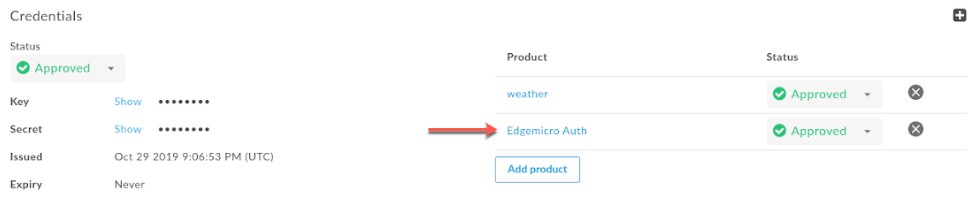
Note: The `features.isSingleForwardSlashBlockingEnabled` configuration property, as described in
[Configuring the behavior of a resource path of '/', '/\*', and '/\*\*'](https://docs.apigee.com/api-platform/publish/create-api-products#behavior-resource-path), is not supported
for Edge Microgateway.
- 143740696 - The `quotas` configuration structure has changed (see also
the release notes for version 3.0.9). The `quotas`
property is used to configure the quota plugin. The change in structure was made to improve
the clarity of the configuration elements.
To configure the quota plugin, use the following YAML configuration. Note that the
configuration property is called `quotas`.
For details about the individual `quotas` configuration
properties, see [Configuration options for quota](https://docs.apigee.com/api-platform/microgateway/3.0.x/use-plugins#usingthequotaplugin-configurationoptionsforquota).
```
edgemicro:
home: ../gateway
port: 8000
max_connections: -1
max_connections_hard: -1
logging:
level: info
dir: /var/tmp
stats_log_interval: 60
plugins:
dir: ../plugins
sequence:
- oauth
- quota
quotas:
bufferSize:
hour: 20000
minute: 500
default: 10000
useDebugMpId: true
failOpen: true
...
```
- 141750056 - A new feature was added that allows you to use Redis as the quota backing store. If `useRedis` is true then the [volos-quota-redis](https://github.com/apigee-127/volos/tree/master/quota/redis) module used. When true, the quota is restricted to only those Edge Microgateway instances that connect to Redis. If false, the [volos-quota-apigee](https://github.com/apigee-127/volos/tree/master/quota/apigee) module is used as the backing store, and the quota counter is global. For details, see [Configuration options for quota](https://docs.apigee.com/api-platform/microgateway/3.0.x/use-plugins#usingthequotaplugin-configurationoptionsforquota). For example:
```
edgemicro:
...
quotas:
useRedis: true
redisHost: localhost
redisPort: 6379
redisDb: 1
```
- 140574210 - The default expiration time for tokens generated by the `edgemicro-auth` proxy has been changed from 108000 milliseconds (1.8 minutes) to 1800 seconds (30 minutes).
- 143551282 - To support SAML enabled orgs, the `edgemicro genkeys` command has been updated to include a `‑‑token` parameter. This parameter lets you use an OAuth token for authentication instead of username/password. For details, see [Generating keys](https://docs.apigee.com/api-platform/microgateway/3.0.x/cli-reference-edge-microgateway#generating-keys).
#### 3.0.9
On October 11, 2019, Apigee released the following fixes and enhancements to Edge
Microgateway.
**Component versions:**
The following table lists the version numbers for the individual component projects
associated
with Edge Microgateway 3.0.9. Note that because each component is a separate project,
release numbers may not match up with the main product version:
| [microgateway](https://github.com/apigee-internal/microgateway/releases) | [core](https://github.com/apigee/microgateway-core/releases) | [config](https://github.com/apigee/microgateway-config/releases) | [plugins](https://github.com/apigee/microgateway-plugins/releases) | [edgeauth](https://github.com/apigee/microgateway-edgeauth/releases) |
|---|---|---|---|---|
| 3.0.9 | 3.0.7 | 3.0.7 | 3.0.10 | 3.0.7 |
**Bug fixes and enhancements:**
- 141989374 - A new "fail open" feature was added for the quota plugin. When this feature is enabled, if a quota-processing error occurs or if the "quota apply" request to Edge fails to update remote quota counters, the quota will be processed based on local counts only until the next successful remote quota sync happens. In both of these cases, a `quota-failed-open` flag is set in the request object.
To enable the quota "fail open" feature, set the following configuration:
```
quotas :
failOpen : true
```
Note: In addition, the name of the OAuth plugin's `fail-open` request object flag has been changed to
`oauth-failed-open`.
- 142093764 - A configuration change was made to the `edgemicro-auth` proxy to prevent quota overruns. The change is to set the quota type to [calendar](https://docs.apigee.com/api-platform/reference/policies/quota-policy#quotapolicytypes). To use this improvement, you must update your `edgemicro-auth` to version 3.0.7 or higher.
- 142520568 - A new feature has been added to enable the logging of the MP (message processor) ID in quota responses. To use this feature, you must update your `edgemicro-auth` proxy to version 3.0.7 or higher and set the following configuration:
```
quotas:
useDebugMpId: true
```
When `useDebugMpId` is set, quota responses from Edge will contain the MP id
and will be logged by Edge Microgateway. For example:
```
{
"allowed": 20,
"used": 3,
"exceeded": 0,
"available": 17,
"expiryTime": 1570748640000,
"timestamp": 1570748580323,
"debugMpId": "6a12dd72-5c8a-4d39-b51d-2c64f953de6a"
}
```
#### 3.0.8
On September 26, 2019, Apigee released the following fixes and enhancements to Edge
Microgateway.
**Component versions:**
The following table lists the version numbers for the individual component projects
associated
with Edge Microgateway 3.0.8. Note that because each component is a separate project,
release numbers may not match up with the main product version:
| [microgateway](https://github.com/apigee-internal/microgateway/releases) | [core](https://github.com/apigee/microgateway-core/releases) | [config](https://github.com/apigee/microgateway-config/releases) | [plugins](https://github.com/apigee/microgateway-plugins/releases) | [edgeauth](https://github.com/apigee/microgateway-edgeauth/releases) |
|---|---|---|---|---|
| 3.0.8 | 3.0.6 | 3.0.6 | 3.0.9 | 3.0.6 |
**Bug fixes and enhancements:**
- 140025210 - A new "fail open" feature was added. This feature allows API processing to continue if an expired JWT token cannot be refreshed due to a connection error that prevents a successful API key verification call to the `edgemicro-auth` proxy.
The feature allows you to set a grace period where the old token remains in cache
and is re-used until the grace period expires. The feature allows Edge Microgateway
to continue processing requests in case of a temporary connection failure. When
connectivity resumes, and a successful Verify API Key call goes through, a new JWT
is fetched and replaces the old JWT in the cache.
> [!NOTE]
> At least one successful Verify API Key call must occur to enable this feature to work.
To configure the new "fail open" feature, do the following:
1. Set the following properties in the `oauth` stanza in the Edge Microgateway configuration file:
```
oauth:
failOpen: true
failopenGraceInterval: time_in_seconds
cacheKey: true
...
```
For example:
```
oauth:
failOpen: true
failopenGraceInterval: 5
cacheKey: true
...
```
In this example, the old token will be used for 5 seconds if it cannot be refreshed
due to a connectivity problem.
After 5 seconds, an authentication error will be returned.
- 141168968 - An update was made to include the `correlation_id` in all plugin log output. In addition, the log levels for some logs were changed to `error` as required.
- 140193349 - A update was made to the `edgemicro-auth` proxy to require the Edge Microgateway key and secret to be verified on every Verify API Key request. Edge Microgateway has been updated to always send the key and secret on every Verify API Key request. This change prevents clients from obtaining a JWT with only an API key.
> [!NOTE]
> For this update to take effect, you must deploy the latest version of the `edgemicro-auth` proxy. For details, see [Upgrading the edgemicro-auth](https://docs.apigee.com/api-platform/microgateway/3.0.x/cli-reference-edge-microgateway#upgrading-the-edgemicro-auth-proxy) proxy.
- 140090250 - An update was made to add diagnostic logging for quota processing. With this change, it is now possible to correlate quoto log output with the rest of Edge Microgateway logs.
#### 3.0.7
On September 12, 2019, Apigee released the following fixes and enhancements to Edge
Microgateway.
**Component versions:**
The following table lists the version numbers for the individual component projects
associated
with Edge Microgateway 3.0.7. Note that because each component is a separate project,
release numbers may not match up with the main product version:
| [microgateway](https://github.com/apigee-internal/microgateway/releases) | [core](https://github.com/apigee/microgateway-core/releases) | [config](https://github.com/apigee/microgateway-config/releases) | [plugins](https://github.com/apigee/microgateway-plugins/releases) | [edgeauth](https://github.com/apigee/microgateway-edgeauth/releases) |
|---|---|---|---|---|
| 3.0.7 | 3.0.5 | 3.0.5 | 3.0.8 | 3.0.5 |
**Bug fixes and enhancements:**
-
140075602 - An update was made to the OAuth plugin to return a 5xx status code where
appropriate. Previously, the plugin only returned 4xx status codes in all
non-200 cases. Now, for any message response that is not a 200 status, the exact
4xx or 5xx code will be returned, depending on the error.
This feature is disabled by default. To enable this feature, add the `oauth.useUpstreamResponse: true`
property to your Edge Microgateway configuration. For example:
```
oauth:
allowNoAuthorization: false
allowInvalidAuthorization: false
gracePeriod: 10
useUpstreamResponse: true
```
- 140090623 - In release 3.0.6, a new configuration property was added, `quota.quotaUri`. Set this config property if you want to manage quotas through the `edgemicro-auth` proxy that is deployed to your org. If this property is not set, the quota endpoint defaults to the internal Edge Microgateway endpoint. For example:
```
edge_config:
quotaUri: https://%s-%s.apigee.net/edgemicro-auth
```
In release 3.0.7, the `edgemicro-auth` was updated to accept this new
configuration. To use the `quotaUri` property, you must upgrade to the
latest `edgemicro-auth` proxy. For details, see [Upgrading the edgemicro-auth](https://docs.apigee.com/api-platform/microgateway/3.0.x/cli-reference-edge-microgateway#upgrading-the-edgemicro-auth-proxy)
proxy.
- 140470888 - An Authorization header was added to quota calls to provide authentication. Also, the `edgemicro-auth` proxy was modified to remove "organization" from the quota identifier. Because the quota endpoint resides in the customer's organization, the quota identifier is no longer needed.
- 140823165 - The following property name:
```
edgemicro:
keepAliveTimeout
```
was documented incorrectly in release 3.0.6. The correct property name is:
```
edgemicro:
keep_alive_timeout
```
- 139526406 - A bug was fixed where an incorrect quota count occurred if a developer app had multiple products. Quota is now correctly enforced for each product in an app that has multiple products. The combination of 'appName + productName' is used as the quota identifier.
#### 3.0.6
On August 29, 2019, Apigee released the following fixes and enhancements to Edge
Microgateway.
- 138633700 - Added a new configuration property, `keepAliveTimeout`. This property enables you to set the Edge Microgateway timeout (in milliseconds). (Default: 5000 milliseconds)
For example:
```
edgemicro:
keep_alive_timeout: 600
```
- 140090623 - Added a new configuration property, `quotaUri`. Set this config property if you want to manage quotas through the `edgemicro-auth` proxy that is deployed to your org. If this property is not set, the quota endpoint defaults to the internal Edge Microgateway endpoint. For example:
```
edge_config:
quotaUri: https://your_org-your_env.apigee.net/edgemicro-auth
```
To use this feature, you must first deploy the latest version of the
`edgemicro-auth` proxy to your org. For details, see
[Upgrading the edgemicro-auth proxy](https://docs.apigee.com/api-platform/microgateway/3.0.x/cli-reference-edge-microgateway#upgrading-the-edgemicro-auth-proxy).
- 138722809 - Added a new configuration property, `stack_trace`. This property lets you to control whether or not stack traces appear in log files. For example:
```
stack_trace: false
```
If `stack_trace` is set to `true`,
the stack trace will
be printed in logs. If it is set to `false`, the stack
trace will not be printed in logs.
#### 3.0.5
On August 15, 2019, Apigee released the following fixes and enhancements to Edge
Microgateway.
**Bugs fixed**
- 139005279 - An issue was fixed where the `edgemicro status` command did not return the right number of worker processes.
- 138437710 - An issue was fixed in the ExitCounter class that prevented the proper log from being written.
**General log message improvements**
- 139064652 - Added the capability to add `trace` and `debug` logging levels for event and system logs. For now, only the capability to add these log levels was added. Currently, available log levels are `info`, `warn`, and `error`.
- 139064616 - Log output has been standardized for all console log statements. Console logging statements now includes these attributes:
- Timestamp
- Component name
- Process ID
- Console log message
**JWT key and secret log message improvements**
- 138413755 - Improve JWT key and secret-related log messages for these CLI commands: cert, verify, upgradekvm, token, genkeys, revokekeys, rotatekey, and configure.
**Timeout and connection refused error message improvements**
- 138413577 - Add and improve error handling for backend service timeouts.
- 138413303 - Add and improve error handling for response and socket timeouts.
- 138414116 - Add and improve error handling for "connection refused" errors.
#### 3.0.4
On August 1, 2019, Apigee released the following fixes and enhancements to Edge
Microgateway.
- 134445926 - Improvements to internal Edge Microgateway authentication.
- 137582169 - Addressed an issue where unwanted processes started up. The extra processes caused plugins to reload and used excessive memory. Edge Microgateway now keeps the number of processes within the expected limit.
- 137768774 - Log message improvements:
- Cleaned up transaction (request) logs.
- Added more log messages where needed.
- Moved transaction (request) log messages from console output to relevant log file.
- Updated console logs to use a centralized logging function.
- 138321133, 138320563 - Foundational internal change to quota buffer to enable future quota enhancements.
#### 3.0.3
On July 23, 2019, Apigee released the following fixes and enhancements to Edge
Microgateway.
- **Logging enhancements** : Existing runtime logs use a new [`eventLog()`](https://github.com/apigee/microgateway-core/blob/master/lib/logging.js) function that captures and logs runtime data in a consistent format. Log info includes:
- Timestamp (ISO 8601: YYYY-MM-DDTHH:mm:ss.sssZ).
- Log level (error, warn, or info).
- Hostname - The requesting hostname from the request header.
- Process ID - If you're running a cluster of Node.js processes, this is the ID of the process where the logging occurred.
- Apigee organization name.
- Environment name in the organization.
- API proxy name.
- Client IP address.
- ClientId.
- Correlation ID (not currently set).
- Edge Microgateway component name.
- Custom message - Some objects may print additional information that is passed to this error property.
- Request method (if HTTP request).
- Response status code (if HTTP request).
- Error message.
- Error code - If an object includes an error code, it is printed in this property.
- Time taken.
- Operating system [end of line marker.](https://nodejs.org/api/os.html#os_os_eol)
Null property values result in empty brackets, `[]`.
The following example shows the log format:
```
Timestamp [level][hostname][ProcessId][Org][Environment][APIProxy][ClientIp][ClientId][][component][customMessage][reqMethod][respStatusCode][errMessage][errCode][timeTaken]
```
(137770055)
- **Performance**: API products were not being filtered based on environment. This issue has been fixed. (135038879)
- Miscellaneous functional test integrations and code quality improvements.
#### 3.0.2
On July 3, 2019, Apigee released the following fixes and enhancements to Edge
Microgateway.
**Code quality** - Code has been reviewed for quality and code changes have been made to
meet quality standards requested by users. We addressed code quality errors and warnings
derived from [JSHint](https://jshint.com/).
Some actual code errors were identified and repaired as a result. All Apigee Edge Microgateway
modules were put through this process. See the June 28 and July 2 commits for
`https://github.com/apigee/microgateway-config/commits/master`,
`https://github.com/apigee/microgateway-core/commits/master`,
`https://github.com/apigee/microgateway-plugins/commits/master`,and
`https://github.com/apigee-internal/microgateway/commits/master`.
All modules with code quality changes have been tested with internal tools that verify the
execution of Edge Microgateway for customer use cases.
#### 3.0.1
On June 21, 2019, Apigee released the following fixes and enhancements to Edge
Microgateway.
- 134834551 - Change the supported Node.js versions for Edge Microgateway
(Node.js supported versions: 8 and 12; versions 7, 9, and 11 are experimental)
- 134751883 - Edge Microgateway crashes when reloading under load
- 134518428 - Products endpoint for Edge Microgateway returns 5XX if filter pattern is incorrect
- 135113408 - Workers should restart if they terminate unexpectedly
- 134945852 - tokenCacheSize is not used in oauth plug-in
- 134947757 - set cacheTTL in oauth plug-in
- 135445171 - gracePeriod calculation in OAuth is not correct
- Use memored module provided with the Edge Microgateway installation
- 135367906 - Security audit
## Version 2.5.x
> [!NOTE]
> **Note:** This version of Edge Microgateway works on Apigee Edge Private Cloud version 4.16.01 and later versions. Also, you can use this version of Microgateway with Apigee Edge trial organizations.
### New features and enhancements v.2.5.x
***(Fixed 2.5.38, 06/07/2019)***
Improperly formatted JWTs can cause workers to crash when using token cache. Fixed in the Edge
microgateway-plugins module. (b/134672029)
***(Added 2.5.37) Add the CLI option `edgemicro-cert -t`***.
The `edgemicro cert -t` option lets you specify an OAuth token to
authenticate management APIs. See also [Managing certificates](https://docs.apigee.com/api-platform/microgateway/2.5.x/cli-reference-edge-microgateway#managing-certificates).
***(Added 2.5.35) Add support to debug Edge Microgateway using `edgemicroctl`***.
You can use the `mgdebug` flag with `edgemicroctl`. See also
[Kubernetes integration tasks](https://docs.apigee.com/api-platform/integrations/kubernetes/k8s-tasks).
***(Added 2.5.35) Enable a Windows build for `edgemicroctl`***.
***(Added 2.5.31) New edgemicro-auth/token API***
A new edgemicro-auth/token API was added that allows you to pass the client/secret as a Base64 Encoded
Basic Authorization header and the grant_type as a form parameter.
See [Obtaining bearer tokens directly](https://docs.apigee.com/api-platform/microgateway/2.5.x/cli-reference-edge-microgateway#obtaining-bearer-tokens-directly).
***(Fixed 2.5.31) Private configure does not respect token flag***
An issue was fixed where configuring Edge Microgateway to use an OAuth2 access token on Edge for
Private Cloud did not work properly (the token was not respected).
***Docker: Support for using self-signed certificates***
(Added 2.5.29) If you are using a Certificate Authority (CA) that's not trusted by default by
Node.js, you can use the parameter `NODE_EXTRA_CA_CERTS` when you run a Docker container
with Edge Microgateway.
For details, see [Using a CA that is not trusted by Node.js](https://docs.apigee.com/api-platform/microgateway/2.5.x/docker#using_a_ca_that_is_not_trusted_by_nodejs).
***Docker: Support for TLS***
(Added 2.5.29) Edge Microgateway running in a Docker container now supports TLS for incoming
requests to the Edge Microgateway server (northbound requests) and for outgoing requests from Edge Microgateway to
a target application (southbound requests).
The following examples explain in detail how to set up these TLS configurations:
- [Example northbound TLS configuration](https://docs.apigee.com/api-platform/microgateway/2.5.x/docker#example_how_to_configure_northbound_tls)
- [Example southbound TLS configuration](https://docs.apigee.com/api-platform/microgateway/2.5.x/docker#example_how_to_configure_southbound_tls)
In these examples, you will see how to use the container mount point `/opt/apigee/.edgemicro` to load
the certificates, which are then referred to in the Edge Microgateway configuration file.
***Docker: Support for request proxying***
(Added 2.5.27) If you run Edge Microgateway in a Docker container, you can use these options to control proxy
behavior when the microgateway is running behind a firewall:
- `HTTP_PROXY`
- `HTTPS_PROXY`
- `NO_PROXY`
For details, see [Run Edge Micro as a Docker container](https://docs.apigee.com/api-platform/microgateway/2.5.x/docker#run_edge_micro_as_a_docker_container).
***Docker: Updated plugin instructions***
(Added 2.5.27) If you run Edge Microgateway in a Docker container, you now have two options for
deploying plugins. One option, using a Docker mount point, is new. The other option existed previously,
is basically unchanged; however, the Dockerfile has been updated. For details, refer to the following links:
- [Option A: Mount the plugins directory on a volume](https://docs.apigee.com/api-platform/microgateway/2.5.x/docker#option_a_mount_the_plugins_directory_on_a_volume) (New)
- [Option B: Build the plugins into the container](https://docs.apigee.com/api-platform/microgateway/2.5.x/docker#option_b_build_the_plugins_into_the_container) (Updated)
> [!NOTE]
> For Option B, the contents of the Dockerfile has changed. Refer to the instructions for details.
***New OAuth token support for KVM upgrade command***
(Added 2.5.27) You can use an OAuth token with the `upgradekvm` command. For details, see
[Upgrading the KVM](https://docs.apigee.com/api-platform/microgateway/2.5.x/cli-reference-edge-microgateway#upgrading-the-kvm).
***Segregating APIs in Edge Analytics***
(Added 2.5.26) New analytics plugin flags allow you to segregate a specific API path so that it appears as
a separate proxy in the Edge Analytics dashboards. For example,
you can segregate health check APIs to avoid confusing them with actual API calls. For more information, see
[Excluding paths from analytics](https://docs.apigee.com/api-platform/microgateway/2.5.x/operation-and-configuration-reference-edge-microgateway#segregatinganalyticspaths).
***Configuring a local proxy***
(Added 2.5.25) With a local proxy, you do not need to
manually create a microgateway-aware proxy on Apigee Edge. Instead, the microgateway will use the
local proxy's base path. For more information, see [Using local proxy mode](https://docs.apigee.com/api-platform/microgateway/2.5.x/operation-and-configuration-reference-edge-microgateway#using-local-proxy-mode).
***Using standalone mode***
(Added 2.5.25) You can run Edge Microgateway disconnected completely from any
Apigee Edge dependency. This scenario, called standalone mode, lets you run and test Edge Microgateway
without an Internet connection., see [Running Edge Microgateway in standalone mode](https://docs.apigee.com/api-platform/microgateway/2.5.x/operation-and-configuration-reference-edge-microgateway#running-edge-microgateway-in-standalone-mode).
***Revoking keys***
(Added 2.5.19) A new CLI command has been added that revokes the key and secret credentials for an
Edge Microgateway configuration.
```
edgemicro revokekeys -o [organization] -e [environment] -u [username] -k [key] -s [secret]
```
For more information, see [Revoke keys](https://docs.apigee.com/api-platform/microgateway/2.5.x/cli-reference-edge-microgateway#revokekeys).
***Docker support***
(Added 2.5.19) You can now download the latest Edge Microgateway release as a [Docker image](https://docs.docker.com/):
```
docker pull gcr.io/apigee-microgateway/edgemicro:latest
```
***Kubernetes support***
(Added 2.5.19) You can deploy Edge Microgateway as a service or as a sidecar gateway in front of
services deployed in a [Kubernetes](https://kubernetes.io/) cluster. See:
[Integrate Edge Microgateway with Kubernetes overview](https://docs.apigee.com/api-platform/integrations/kubernetes/k8s-introduction).
***Support for TCP nodelay option***
(Added 2.5.16) A new configuration setting, `nodelay`, has been added to the Edge Micro configuration.
By default TCP connections use the [Nagle
algorithm](https://en.wikipedia.org/wiki/Nagle%27s_algorithm) to buffer data before sending it off. Setting `nodelay` to `true`,
disables this behavior (data will immediately fire off data each time
`socket.write()` is called). See also the [Node.js
documentation](https://nodejs.org/api/net.html#net_socket_setnodelay_nodelay) for more details.
To enable `nodelay`, edit the [Edge Micro config file](https://docs.apigee.com/api-platform/microgateway/2.5.x/operation-and-configuration-reference-edge-microgateway#Making%20configuration%20changes) as follows:
```
edgemicro:
nodelay: true
port: 8000
max_connections: 1000
config_change_poll_interval: 600
logging:
level: error
dir: /var/tmp
stats_log_interval: 60
rotate_interval: 24
```
***New CLI options for Forever monitoring***
(Added 2.5.12) New parameters have been added to the `edgemicro forever` command. These parameters let you
specify the location of the `forever.json` file, and let you either start or stop the Forever
background process. See also [Forever monitoring](https://docs.apigee.com/api-platform/microgateway/2.5.x/operation-and-configuration-reference-edge-microgateway#forevermonitoring)
| Parameter | Description |
|---|---|
| `-f, --file` | Specifies the location of the `forever.json` file. |
| `-a, --action` | Either `start` or `stop`. The default is start. |
Examples:
To start Forever:
```
edgemicro forever -f ~/mydir/forever.json -a start
```
To stop Forever:
```
edgemicro forever -a stop
```
***JWT key rotation***
A new feature was added that lets you rotate the public/private key pairs used to
generate the JWT tokens used for OAuth security on Edge Microgateway. See [Rotating JWT keys](https://docs.apigee.com/api-platform/microgateway/2.5.x/operation-and-configuration-reference-edge-microgateway#rotatingjwtkeys).
***Filtering downloaded API proxies***
By default, Edge Microgateway downloads all of the proxies in your Edge organization
that start with the naming prefix "edgemicro_". You can change this default to download proxies
whose names match a pattern. See [Filtering downloaded proxies](https://docs.apigee.com/api-platform/microgateway/2.5.x/operation-and-configuration-reference-edge-microgateway#filteringdownloadedproxies).
***Specifying products without API proxies***
In Apigee Edge, you can create an API product that does not contain any API proxies.
This product configuration allows an API key associated with that product to work for with any
proxy deployed in your organization. As of version 2.5.4, Edge Microgateway supports this product
configuration.
***Support for forever monitoring***
Edge Microgateway has a `forever.json` file that you can configure to
control how many times and with what intervals Edge Microgateway should be restarted. This file
configures a service called forever-monitor, which manages Forever programmatically. See [Forever monitoring](https://docs.apigee.com/api-platform/microgateway/2.5.x/operation-and-configuration-reference-edge-microgateway#forevermonitoring).
***Central management of the Edge Micro configuration file***
If you run multiple Edge Microgateway instances, you may wish to manage their
configurations from a single location. You can do this by specifying an HTTP endpoint where Edge
Micro can download its configuration file. See [Specifying a config file endpoint](https://docs.apigee.com/api-platform/microgateway/2.5.x/operation-and-configuration-reference-edge-microgateway#specifyingaconfigfileendpoint).
***Support for forever CLI option***
(Added 2.5.8) Use the `edgemicro forever [package.json]` command to specify the
location of the `forever.json` file. Before the addition of this command, the config
file had to be in the Edge Microgateway root directory.
For example:
```
edgemicro forever ~/mydir/forever.json
```
***Addition of configUrl option to reload command***
(Added 2.5.8) You can now use the `--configUrl` or `-u` option with the
`edgemicro reload` command.
***Grace period for JWT time discepancies***
(Added 2.5.7) A **gracePeriod** attribute in OAuth configuration helps prevent errors
caused by slight discrepancies between your system clock and the Not Before (nbf) or Issued At
(iat) times specified in the JWT authorization token. Set this attribute to the number of seconds
to allow for such discrepancies. See [OAuth attributes](https://docs.apigee.com/api-platform/microgateway/2.5.x/operation-and-configuration-reference-edge-microgateway#edgemicrogatewayconfigurationreference-oauthattributes).
(Added 2.5.7) A **gracePeriod** attribute in OAuth configuration helps prevent errors
caused by slight discrepancies between your system clock and the Not Before (nbf) or Issued At
(iat) times specified in the JWT authorization token. Set this attribute to the number of seconds
to allow for such discrepancies. See [OAuth attributes](https://docs.apigee.com/api-platform/microgateway/2.5.x/operation-and-configuration-reference-edge-microgateway#edgemicrogatewayconfigurationreference-oauthattributes).
### Bugs fixed v2.5.x
- (Issue #236) Fix typo in clearing the cache.
- (Issue #234) Reload crashes for Edge Microgateway 2.5.35.
- (Issue #135) Invalid virtual host reference "secure" error when using the **-v** option. This fix modifies the edgemicro-auth proxy before deployment to ensure the virtual hosts match exactly what is specified in the "-v" flag. In addition, you can specify any number of and any name for the virtual host (no longer restricted to default and secure).
- (Issue #141) The **edgemicro reload** command does not support the configuration file option **-c**. This issue has been fixed.
- (Issue #142) Edge Microgateway complains about deprecated crypto at install time. This issue has been fixed.
- (Issue #145) Quota not working with Edge Microgateway. This issue has been fixed.
- (Apigee Community issue: [EMG - JWT token validated against both API Proxies and Resource URI in OAUTH](https://discuss.google.dev/t/emg-jwt-token-validated-against-both-api-proxies-and-resource-uri-in-oauth/16836)) JWT token validated against both API Proxies and Resource URI in OAUTH. This issue has been fixed.
- (Apigee Community issue: [Microgateway working even without Oauth token in header](https://discuss.google.dev/t/microgateway-working-even-without-oauth-token-in-header/17027)) Microgateway not working with OAuth. This issue has been fixed.
- Fix pidPath on Windows.
- (Issue #157) Problem that caused the following error message has been fixed: `ReferenceError: deployProxyWithPassword` is not defined.
- (Issue #169) Update Node.js dependencies (npm audit)
- The `edgemicro-auth` proxy now uses the Edge JWT policies. The proxy no longer depends on Node.js to provide JWT support.
## Version 2.4.x
> [!NOTE]
> **Note:** This version of Edge Microgateway works on Apigee Edge Private Cloud version 4.16.01 and later versions. Also, you can use this version of Microgateway with Apigee Edge trial organizations.
### New features and enhancements v.2.4.x
***1. Set a custom alias
for the edgemicro-auth proxy (PR 116)***
You can change the default basepath for the **edgemicro-auth** proxy. By default,
the basepath is **/edgemicro-auth** . To change it, use the **-x** flag
on the **edgemicro configure** command.
Example:
```
edgemicro configure -x /mypath …
```
***2. Wildcard support for base paths (PR 77)***
You can use one or more "**\*** " wildcards in the base path of an
**edgemicro_\*** proxy. For example, a base path of **/team/\*/members**
allows clients to call **https://\[host\]/team/blue/members** and
**https://\[host\]/team/green/members** without you needing to create new API proxies
to support new teams. Note that **/\*\*/** is not
supported.
**Important:** Apigee does NOT support using a wildcard "\*" as the first element of a base path. For example, this is NOT supported: **/\*/** search.
***3. Custom config path added to CLI for Private Cloud configuration (PR
99)***
By default, the microgateway configuration file is in **./config/config.yaml** .
On the init, configure, and start commands, you can now specify a custom config path on the
command line using the **-c** or **--configDir** flags. Fixed an issue
where a custom config directory for Private Cloud installations was not recognized.
Example:
```
edgemicro start -o docs -e test -k abc123 -s xyz456 -c /home/microgateway/config
```
***4. Respect \*_PROXY variables (PR 61)***
If Edge Microgateway is installed behind a firewall and is not able to communicate with Apigee
Edge in the public cloud, there are two options to consider:
*Option 1:*
The first option is to set the edgemicro: proxy_tunnel option to true in the microgateway
config file:
```
edge_config:
proxy: http://10.224.16.85:3128
proxy_tunnel: true
```
When **proxy_tunnel** is **true**, Edge Microgateway uses the HTTP
CONNECT method to tunnel HTTP requests over a single TCP connection. (The same is true if the
environment variables for configuring the proxy are TLS enabled).
*Option 2:*
The second option is to specify a proxy and set **proxy_tunnel** to
**false** in the microgateway config file. For example:
```
edge_config:
proxy: http://10.224.16.85:3128
proxy_tunnel: false
```
In this case, you can set the following variables to control the hosts for each HTTP proxy
that you wish to use, or which hosts should not handle Edge Microgateway proxies:
**HTTP_PROXY** , **HTTPS_PROXY** , and **NO_PROXY** . You can
set **NO_PROXY** as a comma delimited list of domains that Edge Microgateway should
not proxy to. For example:
```
export HTTP_PROXY='http://localhost:3786'
export HTTPS_PROXY='https://localhost:3786'
```
For more information on these variables, see:
***5. Set a custom timeout for target requests (PR 57)***
You can set a custom timeout for target requests with this configuration:
```
edgemicro:
request_timeout: 10
```
The timeout is set in seconds. If a timeout occurs, Edge Microgateway responds with a 504
status code.
***6. Respect custom HTTP status messages on the target response (PR
53)***
Edge Microgateway respects custom HTTP status messages set on the target response.
In previous releases, status messages sent from the target were overridden with Node.js
defaults.
***7. The X-Forwarded-For header can set the client_ip for
analytics***
If present, the **X-Forwarded-For** header will set the
**client_ip** variable that is reported in Edge Analytics. This feature lets you
know the IP of the client that sent a request to Edge Microgateway.
***8. OAuth plugin changes***
The OAuth plugin supports API Key verification and OAuth access token verification. Before
this change, the plugin accepted either form of security. With this change, you can allow only
one of those security models (while maintaining backward compatibility).
The OAuth plugins adds two new flags:
- **allowOAuthOnly** -- If set to **true**, every API must carry
an Authorization header with a Bearer Access Token.
- **allowAPIKeyOnly** -- If set to **true** , every API must carry
an **x-api-key** header (or a custom location) with an API Key.
You set these flags in the Edge Microgateway configuration file like this:
```
oauth:
allowNoAuthorization: false
allowInvalidAuthorization: false
keep-authorization-header: false
allowOAuthOnly: false
allowAPIKeyOnly: false
```
> [!NOTE]
> **Note:** Do not set both flags to true. The **default** setting is both flags are set to **false** (for backward compatibility).
***9. Improved the edgemicro-auth proxy (PR 40)***
Improvements have been made to the **edgemicro-auth** proxy. Before
these changes, the proxy stored keys in the Edge Secure Store, an encrypted vault. Now, the proxy
stores keys in Edge's encrypted key-value map (KVM).
> [!NOTE]
> **Note:** If you want to continue using your currently deployed **edgemicro-auth** proxy, you can continue doing so. However, if you want to switch to the new proxy, you need to re-run the **edgemicro configure** command. This command deploys the new **edgemicro-auth** proxy for you. The improved proxy allows custom claims to be made to a JSON Web Token (JWT), allows expiry configuration and supports refresh tokens. For details, see the [edgemicro-auth page](https://www.google.com/url?q=https://github.com/apigee/microgateway-edgeauth&sa=D&ust=1497277386185000&usg=AFQjCNGG4hzkhQzrL4ZKfcJKITGocnSzRg) in GitHub.
***10. Rewriting default target URL in a plugin (PR 74)***
You can also override the target endpoint port and choose between HTTP and HTTPS. Modify these
variables in your plugin code: **req.targetPort** and
**req.targetSecure** . To choose HTTPS, set **req.targetSecure** to
**true** ; for HTTP, set it to **false** . If you set req.targetSecure to
true, see [this discussion
thread](https://github.com/apigee/microgateway-core/issues/81) for more information.
> [!NOTE]
> **Note:** A sample plugin called **eurekaclient** has been added to Edge Microgateway. This plugin demonstrates how to use the **req.targetPort** and **req.targetSecure** variables and illustrates how Edge Microgateway can perform dynamic endpoint lookup using Eureka as a service endpoint catalog.
***11. Initial support for OAuth token authentication*** ***(PR
125)***
You can configure Edge Microgateway to use an OAuth token for authentication instead of
username/password. To use an OAuth token, use the following parameter on the **edgemicro
configure** command:
`-t, --token \`
For example:
```
edgemicro configure -o docs -e test -t
```
### Bugs fixed v2.4.3
- Fixed an issue where a paid org was required to properly run the edgemicro-auth proxy. Now, you can use Edge Microgateway with trial orgs as well. (PR 5)
- Fixed an issue where the stream was not finished processing data, but end handlers were executing anyway. This caused a partial response to be sent. (PR 71)
- Fixed an issue where a custom config directory for Private Cloud installations was not recognized. (PR 110)
- Fixed an issue with bi-directional SSL between the client and Edge Microgateway. (PR 70)
- Fixed an issue where a trailing slash was required on the proxy basepath for API key verification to workk properly. Now, a trailing slash is not needed at the end of the basepath. (PR 48)
## Version 2.3.5
### New features and enhancements v.2.3.5
***Proxy filtering***
You can filter which microgateway-aware proxies an Edge Microgateway instance will process.
When Edge Microgateway starts, it downloads all of the microgateway-aware proxies in the
organization it's associated with. Use the following configuration to limit which proxies the
microgateway will process. For example, this configuration limits the proxies the microgateway
will process to three: `edgemicro_proxy-1`, `edgemicro_proxy-2`, and
`edgemicro_proxy-3`:
```
proxies:
- edgemicro_proxy-1
- edgemicro_proxy-2
- edgemicro_proxy-3
```
***Analytics data masking***
A new configuration lets you prevent request path information from showing up in Edge
analytics. Add the following to the microgateway configuration to mask the request URI and/or
request path. Note that the URI consists of the hostname and path parts of the request.
```
analytics:
mask_request_uri: 'string_to_mask'
mask_request_path: 'string_to_mask'
```
## Version 2.3.3
> [!WARNING]
> **Warning:** If you are considering upgrading to v.2.3.3: If you have configured an HTTP proxy server for your Edge Microgateway setup, **we recommend that you
> do not upgrade to version 2.3.3** . The **HTTP_PROXY** variable and the **edge_config:proxy** and **edge_config:proxy_tunnel** config settings do not work in v. 2.3.3.
### New features and enhancements v.2.3.3
Following are the new features and enhancements for this release.
***Disable automatic change polling***
You can turn off automatic change polling by setting this attribute in the microgateway
config:
`disabled_config_poll_interval: true`
By default, periodic polling picks up any changes made on Edge (changes to products,
microgateway-aware proxies, etc) as well as changes made to the local config file. The default
polling interval is 600 seconds (five minutes).
***Rewriting target URLs in plugins***
You can override the default target URL dynamically in a plugin by modifying these variables
in your plugin code: **req.targetHostname** and
**req.targetPath**.
***New plugin function signature***
A new plugin function signature has been added that provides the target response as an
argument. This addition makes it easier for plugins to access the target response.
```
function(sourceRequest, sourceResponse, targetResponse, data, cb)
```
***Simplified default logging output***
By default, the logging service now omits the JSON of downloaded proxies, products, and JWT.
You can change to default to output these objects by setting `DEBUG=*` when you start
Edge Microgateway. For example:
```
DEBUG=* edgemicro start -o docs -e test -k abc123 -s xyz456
```
***Custom config path added to CLI***
By default, the microgateway configuration file is in ./config/config.yaml. On the init,
configure, and start commands, you can now specify a custom config path on the command line. For
example:
```
edgemicro start -o docs -e test -k abc123 -s xyz456 -c /home/microgateway/config
```
### Bugs fixed v2.3.3
- A memory leak was fixed that occurred during large request/responses.
- Plugin execution order was fixed. It now behaves the way it is explained in the documentation.
- The plugin accumulate-request plugin no longer hangs for GET requests.
- An issue was fixed in the accumulate-response plugin where a lack of response body caused errors.
## Release 2.3.1
### Installation note
Some previous versions of Edge Microgateway let you install the software by downloading a ZIP
file. These ZIP files are no longer supported. To install Edge Microgateway, you must use:
```
npm install -g edgemicro
```
Refer to the [installation topic](https://docs.apigee.com/api-platform/microgateway/2.5.x/installing-edge-microgateway) for
more details.
### New features and enhancements v.2.3.1
Following are the new features and enhancements for this release.
***Filter proxies***
A new configuration lets you filter which proxies that Edge Microgateway will load upon
startup. Previously, the microgateway loaded all microgateway-aware proxies (proxies named
edgemicro_\*) pulled from the Edge organization/environment that you specified in the edgemicro
configure command. This new feature lets you filter this list of proxies so that Edge
Microgateway only loads the ones you specify. Simply add the proxies element to the microgateway
config file like this:
```
edge micro:
proxies:
- edgemicro_[name]
- edgemicro_[name]
...
```
For example, let's say you have 50 `edgemicro_*` proxies in your Edge
org/env, including ones named `edgemicro_foo` and `edgemicro_bar`. You can
tell the microgateway to use only these two proxies like this:
```
edge micro:
proxies:
- edgemicro_foo
- edgemicro_bar
```
Upon startup, the microgateway will only be able to call the specified proxies. Any attempts
to call other microgateway-aware proxies downloaded from the Edge organization/environment will
result in an error.
***Set target request headers in plugins***
There are two basic patterns to consider if you want to add or modify target request headers:
one where the incoming request contains data (as in a POST request) and one where it does not (as
in a simple GET request).
Let's consider a case where the incoming request contains data, and you want to set request
headers on the target request. In previous versions of Edge Microgateway, it was not possible to
set target headers reliably in this case.
The key to this pattern is to first accumulate all incoming data from the client. Then, in the
`onend_request()` function, use the new function `request.setOverrideHeader(name,
value)` to customize the headers.
Here is sample plugin code showing how to do this. The headers set in
`onend_request` are sent to the target:
```
module.exports.init = function(config, logger, stats) {
function accumulate(req, data) {
if (!req._chunks) req._chunks = [];
req._chunks.push(data);
}
return {
ondata_request: function(req, res, data, next) {
if (data && data.length > 0) accumulate(req, data);
next(null, null);
},
onend_request: function(req, res, data, next) {
if (data && data.length > 0) accumulate(req, data);
var content = Buffer.concat(req._chunks);
delete req._chunks;
req.setOverrideHeader('foo', 'bar');
req.setOverrideHeader('content-length', content.length);
next(null, content);
},
onerror_request: function(req, res, data, next) {
next(null, null);
}
};
}
```
If the request does not include data, then you can set target headers in the
`onrequest()` handler. This pattern is not new -- it has been documented previously
and has been used in the sample plugins provided with Edge Microgateway.
```
onrequest: function(req, res, next) {
debug('plugin onrequest');
req.headers['x-foo-request-id'] = "bar";
req.headers['x-foo-request-start'] = Date.now();
next();
}
```
***Zero-downtime reload feature***
After making a configuration change to Edge Microgateway, you can load the configuration
without dropping any messages. With this change, Edge Microgateway always starts in cluster mode,
and he `--cluster` option has been removed from the `edgemicro start`
command.
In addition, three new CLI commands have been added. You must run these commands from the
same directory where the edgemicro start command was executed:
- `edgemicro status` - Checks to see if the Edge Microgateway is running or not.
- `edgemicro stop` - Stops the Edge Microgateway cluster.
- `edgemicro reload` - Reloads the Edge Microgateway configuration with no downtime.
***Automatic config reload with zero downtime***
Edge Microgateway loads a new configuration periodically and executes a reload if anything
changed. The polling picks up any changes made on Edge (changes to products, microgateway-aware
proxies, etc) as well as changes made to the local config file. The default polling interval is
600 seconds (five minutes). You can change the default in the microgateway config file as
follows:
```
edgemicro:
config_change_poll_interval: [seconds]
```
***Added version information to CLI***
A `--version` flag was added to the CLI. To get the current version of Edge
Microgateway, use:
```
edgemicro --version
```
***New Edge Microgateway server SSL options***
Edge Microgateway now supports the following server SSL options in addition to
`key` and `cert`:
| Option | Description |
|---|---|
| `pfx` | Path to a `pfx` file containing the private key, certificate, and CA certs of the client in PFX format. |
| `passphrase` | A string containing the passphrase for the private key or PFX. |
| `ca` | Path to a file containing a list of trusted certificates in PEM format. |
| `ciphers` | A string describing the ciphers to use separated by a ":". |
| `rejectUnauthorized` | If true, the server certificate is verified against the list of supplied CAs. If verification fails, an error is returned. |
| `secureProtocol` | The SSL method to use. For example, SSLv3_method to force SSL to version 3. |
| `servername` | The server name for the SNI (Server Name Indication) TLS extension. |
***Send log files to stdout***
You can send log data to standard output with a new configuration setting:
```
edgemicro:
logging:
to_console: true
```
See [Managing log files](https://docs.apigee.com/api-platform/microgateway/2.5.x/operation-and-configuration-reference-edge-microgateway#managinglogfiles).
## Version 2.1.2
Following are the new features and enhancements for this release.
***Allow custom API endpoint for configuration***
There are new configurable endpoints for the authorization proxy that support the use of a
custom auth service. These endpoints are:
- `edgeconfig:verify_api_key_url`
- `edgeconfig:products`
For details, see [Using a custom auth service](https://docs.apigee.com/api-platform/microgateway/2.5.x/operation-and-configuration-reference-edge-microgateway#usingacustomauthservice).
## Version 2.1.1
Following are the new features and enhancements for this release.
***Deploy auth proxy cross-platform compatible***
An enhancement was made so that the command used to deploy the Edge Microgateway authorization
proxy to Edge is compatible on Windows systems.
## Version 2.1.0
### New features and enhancements v.21.0
Following are the new features and enhancements:
***Specify client SSL/TLS options***
You can specify client options for SSL/TSL connections to targets using a new set of config
options. See [Using client SSL/TSL options](https://docs.apigee.com/api-platform/microgateway/2.5.x/operation-and-configuration-reference-edge-microgateway#usingclientssltlsoptions).
## Version 2.0.11
### Installation note v2.0.11
Some previous versions of Edge Microgateway let you install the software by downloading a ZIP
file. These ZIP files are no longer supported. To install Edge Microgateway, you must use:
```
npm install -g edgemicro
```
Refer to the [installation topic](https://docs.apigee.com/api-platform/microgateway/2.5.x/installing-edge-microgateway) for
more details.
### New features and enhancements v.2.0.11
Following are the new features and enhancements:
***Specify a port on startup***
The start command lets you specify a port number to override the port specified in the
configuration file. You can also specify a port number using the PORT environment variable. See
[start command]() for details.
***Optionally preserve auth headers***
A new configuration setting, **keepAuthHeader** , lets you preserve the
Authorization header sent in the request. If set to true, the Auth header is passed on to the
target. See [oauth attributes](https://docs.apigee.com/api-platform/microgateway/2.5.x/operation-and-configuration-reference-edge-microgateway#edgemicrogatewayconfigurationreference-oauthattributes).
***Ability to use a custom authorization service***
If you want to use your own custom service to handle authentication, change the
**authUri** value in the Edge Microgateway config file to point to your service. For
details, see [Using a custom auth service](https://docs.apigee.com/api-platform/microgateway/2.5.x/operation-and-configuration-reference-edge-microgateway#usingacustomauthservice).
## Version 2.0.4
Edge Microgateway v.2.0.4 was released on May 25, 2016.
### New features and enhancements v2.0.4
Following are the new features and enhancements in this release.
***Support for resource paths in products***
Edge Microgateway now supports resource paths in products. Resource paths let you restrict
access to APIs based on the proxy path suffix. For details on creating products and configuring
resource paths, see [Create API
products](https://docs.apigee.com/api-platform/publish/create-api-products).
***Support for npm global install***
You can now install Edge Microgateway using the npm -g (global) option. For details on this
option refer to the [npm
documentation](https://docs.npmjs.com/getting-started/installing-npm-packages-globally).
## Version 2.0.0
Edge Microgateway v2.0.0 was released on April 18, 2016.
### New features and enhancements v.2.0.0
Following are the new features and enhancements in this release.
***Single process server***
Edge Microgateway is now a single process server. It no longer uses a two process model where one process (previously known as the "agent") launches Edge Microgateway, the second process. The new architecture makes automation and containerization easier.
***Namespaced configuration files***
Configuration files now are namespaced using organization and environment so that multiple
Microgateway instances can run on the same host. You can find the config files in \~/.edgemicro
after you run the Edge Microgateway config command.
***New environment variables***
There are now 4 environment variables: EDGEMICRO_ORG, EDGEMICRO_ENV, EDGEMICRO_KEY,
EDGEMICRO_SECRET. If you set these variables on your system, you do not have to specify their
values when you use the Command-Line Interface (CLI) to configure and start Edge
Microgateway.
***Cached configuration***
Edge Microgateway uses a cached configuration file if it restarts with no connection to Apigee Edge.
***Cluster mode***
There are now options to start Edge Microgateway in cluster mode. Cluster mode allows you to take
advantage of multi-core systems. The microgateway employs the [Node.js cluster module](https://nodejs.org/api/cluster.html) for this feature. For details,
see the Node.js documentation.
### Bugs fixed v2.0.0
Plugin event lifecycle now properly handles async code that contains code with a new
callback.
## Version 1.1.2
Edge Microgateway v. 1.1.2 was released on March 14, 2016.
### New features and enhancements v.1.1.2
Following are the new features and enhancements in this release.
***Performance Improvement***
Edge Microgateway now uses the Node.js HTTP agent properly for better connection pooling. This
enhancement improves performance and overall stability under high load.
***Remote debugger support***
You can configure Edge Microgateway to run with a remote debugger, like [node-inspector](https://www.npmjs.com/package/node-inspector).
***New config file location***
When you configure Edge Microgateway, the `agent/config/default.yaml` file is now
copied to `~./edgemicro/config.yaml`.
***Log file rotatio***n
A new config attribute lets you specify a rotation interval for Edge Microgateway
logs.
### Bugs fixed v1.1.2
The following bugs are fixed in v. 1.1.2.
| Description |
|---|
| Java callout for edgemicro-internal proxy used with on-prem Edge now uses right MGMT server. |
| Remove typescript depenencies from the agent. |
| Fix CLI bug when using lean deployment option. |
| Fix cert logic dependency reference. |