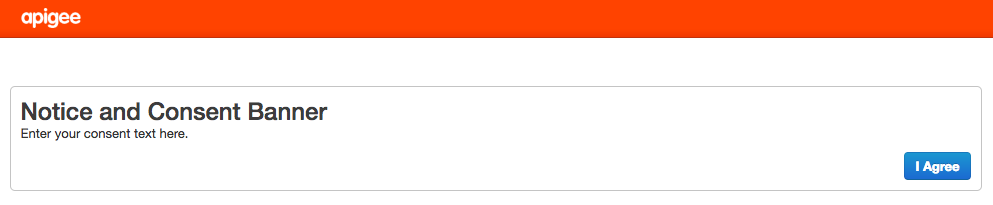
Anda dapat menampilkan banner izin saat pengguna pertama kali mengakses UI Edge. Banner izin
menampilkan teks berformat HTML dan tombol yang dipilih pengguna untuk melanjutkan ke layar login.
Contoh:
Untuk menambahkan banner izin:
Buka file ui.properties di editor. Jika file tidak ada, buat file tersebut:: > vi
/opt/apigee/customer/application/ui.properties
Tetapkan properti berikut: # Enable the consent
banner:
[[["Mudah dipahami","easyToUnderstand","thumb-up"],["Memecahkan masalah saya","solvedMyProblem","thumb-up"],["Lainnya","otherUp","thumb-up"]],[["Informasi yang saya butuhkan tidak ada","missingTheInformationINeed","thumb-down"],["Terlalu rumit/langkahnya terlalu banyak","tooComplicatedTooManySteps","thumb-down"],["Sudah usang","outOfDate","thumb-down"],["Masalah terjemahan","translationIssue","thumb-down"],["Masalah kode / contoh","samplesCodeIssue","thumb-down"],["Lainnya","otherDown","thumb-down"]],["Terakhir diperbarui pada 2026-10-16 UTC."],[],[]]