Google 會運用 AI 技術將內容翻譯成你偏好的語言,但可能會出錯。
提供意見
在 Edge UI 中設定密碼提示文字
注意: 本文件涵蓋 Edge for Private Cloud 4.16.09,但該版本已不受支援。Google 不會為這個版本提供安全性修補程式、錯誤修正或技術支援。目前支援的版本為 4.54.00。如要查看目前版本,請參閱 Edge for Private Cloud 說明文件 ;如要比較版本,請參閱所有版本 。Edge for Private Cloud 4.16.09 版
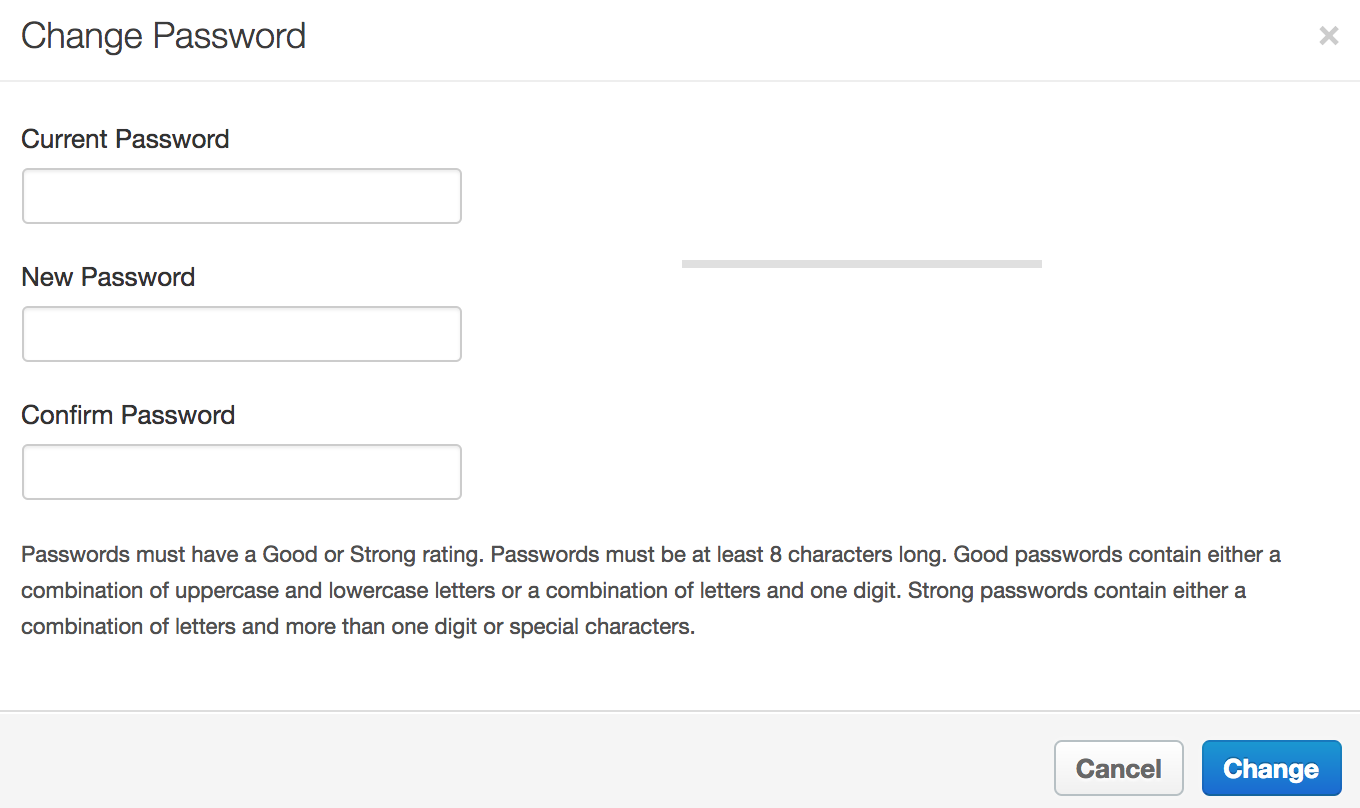
注意: conf_apigee-base_apigee.passwordpolicy.pwdhint 屬性適用於 Edge 4.16.09.04 以上版本。根據預設,當使用者在 Edge UI 中變更密碼時,系統會顯示對話方塊,其中包含設定密碼的欄位,以及說明密碼規定的文字:
如要設定文字,請在 /<inst_root>/apigee/customer/application/ui.properties 檔案中設定 conf_apigee-base_apigee.passwordpolicy.pwdhint 屬性。
如要設定這項屬性,請按照下列步驟操作:
在編輯器中開啟 ui.properties 檔案。如果檔案不存在,請建立檔案:> vi
/<inst_root>/apigee/customer/application/ui.properties
設定 conf_apigee-base_apigee.passwordpolicy.pwdhint。 舉例來說,請將 conf_apigee-base_apigee.passwordpolicy.pwdhint 設為:conf_apigee-base_apigee.passwordpolicy.pwdhint="Password
must be 13 characters long and contain at least on special character."
儲存變更。
確認屬性檔案的擁有者是「apigee」使用者:>
chown apigee:apigee /<inst_root>/apigee/customer/application/ui.properties
重新啟動 Edge UI:>
/<inst_root>/apigee/apigee-service/bin/apigee-service edge-ui restart
提供意見
除非另有註明,否則本頁面中的內容是採用創用 CC 姓名標示 4.0 授權 ,程式碼範例則為阿帕契 2.0 授權 。詳情請參閱《Google Developers 網站政策 》。Java 是 Oracle 和/或其關聯企業的註冊商標。
上次更新時間:2026-10-16 (世界標準時間)。
想進一步說明嗎?
[[["容易理解","easyToUnderstand","thumb-up"],["確實解決了我的問題","solvedMyProblem","thumb-up"],["其他","otherUp","thumb-up"]],[["缺少我需要的資訊","missingTheInformationINeed","thumb-down"],["過於複雜/步驟過多","tooComplicatedTooManySteps","thumb-down"],["過時","outOfDate","thumb-down"],["翻譯問題","translationIssue","thumb-down"],["示例/程式碼問題","samplesCodeIssue","thumb-down"],["其他","otherDown","thumb-down"]],["上次更新時間:2026-10-16 (世界標準時間)。"],[],[]]