

使用者在新版 Edge UI 中設定或重設密碼時,系統會顯示密碼頁面,內含密碼設定欄位和說明密碼政策規定的文字:
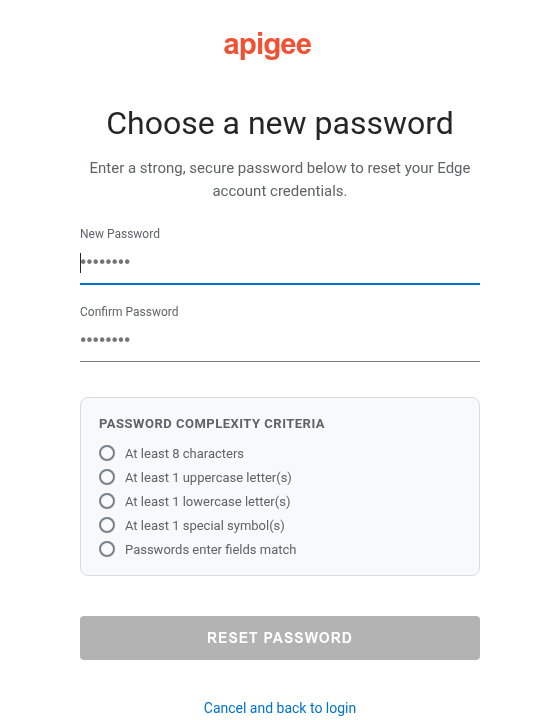
您可以在新版 Edge UI 中設定密碼提示文字和密碼政策驗證設定,方法是在 /opt/apigee/customer/application/management-ui.properties 檔案中設定下列屬性:
conf_uebe_passwordPolicy_pwdHint:設定向使用者顯示的密碼提示文字。conf_uebe_passwordPolicy_pwdMinLength:設定密碼長度下限 (預設為8)。conf_uebe_passwordPolicy_pwdValidationRegex:設定用於驗證新版 Edge UI 中密碼的規則運算式。
如要設定這些屬性,請按照下列步驟操作:
- 在編輯器中開啟
management-ui.properties檔案。如果檔案不存在,請建立檔案:vi /opt/apigee/customer/application/management-ui.properties
- 設定
conf_uebe_passwordPolicy_pwdHint,並視需要設定conf_uebe_passwordPolicy_pwdMinLength和conf_uebe_passwordPolicy_pwdValidationRegex。例如:conf_uebe_passwordPolicy_pwdHint="Password must be at least 13 characters long and contain at least one special character." conf_uebe_passwordPolicy_pwdMinLength=13 conf_uebe_passwordPolicy_pwdValidationRegex="^(?=.*[a-z])(?=.*[A-Z])(?=.*\d)(?=.*[^\da-zA-Z]).{13,}$" - 儲存變更。
- 確認屬性檔案的擁有者是
apigee使用者:chown apigee:apigee /opt/apigee/customer/application/management-ui.properties
- 重新啟動 New Edge UI:
/opt/apigee/apigee-service/bin/apigee-service edge-management-ui restart