

您正在查看 Apigee Edge 文档。
转到
Apigee X 文档。 info
本部分提供了有关排查 OpenLDAP 问题的相关信息和指南。
SMTP 已停用,用户需要重置 密码
问题
如果未在 Edge 界面中设置 SMTP,则添加到 Edge 的新用户需要一种设置 密码的方式。
错误消息
Unknown username and password combination.
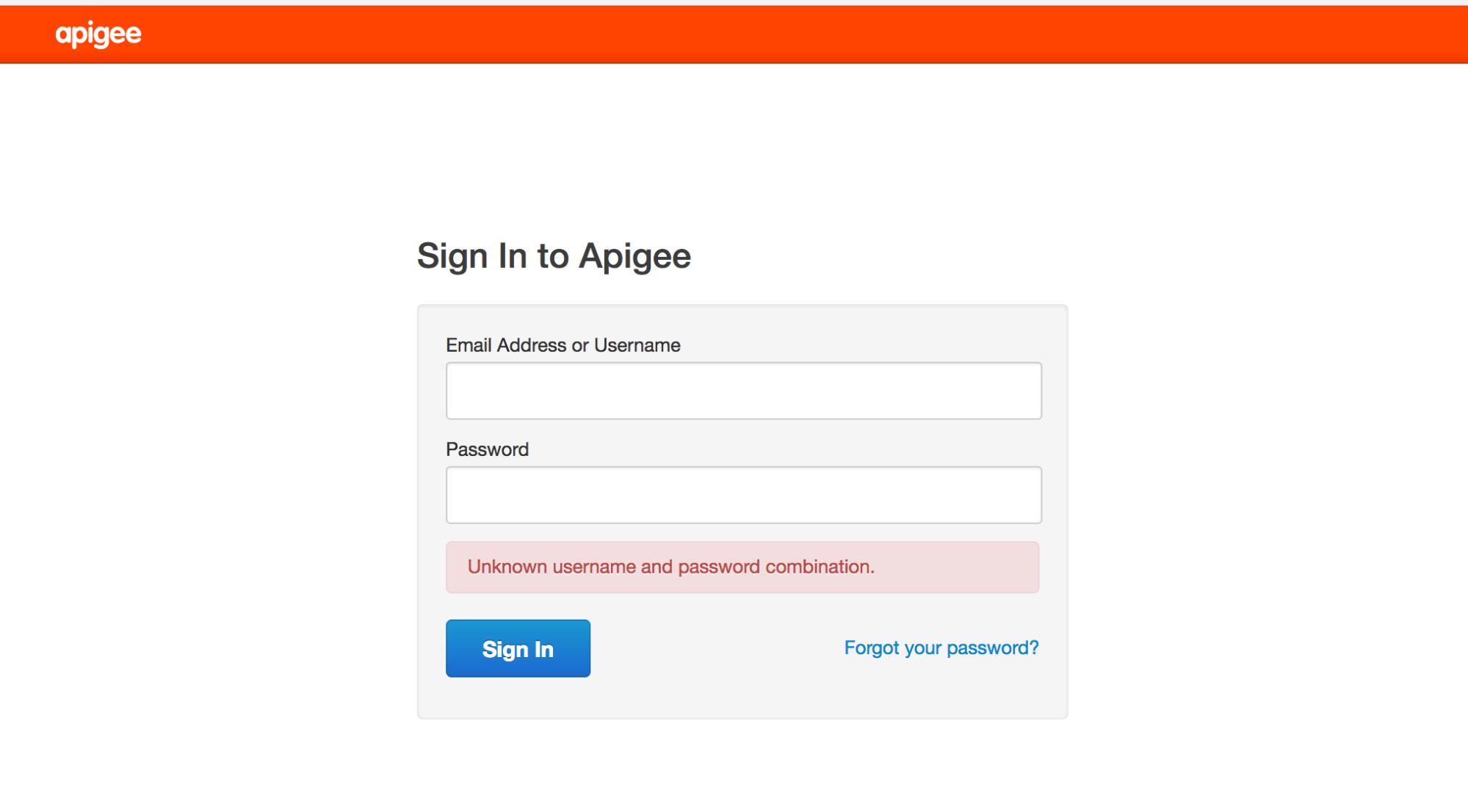
可能的原因
新用户无法通过“忘记密码?”链接获取电子邮件来设置 密码,因为 SMTP 未设置。
分辨率
您可以通过以下方式之一解决此问题:
解决方案 1: 配置 SMTP 服务器
按照文档中提供的说明 配置 SMTP 服务器,为用户设置新密码。
解决方案 2:使用 LDAP
如果您无法配置 SMTP 服务器,请使用以下 LDAP 命令为用户设置 新密码:
- 现有组织管理员需要通过 Edge 界面添加特定用户,如下所示:

- 使用 ldapsearch 命令查找用户的专有名称
(dn),并将输出重定向到文件:
ldapsearch -w Secret123 -D "cn=manager,dc=apigee,dc=com" -b "dc=apigee,dc=com" -LLL -h localhost -p 10389 > ldap.txt
以下是用户的 dn 条目的示例,以及用户的属性:
dn:uid=f7a4a4a5-7c43-4168-a47e-6e9a1417cc29,ou=users,ou=global,dc=apigee,dc=com
mail: apigee_validator@apigee.com
userPassword:: e1NTSEF9b0FrMFFXVmFjbWRxM1BVaFZzMnllWGZMdkNvNjMwNTJlUDZYN3c9PQ=
 =
uid: f7a4a4a5-7c43-4168-a47e-6e9a1417cc29
objectClass: inetOrgPerson
sn: Validator
cn: apigee
- 打开 ldap.txt 文件,并根据新用户的电子邮件属性查找已添加的新用户的 dn。
- 执行 ldappassword 命令,使用新用户的 dn 为其添加密码。在此示例中,您将用户的密码设置为 Apigee123:
ldappasswd -h localhost -p 10389 -D "cn=manager,dc=apigee,dc=com" -W -s Apigee123
"uid=f7a4a4a5-7c43-4168-a47e-6e9a1417cc29,ou=users,ou=global,dc=apigee,dc=com"
- 使用上一步中定义的密码,以新用户的身份登录 Edge 界面。用户 登录界面后,可以设置新密码。
LDAP 未复制
问题
许多 Edge 安装都有多个数据中心,例如 DC-1 和 DC-2。以组织管理员身份登录 DC-1 中的 Edge 界面时,您可以查看用户列表,但 DC-2 中的 Edge 界面中不会显示相同的用户列表 。
错误消息
不会显示任何错误,Edge 界面只是不显示应已在所有 OpenLDAP 服务器中 复制的用户列表。
可能的原因
此问题通常是由 OpenLDAP 复制配置错误引起的,而不是 安装本身。此外,如果 OpenLDAP 服务器之间的网络 不允许端口 10389 上的流量,复制可能会中断。
诊断
请按照以下步骤诊断问题:
- 检查 ldapsearch 是否从每个 OpenLDAP 服务器返回数据:
ldapsearch -W -D "cn=manager,dc=apigee,dc=com" -b "dc=apigee,dc=com" -LLL -h <host-ip> -p 10389
- 检查您是否可以从端口 10389 上的其他 OpenLDAP 节点连接到每个 OpenLDAP 节点。
如果已安装 telnet,请使用以下命令:
telnet <OpenLDAP_Peer_IP> 10389
-
如果 telnet 不可用,请使用 netcat 检查连接,如下所示:
nc -vz <OpenLDAP_Peer_IP> 10389
- 检查以下文件中的复制配置:
/opt/apigee/data/apigee-openldap/slapd.d/cn=config/olcDatabase={2}bdb.ldif该文件应包含如下配置:
  olcSyncRepl: rid=001
  provider=ldap://__OTHER_LDAP_SERVER__/
  binddn="cn=manager,dc=apigee,dc=com"
  bindmethod=simple
  credentials=__LDAP_PASSWORD__
  searchbase="dc=apigee,dc=com"
  attrs="*,+"
  type=refreshAndPersist
  retry="60 1 300 12 7200 +"
  timeout=1
- 另请检查同一文件的 olcMirrorMode 属性的值。它应设置为
TRUE 值:
grep olcMirrorMode /opt/apigee/data/apigee-openldap/slapd.d/cn=config/olcDatabase={2}bdb.ldif - 检查 iptables 和 tcp 封装容器规则。请移除任何不允许 对等 OpenLDAP 服务器相互通信的规则。与您的网络管理员协作 以适当设置规则。
- 确保每个 OpenLDAP 节点上的 OpenLDAP 系统密码相同。
- 通过针对为更新配置而创建的 ldif 文件运行 dos2unix,检查用于 配置 N-Way OpenLDAP 复制的 ldif 配置文件中是否存在隐藏字符。通常,包含错误字符的 ldif 文件会导致 ldapmodify 命令无法运行,因此可能无法设置复制。移除所有错误 字符并保存配置文件。
如果问题仍然存在,请与 Apigee 支持团队 联系,以获取有关设置 N-Way OpenLDAP 复制的帮助。
无法启动 OpenLDAP
问题
OpenLDAP 未启动。
错误消息
SLAPD Dead But Pid File Exists
可能的原因
此问题通常是由文件系统上遗留的锁定文件引起的,需要 移除该文件。
诊断
请按照以下步骤诊断此问题:
- 检查以下位置是否存在 OpenLDAP slapd 进程锁或 pid 文件:
/opt/apigee/var/run/apigee-openldap/apigee-openldap.lock
/opt/apigee/var/run/apigee-openldap/apigee-openldap.pid
- 删除找到的锁和 pid 文件,然后尝试重启 openldap。
rm /opt/apigee/var/run/apigee-openldap/apigee-openldap.lockrm /opt/apigee/var/run/apigee-openldap/apigee-openldap.pid - 如果 OpenLDAP slapd 进程启动,请跳过以下步骤。
- 如果 OpenLDAP slapd 进程未启动,请尝试在调试模式下运行 slapd 并查找
任何错误:
slapd -h ldap://:10389/ -u apigee -F /opt/apigee/data/apigee-openldap/slapd.d -d 255
- 错误可能指向资源问题。检查系统上的内存和 CPU 利用率。
- 检查 OpenLDAP 的版本,如果版本较旧,请升级。请参阅我们的 支持的软件 文档,了解支持的
OpenLDAP 版本。
slapd -V
- 使用 strace 排查 slapd 进程问题,并向
Apigee 支持团队提供 strace 输出:
strace -tt -T -f -F -i -v -e read=all -s 8192 -e write=all -o /tmp/strace.out -p <pid>
OpenLDAP 数据损坏
问题
用户无法再运行管理调用或登录 Edge 界面。使用 ldapsearch 实用程序查询用户可能会表明用户存在于 LDAP 数据存储区中,或者可能会识别 可能缺失的用户或角色。
错误消息
Unknown username and password combination.
可能的原因
通常,出现此问题可能是由于 OpenLDAP 数据损坏所致。通常,OpenLDAP 数据不会损坏。但在极少数情况下,如果数据损坏,可能是由于 系统磁盘故障或磁盘空间问题所致。
诊断
- 使用以下命令检查安装了 OpenLDAP 的系统上的磁盘空间:
du -m /opt
- 如果您看到已使用的磁盘空间非常接近 100%,则表明此问题的原因 是您的系统磁盘空间不足。
- 检查 LDAP 节点之间的数据一致性:
- 在每个 LDAP 节点上,比较用户和角色计数。运行以下命令并比较结果。
ldapsearch -o ldif-wrap=no -b "ou=users,ou=global,dc=apigee,dc=com" -D "cn=manager,dc=apigee,dc=com" -H ldap://:10389 -LLL -x -w PASSWORD|wc -lldapsearch -o ldif-wrap=no -b "ou=resources,ou=global,dc=apigee,dc=com" -D "cn=manager,dc=apigee,dc=com" -H ldap://:10389 -LLL -x -w PASSWORD|wc -l - 验证 LDAP 复制状态。在每个 LDAP 节点上运行以下命令。
ldapsearch -x -LLL -H ldap://ldap_ip:10389 -s base -b 'dc=apigee,dc=com' contextCSN dn: dc=apigee,dc=com -D "cn=manager,dc=apigee,dc=com" -w PASSWORD dn: dc=apigee,dc=com
contextCSN值都相同,则 LDAP 复制功能正常运行。
- 在每个 LDAP 节点上,比较用户和角色计数。运行以下命令并比较结果。
分辨率
如果您的系统磁盘空间不足或非常接近磁盘空间不足,请添加更多 磁盘空间以确保有足够的可用空间。
获得足够的磁盘空间后,请使用以下解决方案之一来解决 LDAP 数据 损坏问题:
- 从备份恢复 OpenLDAP 数据。
-
按照以下步骤清理 OpenLDAP 数据库:
- 关闭管理服务器 2 和 LDAP2 。
- 从虚拟机备份(或 Apigee 备份)恢复 LDAP1 。
- 检查管理服务器 1 是否启动和恢复。
- 管理服务器 1 和 LDAP1 正常运行后,从头开始重新安装 LDAP2 (创建一个完全空白的状态)。
- 以只读模式设置 LDAP2 ,允许 LDAP1 复制到 LDAP2 。
- 使用
ldapsearch验证 LDAP1 和 LDAP2 中的行数是否匹配。 - 重启管理服务器 2 和 UI2,并确认它们已成功启动。
如需了解详细说明,请参阅公开问题跟踪器。
解决方案 1:从备份恢复 LDAP 数据
在正常运行的 OpenLDAP 节点上进行备份。应定期执行备份。如需了解有关备份的最佳实践,请参阅 Apigee 私有云运营指南 :
slapcat -F /opt/apigee/data/apigee-openldap/slapd.d -l /tmp/ldap-backup.ldif
可以使用以下步骤从良好备份恢复 OpenLDAP 数据。
- 停止需要恢复数据的 OpenLDAP 节点:
/opt/apigee/apigee-service/bin/apigee-service apigee-openldap stop
- 将目录更改为 OpenLDAP 数据目录:
cd /opt/apigee/data/apigee-openldap
- 使用 move 命令备份现有 OpenLDAP 数据:
mv ldap ldap_orig
- 切换到 apigee 用户:
su apigee
- 在
/opt/apigee/data/apigee-openldap目录中,使用原始名称创建新的 OpenLDAP 数据 目录:mkdir ldap
- 从第 3 步中获取 ldap_orig/DB_CONFIG 子目录的备份,并将其复制到
openldap 目录。
cp ldap_orig/DB_CONFIG ldap
- 如需从使用 slapcat 进行的备份恢复数据,请使用 slapadd 导入包含良好数据的 ldif:
slapadd -F /opt/apigee/data/apigee-openldap/slapd.d -l /tmp/ldap-backup.ldif
- 启动 OpenLDAP 进程:
/opt/apigee/apigee-service/bin/apigee-service apigee-openldap start
解决方案 2:清理 LDAP 数据库
以下步骤会清除 OpenLDAP 数据库,以便重新开始。如果不存在 OpenLDAP 数据正常运行的最后状态的数据备份,则可以使用此解决方案 。
- 停止 OpenLDAP 服务:
/opt/apigee/apigee-service/bin/apigee-service apigee-openldap stop
- 将目录更改为 OpenLDAP 数据目录:
cd /opt/apigee/data/apigee-openldap
- 使用 move 命令备份现有 OpenLDAP 数据:
mv ldap ldap_orig
- 切换到 apigee 用户:
su apigee
- 使用原始名称创建新的 OpenLDAP 数据目录:
mkdir ldap
- 从第 3 步中获取备份 ldap_orig/DB_CONFIG 子目录,并将其复制到 openldap
目录:
cp ldap_orig/DB_CONFIG ldap
- 重启 OpenLDAP 进程:
/opt/apigee/apigee-service/bin/apigee-service apigee-openldap start
- 重启管理服务器,以强制刷新与 OpenLDAP 的连接:
/opt/apigee/apigee-service/bin/apigee-service edge-management-server restart
解决方案 3:将 OpenLDAP 重置为基本安装
如果解决方案 2 未解决问题,您可以将 OpenLDAP 重置为基本安装, 如本部分所述。
前提条件
如需重置 OpenLDAP,您需要满足以下前提条件:
- 能够使用系统管理员和根 LDAP 凭据运行设置。
- 能够访问
ldapadd实用程序。 - 已保存的管理/LDAP 节点的原始静默配置文件。
如需重置 OpenLDAP,请执行以下步骤:
- 重新安装 OpenLDAP 和管理服务器。
- 停止
openldap服务器:apigee-service apigee-openldap stop
- 删除损坏的
openldap数据文件夹:rm -rf /opt/apigee/data/apigee-openldap
- 卸载
openldap组件:apigee-service apigee-openldap uninstall
- 使用与初始安装所用的配置文件相同的配置文件重新安装
openldap组件:/opt/apigee/apigee-setup/bin/setup.sh -p ld -f configfile
configfile是配置文件的名称。 - 使用原始配置文件重新安装管理服务器:
/opt/apigee/apigee-setup/bin/setup.sh -p ms -f configfile
After doing these steps, Management API calls should work again using the
sysadminaccount only. However, it will not be possible to log into the Edge UI, and Management API calls with any other users will not work. - 停止
- Add missing
openldapentries for orgs that existed prior to the corruption.After the above step is completed,
openldapwill be missing entries for orgs that existed when the corruption occurred. The majority of the actual org data such as proxy bundles is stored in Cassandra or Zookeeper is not lost. However, running the setup-org script will not automatically add the openldap data for the orgs that already exist in Cassandra, and Zookeeper. This data has to be added manually for every org that existed prior to the corruption using the following steps:- Create an ldif file called
missingLDAP.ldifwith the following content:# orgname, organizations, apigee.com dn: o=orgname,ou=organizations,dc=apigee,dc=com objectClass: organization O: orgname # userroles, orgname, organizations, apigee.com dn: ou=userroles,o=orgname,ou=organizations,dc=apigee,dc=com ou: userroles objectClass: organizationalUnit # orgadmin, userroles, orgname, organizations, apigee.com dn: cn=orgadmin,ou=userroles,o=orgname,ou=organizations,dc=apigee,dc=com objectClass: organizationalRole cn: orgadmin roleOccupant: uid=admin,ou=users,ou=global,dc=apigee,dc=com # resources, orgadmin, userroles, orgname, organizations, apigee.com dn: ou=resources,cn=orgadmin,ou=userroles,o=orgname,ou=organizations,dc=apigee,dc=com ou: resources objectClass: organizationalUnit # @@@, resources, orgadmin, userroles, orgname, organizations, apigee.com dn: cn=@@@,ou=resources,cn=orgadmin,ou=userroles,o=orgname,ou=organizations,dc=apigee,dc=com roleOccupant: ou=delete,ou=permissions,dc=apigee,dc=com roleOccupant: ou=get,ou=permissions,dc=apigee,dc=com roleOccupant: ou=put,ou=permissions,dc=apigee,dc=com labeledURI: / objectClass: organizationalRole objectClass: labeledURIObject cn: @@@
其中,orgname 是您尝试重新创建的组织。
- 使用以下命令添加缺失的 LDAP 实体:
ldapadd -x -w
-D "cn=manager,dc=apigee,dc=com" -H ldap://localhost:10389 -f missingLDAP.ldif
上述步骤将为现有组织创建缺失的条目,并为该组织创建
orgadmin权限。针对需要重新创建的每个组织重复这些步骤。 此时,您可以向组织添加orgadmin用户,但其他 默认角色尚不存在,因此您需要使用下一步添加这些角色。 - Create an ldif file called
向现有组织添加缺失的默认角色和权限。
使用最初用于设置任何现有组织的配置文件, 运行以下命令:
/opt/apigee/apigee-service/bin/apigee-service apigee-provision create-roles -f configfile
- 使用界面或 Management API 添加损坏之前存在的任何自定义角色,
- 向相关用户角色添加任何用户。
(可选)在管理服务器上重新建立外部化身份验证配置。
如果配置未更改,请恢复
/opt/apigee/customer/application/management-server.properties。由于界面尚未重新安装,因此/opt/apigee/customer/application/ui.properties应保持不变,因为 sysadmin 的凭据已随管理服务器的新安装而恢复。(可选)在管理节点上重新安装 Apigee mTLS。
如果之前安装了 Apigee mTLS,请按照 Apigee mTLS 安装指南在管理服务器节点上重新安装 。
完成此过程后,您需要手动执行以下操作:
如果问题仍然存在,请与 Apigee 支持团队 联系以获取进一步的帮助。