

Bạn đang xem tài liệu về Apigee Edge.
Truy cập vào
tài liệu Apigee X. thông tin
InvalidRegularExpression
Thông báo Lỗi
Việc triển khai proxy API thông qua giao diện người dùng Edge hoặc API quản lý Edge không thành công và xuất hiện thông báo lỗi sau:
Error Deploying Revision revision_number to environment
RegularExpressionProtection policy_name: Invalid Regular Expression com.apigee.steps.regexprotection.RegularExpressionProtectionBean$RegexPattern@f4ecb23, Context Revision:revision_number;APIProxy:RegexThreat;Organization:organization;Environment:environment.
Thông báo lỗi mẫu
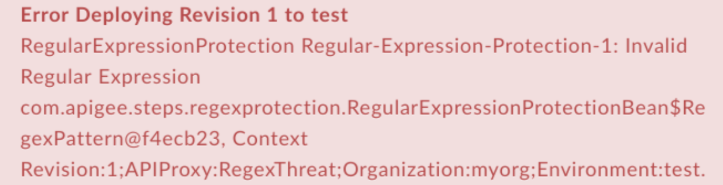
Error Deploying Revision 1 to test
RegularExpressionProtection Regular-Expression-Protection-1: Invalid Regular Expression com.apigee.steps.regexprotection.RegularExpressionProtectionBean$RegexPattern@f4ecb23, Context Revision:1;APIProxy:RegexThreat;Organization:myorg;Environment:test.
Ảnh chụp màn hình ví dụ về lỗi
Nguyên nhân
Nếu biểu thức chính quy trong phần tử <Pattern> của chính sách RegularExpressionProtection không hợp lệ, thì việc triển khai API Proxy sẽ không thành công.
Chẩn đoán
Xác định tên của chính sách RegularExpressionProtection trong thông báo lỗi. Ví dụ: trong lỗi sau, tên chính sách RegularExpressionProtection là
Regular-Expression-Protection-1:Error Deploying Revision 1 to test RegularExpressionProtection Regular-Expression-Protection-1: Invalid Regular Expression com.apigee.steps.regexprotection.RegularExpressionProtectionBean$RegexPattern@f4ecb23, Context Revision:1;APIProxy:RegexThreat;Organization:myorg;Environment:test.
Kiểm tra tất cả các phần tử
<Pattern>trong tệp XML của chính sách Bảo vệ bằng biểu thức chính quy không thành công. Kiểm tra xem có phần tử<Pattern>nào có biểu thức chính quy không hợp lệ hay không. Nếu có bất kỳ phần tử<Pattern>nào có cụm từ thông dụng không hợp lệ, thì đó là nguyên nhân gây ra lỗi.Ví dụ: chính sách sau đây chỉ định giá trị của
Pattern>làfoo){2}, được coi là Biểu thức chính quy không hợp lệ:<?xml version="1.0" encoding="UTF-8" standalone="yes"?> <RegularExpressionProtection async="false" continueOnError="false" enabled="true" name="Regular-Expression-Protection-1"> <DisplayName>Regular Expression Protection-1</DisplayName> <Properties/> <IgnoreUnresolvedVariables>false</IgnoreUnresolvedVariables> <URIPath> <Pattern>foo){2}</Pattern> </URIPath> <Source>request</Source> </RegularExpressionProtection>Trong ví dụ trên, biểu thức chính quy được chỉ định trong
<Pattern>bị thiếu dấu ngoặc đơn mở. Do đó, đây được coi là một biểu thức chính quy không hợp lệ. Do đó, việc triển khai API Proxy sẽ không thành công.
Độ phân giải
Đảm bảo rằng mỗi phần tử <Pattern> trong chính sách RegularExpressionProtection đều chứa một biểu thức chính quy hợp lệ. Bạn có thể tìm kiếm các công cụ biểu thức chính quy trực tuyến hoặc ngoại tuyến khác nhau để gỡ lỗi biểu thức chính quy.
Để sửa chính sách Regular Expression Protection (Bảo vệ bằng biểu thức chính quy) trong ví dụ nêu trên, hãy thêm dấu ngoặc đơn bị thiếu:
<?xml version="1.0" encoding="UTF-8" standalone="yes"?>
    <RegularExpressionProtection async="false" continueOnError="false" enabled="true" name="Regular-Expression-Protection-1">
        <DisplayName>Regular Expression Protection-1</DisplayName>
        <Properties/>
        <IgnoreUnresolvedVariables>false</IgnoreUnresolvedVariables>
        <URIPath>
            <Pattern>(foo){2}</Pattern>
        </URIPath>
        <Source>request</Source>
    </RegularExpressionProtection>
XPathCompilationFailed
Thông báo Lỗi
Việc triển khai proxy API thông qua giao diện người dùng Edge hoặc API quản lý Edge không thành công và xuất hiện thông báo lỗi sau:
Error Deploying Revision revision_number to environment
RegularExpressionProtection policy_name: Failed to compile xpath xpath_expression. Context Revision:revision_number;APIProxy:RegexThreat;Organization:organization;Environment:environment.
Thông báo lỗi mẫu
Error Deploying Revision 1 to test
RegularExpressionProtection Regular-Expression-Protection-1: Failed to compile xpath /notapigee:foo/notapigee:bar. Context Revision:1;APIProxy:RegexThreat;Organization:myorg;Environment:test.
Ảnh chụp màn hình ví dụ về lỗi

Nguyên nhân
Nếu tiền tố hoặc giá trị được dùng trong phần tử <XPath> không thuộc bất kỳ không gian tên nào được khai báo trong chính sách RegularExpressionProtection, thì quá trình triển khai proxy API sẽ không thành công.
Bạn có thể tìm thêm thông tin về không gian tên, XPath và tiền tố trong bài viết Không gian tên XML và ảnh hưởng của không gian tên đến XPath và XSLT.
Chẩn đoán
Xác định tên của chính sách RegularExpressionProtection nơi xảy ra lỗi và Biểu thức XPath đã được sử dụng. Bạn có thể tìm thấy cả hai mục này trong thông báo lỗi.
Ví dụ: trong lỗi sau, tên chính sách là
Regular-Expression-Protection-1và Biểu thức XPath là/notapigee:foo/notapigee:bar:Error Deploying Revision 1 to test RegularExpressionProtection Regular-Expression-Protection-1: Failed to compile xpath /notapigee:foo/notapigee:bar. Context Revision:1;APIProxy:RegexThreat;Organization:myorg;Environment:test.
Trong tệp XML chính sách Bảo vệ bằng biểu thức chính quy không thành công, hãy xác minh rằng XPath được đặt trong phần tử
Expressionkhớp với XPath được xác định trong thông báo lỗi (bước 1 ở trên).Ví dụ: chính sách sau đây chỉ định XPath là
/notapigee:foo/notapigee:bar, khớp với nội dung trong thông báo lỗi:<?xml version="1.0" encoding="UTF-8" standalone="yes"?> <RegularExpressionProtection async="false" continueOnError="false" enabled="true" name="Regular-Expression-Protection-1"> <DisplayName>Regular Expression Protection-1</DisplayName> <Properties/> <IgnoreUnresolvedVariables>false</IgnoreUnresolvedVariables> <Source>request</Source> <XMLPayload> <Namespaces> <Namespace prefix="apigee">http://www.apigee.com</Namespace> </Namespaces> <XPath> <Expression>/notapigee:foo/notapigee:bar</Expression> <Type>nodeset</Type> <Pattern>pattern</Pattern> <Pattern>pattern2</Pattern> </XPath> </XMLPayload> </RegularExpressionProtection>
- Kiểm tra các phần tử
<Namespaces>và<Expression>trong chính sách RegularExpressionProtection. Nếu<Expression>cụ thể được chỉ ra trong thông báo lỗi sử dụng một tiền tố hoặc giá trị không thuộc không gian tên được khai báo trong chính sách RegularExpressionProtection, thì đó là nguyên nhân gây ra lỗi.Xin lưu ý rằng
<XPath>cụ thể sử dụng tiền tốnotapigeetrong ví dụ về chính sách RegularExpressionProtection:<Expression>/notapigee:foo/notapigee:bar</Expression>
Tuy nhiên, tiền tố
notapigeekhông được xác định trong bất kỳ phần tử<Namespace>nào; do đó, quá trình biên dịch<XPath>không thành công dẫn đến việc triển khai không thành công.
Độ phân giải
Đảm bảo rằng tất cả các không gian tên đang được dùng trong các phần tử <Expression> trong phần tử <XPath> đều được khai báo trong chính sách RegularExpressionProtection. Để sửa ví dụ trên, bạn có thể thay thế tiền tố notapigee thành apigee, được khai báo trong không gian tên:
<?xml version="1.0" encoding="UTF-8" standalone="yes"?>
<RegularExpressionProtection async="false" continueOnError="false" enabled="true" name="Regular-Expression-Protection-1">
    <DisplayName>Regular Expression Protection-1</DisplayName>
    <Properties/>
    <IgnoreUnresolvedVariables>false</IgnoreUnresolvedVariables>
    <Source>request</Source>
     <XMLPayload>
         <Namespaces>
             <Namespace prefix="apigee">http://www.apigee.com</Namespace>
         </Namespaces>
         <XPath>
             <Expression>/apigee:foo/apigee:bar</Expression>
             <Type>nodeset</Type>
             <Pattern>pattern</Pattern>
             <Pattern>pattern2</Pattern>
         </XPath>
     </XMLPayload>
</RegularExpressionProtection>
CannotBeConvertedToNodeset
Thông báo Lỗi
Việc triển khai proxy API thông qua giao diện người dùng Edge hoặc API quản lý Edge không thành công và xuất hiện thông báo lỗi sau:
Error Deploying Revision revision_number to environment
RegularExpressionProtection policy_name: Result of xpath xpath_expression cannot be converted to nodeset. Context Revision:revision_number;APIProxy:RegexThreat;Organization:organization;Environment:environment.
Thông báo lỗi mẫu
Error Deploying Revision 1 to test
RegularExpressionProtection Regular-Expression-Protection-1: Result of xpath count(//apigee:foo) cannot be converted to nodeset. Context Revision:1;APIProxy:RegexThreat;Organization:myorg;Environment:test.
Ảnh chụp màn hình ví dụ về lỗi

Nguyên nhân
Nếu Chính sách biểu thức chính quy có một biểu thức <XPath> trong đó phần tử <Type> được xác định là nodeset, nhưng biểu thức không thể chuyển đổi thành nodeset, thì quá trình triển khai proxy API sẽ không thành công.
Chẩn đoán
Xác định chính sách RegularExpressionProtection nơi xảy ra lỗi và Biểu thức XPath không thể chuyển đổi thành nodeset. Bạn có thể tìm thấy cả hai mục này trong thông báo lỗi.
Ví dụ: trong lỗi sau, tên chính sách là
Regular-Expression-Protection-1và Biểu thức XPath làcount(//apigee:foo):Error Deploying Revision 1 to test RegularExpressionProtection Regular-Expression-Protection-1: Result of xpath count(//apigee:foo) cannot be converted to nodeset. Context Revision:1;APIProxy:RegexThreat;Organization:myorg;Environment:test.
Trong tệp XML chính sách Bảo vệ bằng biểu thức chính quy không thành công, hãy xác minh rằng XPath được đặt trong phần tử
<Expression>của phần tử<XPath>khớp với XPath được xác định trong thông báo lỗi (bước 1 ở trên).Ví dụ: chính sách sau đây chỉ định là
count(//apigee:foo), khớp với nội dung trong thông báo lỗi:<?xml version="1.0" encoding="UTF-8" standalone="yes"?> <RegularExpressionProtection async="false" continueOnError="false" enabled="true" name="Regular-Expression-Protection-1"> <DisplayName>Regular Expression Protection-1</DisplayName> <Properties/> <IgnoreUnresolvedVariables>false</IgnoreUnresolvedVariables> <Source>request</Source> <XMLPayload> <Namespaces> <Namespace prefix="apigee">http://www.apigee.com</Namespace> </Namespaces> <XPath> <Expression>count(//apigee:foo)</Expression> <Type>nodeset</Type> <Pattern>pattern</Pattern> <Pattern>pattern2</Pattern> </XPath> </XMLPayload> </RegularExpressionProtection>
Kiểm tra giá trị được đặt trong phần tử
<Type>bên dưới phần tử<XPath>. Nếu phần tử<Type>lànodeset, thì đó là nguyên nhân gây ra lỗi.Trong ví dụ này, biểu thức XPath là count(), không trả về một hoặc nhiều nút. Do đó, việc triển khai API Proxy sẽ không thành công.
Độ phân giải
Nếu phần tử <Type> được đặt thành nodeset, hãy đảm bảo rằng kết quả của bộ phần tử <Expression> được đặt trong <XPath> là một hoặc nhiều nút. Ngoài ra, hãy thay đổi phần tử <Type> thành một giá trị phù hợp hơn dựa trên trường hợp sử dụng của bạn.
Để sửa ví dụ trên, bạn có thể thay đổi phần tử <Expression> thành một giá trị khác có thể trả về các nút:
<?xml version="1.0" encoding="UTF-8" standalone="yes"?>
<RegularExpressionProtection async="false" continueOnError="false" enabled="true" name="Regular-Expression-Protection-1">
    <DisplayName>Regular Expression Protection-1</DisplayName>
    <Properties/>
    <IgnoreUnresolvedVariables>false</IgnoreUnresolvedVariables>
    <Source>request</Source>
     <XMLPayload>
         <Namespaces>
             <Namespace prefix="apigee">http://www.apigee.com</Namespace>
         </Namespaces>
         <XPath>
             <Expression>/apigee:foo/apigee:bar</Expression>
             <Type>nodeset</Type>
             <Pattern>pattern</Pattern>
             <Pattern>pattern2</Pattern>
         </XPath>
     </XMLPayload>
</RegularExpressionProtection>
JSONPathCompilationFailed
Thông báo Lỗi
Việc triển khai proxy API thông qua giao diện người dùng Edge hoặc API quản lý Edge không thành công và xuất hiện thông báo lỗi sau:
Error Deploying Revision revision_number to environment
RegularExpressionProtection policy_name: Failed to compile jsonpath jsonpath_expression Context Revision:revision_number;APIProxy:RegexThreat;Organization:organization;Environment:environment.
Thông báo lỗi mẫu
Error Deploying Revision 1 to test
RegularExpressionProtection Regular-Expression-Protection-1: Failed to compile jsonpath $.store.book[*.author. Context Revision:1;APIProxy:RegexThreat;Organization:myorg;Environment:test.
Ảnh chụp màn hình ví dụ về lỗi

Nguyên nhân
Nếu phần tử <Expression> trong phần tử <JSONPath> của chính sách Bảo vệ bằng biểu thức chính quy được đặt thành một biểu thức JSONPath không hợp lệ, thì quá trình triển khai proxy API sẽ không thành công.
Chẩn đoán
Xác định tên của chính sách RegularExpressionProtection nơi xảy ra lỗi và Biểu thức JSONPath không hợp lệ đã được sử dụng. Bạn có thể tìm thấy cả hai mục này trong thông báo lỗi.
Ví dụ: trong lỗi sau, tên chính sách là
Regular-Expression-Protection-1và Biểu thức JSONPath là$.store.book[*.author:Error Deploying Revision 1 to test RegularExpressionProtection Regular-Expression-Protection-1: Failed to compile jsonpath $.store.book[*.author. Context Revision:1;APIProxy:RegexThreat;Organization:myorg;Environment:test.
Trong tệp XML chính sách Bảo vệ bằng biểu thức chính quy không thành công, hãy xác minh rằng JSONPath được đặt trong phần tử
Expressionkhớp với JSONPath được xác định trong thông báo lỗi (bước 1 ở trên).Ví dụ: chính sách sau đây chỉ định phần tử
Expressiontrong phần tử<JSONPath>là$.store.book[*.author, khớp với nội dung trong thông báo lỗi:<?xml version="1.0" encoding="UTF-8" standalone="yes"?> <RegularExpressionProtection async="false" continueOnError="false" enabled="true" name="Regular-Expression-Protection-1"> <DisplayName>Regular Expression Protection-1</DisplayName> <Properties/> <IgnoreUnresolvedVariables>false</IgnoreUnresolvedVariables> <Source>request</Source> <JSONPayload> <JSONPath> <Expression>$.store.book[*.author</Expression> <Pattern>REGEX PATTERN</Pattern> <Pattern>REGEX PATTERN</Pattern> </JSONPath> </JSONPayload> </RegularExpressionProtection>
Kiểm tra phần tử
<Expression>trong phần tử<JSONPath>trong chính sách. Nếu không khớp với cú pháp JSONPath, thì đây là nguyên nhân gây ra lỗi. Trong ví dụ trên, dấu ngoặc vuông đóng bị thiếu, khiến biểu thức không hợp lệ.Vì JSON Path Expression không hợp lệ, nên việc triển khai API Proxy sẽ không thành công.
Độ phân giải
Đảm bảo rằng giá trị của phần tử <Expression> bên trong phần tử <JSONPath> trong chính sách Bảo vệ bằng biểu thức chính quy là một biểu thức JSONPath hợp lệ.
Để sửa ví dụ nêu trên, bạn có thể thêm dấu ngoặc vuông đóng còn thiếu vào giá trị phần tử <Expression>:
<?xml version="1.0" encoding="UTF-8" standalone="yes"?>
<RegularExpressionProtection async="false" continueOnError="false" enabled="true" name="Regular-Expression-Protection-1">
    <DisplayName>Regular Expression Protection-1</DisplayName>
    <Properties/>
    <IgnoreUnresolvedVariables>false</IgnoreUnresolvedVariables>
    <Source>request</Source>
    <JSONPayload>
         <JSONPath>
             <Expression>$.store.book[*].author</Expression>
             <Pattern>REGEX PATTERN</Pattern>
             <Pattern>REGEX PATTERN</Pattern>
         </JSONPath>
        </JSONPayload>
</RegularExpressionProtection>
NothingToEnforce
Thông báo Lỗi
Việc triển khai proxy API thông qua giao diện người dùng Edge hoặc API quản lý Edge không thành công và xuất hiện thông báo lỗi sau:
Error Saving Revision revision_number
RegularExpressionProtection policy_name: at least one of URIPath, QueryParam, Header, FormParam, XMLPayload, JSONPayload is mandatory.
Thông báo lỗi mẫu
Error Saving Revision 1
RegularExpressionProtection Regular-Expression-Protection-1: at least one of URIPath, QueryParam, Header, FormParam, XMLPayload, JSONPayload is mandatory.
Ảnh chụp màn hình ví dụ về lỗi

Nguyên nhân
Nếu chính sách RegularExpressionProtection không có bất kỳ phần tử nào trong số <URIPath>, <QueryParam>, <Header>, <FormParam>, <XMLPayload> hoặc <JSONPayload>, thì việc triển khai API Proxy sẽ không thành công.
Như đã nêu trong thông báo lỗi, chính sách RegularExpressionProtection phải có ít nhất một trong các phần tử sau đây trong chính sách: <URIPath>, <QueryParam>, <Header>, <FormParam>, <XMLPayload> hoặc <JSONPayload>.
Chẩn đoán
Xác định tên của chính sách RegularExpressionProtection nơi xảy ra lỗi. Bạn có thể tìm thấy mã này trong thông báo lỗi. Ví dụ: trong lỗi sau, tên chính sách là
Regular-Expression-Protection-1:RegularExpressionProtection Regular-Expression-Protection-1: at least one of URIPath, QueryParam, Header, FormParam, XMLPayload, JSONPayload is mandatory.
Kiểm tra chính sách Bảo vệ bằng biểu thức chính quy không thành công (được xác định ở bước 1 nêu trên). Nếu chính sách không có ít nhất một trong các phần tử sau:
<URIPath>,<QueryParam>,<Header>,<FormParam>,<XMLPayload>hoặc<JSONPayload>, thì đó là nguyên nhân gây ra lỗi.Ví dụ: chính sách Regular Expression Protection (Bảo vệ bằng biểu thức chính quy) sau đây không có bất kỳ phần tử nào được đề cập ở trên:
<?xml version="1.0" encoding="UTF-8" standalone="yes"?>
    <RegularExpressionProtection async="false" continueOnError="false" enabled="true" name="Regular-Expression-Protection-1">
        <DisplayName>Regular Expression Protection-1</DisplayName>
        <Properties/>
        <IgnoreUnresolvedVariables>false</IgnoreUnresolvedVariables>
        <Source>request</Source>
    </RegularExpressionProtection>
Vì không có phần tử bắt buộc nào trong chính sách Trích xuất biến, nên việc triển khai proxy API sẽ không thành công.
Độ phân giải
Đảm bảo rằng chính sách RegularExpressionProtection có ít nhất một trong các phần tử bắt buộc sau: <URIPath>, <QueryParam>, <Header>, <FormParam>, <XMLPayload> hoặc <JSONPayload>. Ví dụ:
<?xml version="1.0" encoding="UTF-8" standalone="yes"?>
<RegularExpressionProtection async="false" continueOnError="false" enabled="true" name="Regular-Expression-Protection-1">
    <DisplayName>Regular Expression Protection-1</DisplayName>
    <Properties/>
    <IgnoreUnresolvedVariables>false</IgnoreUnresolvedVariables>
    <Source>request</Source>
    <JSONPayload>
        <JSONPath>
            <Expression>$.store.book[*].author</Expression>
            <Pattern>REGEX PATTERN</Pattern>
            <Pattern>REGEX PATTERN</Pattern>
        </JSONPath>
    </JSONPayload>
</RegularExpressionProtection>
NoPatternsToEnforce
Thông báo Lỗi
Việc triển khai proxy API thông qua giao diện người dùng Edge hoặc API quản lý Edge không thành công và xuất hiện thông báo lỗi sau:
Error Saving Revision revision_number
RegularExpressionProtection policy_name: No patterns to enforce in payload_name.
Thông báo lỗi mẫu
Error Saving Revision 1
RegularExpressionProtection Regular-Expression-Protection-1: No patterns to enforce in XPath.
Ảnh chụp màn hình ví dụ về lỗi

Nguyên nhân
Nếu bất kỳ phần tử cấp cao nhất nào (<URIPath>, <QueryParam>, <Header>, <FormParam>, <XMLPayload> hoặc <JSONPayload>) không có phần tử <Pattern> được xác định trong chính sách RegularExpressionProtection, thì việc triển khai proxy API sẽ không thành công.
Chẩn đoán
Xác định tên của chính sách RegularExpressionProtection nơi xảy ra lỗi và phần tử con không có phần tử
<Pattern>. Bạn có thể tìm thấy cả hai mục này trong thông báo lỗi.Ví dụ: trong lỗi sau, tên chính sách là
Regular-Expression-Protection-1và phần tử con làXPath:RegularExpressionProtection Regular-Expression-Protection-1: No patterns to enforce in XPath.
- Kiểm tra chính sách Biện pháp bảo vệ bằng biểu thức chính quy không thành công và xác minh xem phần tử con được xác định ở bước 1 không có phần tử
<Pattern>hay không. Nếu không có phần tử<Pattern>trong đó, thì đó là nguyên nhân gây ra lỗi.Ví dụ: chính sách sau đây không có phần tử
<Pattern>bên trong<XPath>:<?xml version="1.0" encoding="UTF-8" standalone="yes"?> <RegularExpressionProtection async="false" continueOnError="false" enabled="true" name="Regular-Expression-Protection-1"> <DisplayName>Regular Expression Protection-1</DisplayName> <Properties/> <IgnoreUnresolvedVariables>false</IgnoreUnresolvedVariables> <Source>request</Source> <XMLPayload> <Namespaces> <Namespace prefix="apigee">http://www.apigee.com</Namespace> </Namespaces> <XPath> <Expression>/apigee:Greeting/apigee:User</Expression> <Type>string</Type> </XPath> </XMLPayload> </RegularExpressionProtection>
Vì phần tử
<XPath>không có phần tử<Pattern>, nên việc triển khai API Proxy sẽ không thành công.
Độ phân giải
Đảm bảo rằng bất kỳ phần tử <URIPath>, <QueryParam>, <Header>, <FormParam>, <XMLPayload> hoặc <JSONPayload> nào cũng có ít nhất một <Pattern> được chỉ định. Hãy xem Chính sách RegularExpressionProtection để biết thông tin về cách chỉ định phần tử một cách chính xác.
Để sửa ví dụ trên, chúng ta chỉ cần thêm phần tử <Pattern> vào phần tử <XPath> bên dưới <XMLPayload>:
<?xml version="1.0" encoding="UTF-8" standalone="yes"?>
<RegularExpressionProtection async="false" continueOnError="false" enabled="true" name="Regular-Expression-Protection-1">
  <DisplayName>Regular Expression Protection-1</DisplayName>
  <Properties/>
  <IgnoreUnresolvedVariables>false</IgnoreUnresolvedVariables>
  <Source>request</Source>
  <XMLPayload>
    <Namespaces>
      <Namespace prefix="apigee">http://www.apigee.com</Namespace>
    </Namespaces>
    <XPath>
      <Expression>/apigee:Greeting/apigee:User</Expression>
      <Type>string</Type>
      <Pattern>REGEX PATTERN</Pattern>
    </XPath>
  </XMLPayload>
</RegularExpressionProtection>
NONEmptyPrefixMappedToEmptyURI
Thông báo Lỗi
Việc triển khai proxy API thông qua giao diện người dùng Edge hoặc API quản lý Edge không thành công và xuất hiện thông báo lỗi sau:
Error Saving Revision revision_number
RegularExpressionProtection policy_name: Non-empty prefix prefix_name cannot be mapped to empty uri.
Thông báo lỗi mẫu
Error Saving Revision 1
RegularExpressionProtection Regular-Expression-Protection-1: Non-empty prefix apigee cannot be mapped to empty uri.
Ảnh chụp màn hình ví dụ về lỗi

Nguyên nhân
Lỗi này xảy ra nếu chính sách RegularExpressionProtection có một tiền tố được xác định trong phần tử <Namespace> trong phần tử <XMLPayload>, nhưng không có URI nào được xác định.
Chẩn đoán
Xác định chính sách RegularExpressionProtection nơi xảy ra lỗi và tên của tiền tố không được liên kết với URI. Bạn có thể tìm thấy cả hai mục này trong thông báo lỗi.
Ví dụ: trong lỗi sau, tên chính sách là Regular Expression Protection-1 và tiền tố là apigee:
RegularExpressionProtection Regular-Expression-Protection-1: Non-empty prefix apigee cannot be mapped to empty uri.
Trong tệp XML chính sách Bảo vệ bằng biểu thức chính quy không thành công, hãy xác minh rằng tên của tập hợp tiền tố trong phần tử
<Namespace>trong phần tử<XMLPayload>khớp với tên tiền tố được xác định trong thông báo lỗi (bước 1 ở trên).Ví dụ: chính sách sau đây chỉ định một tiền tố có tên là apigee trong phần tử
<Namespace>, khớp với nội dung trong thông báo lỗi:<?xml version="1.0" encoding="UTF-8" standalone="yes"?> <RegularExpressionProtection async="false" continueOnError="false" enabled="true" name="Regular-Expression-Protection-1"> <DisplayName>Regular Expression Protection-1</DisplayName> <Properties/> <IgnoreUnresolvedVariables>false</IgnoreUnresolvedVariables> <Source>request</Source> <XMLPayload> <Namespaces> <Namespace prefix="apigee"/> <Namespace prefix="gmail">http://mail.google.com</Namespace> </Namespaces> <XPath> <Expression>/apigee:Greeting/apigee:User</Expression> <Type>string</Type> <Pattern>REGEX PATTERN</Pattern> </XPath> </XMLPayload> </RegularExpressionProtection>
Xác thực xem phần tử
<Namespace>có tiền tố cụ thể được xác định ở bước 2 có URI hợp lệ hay không. Nếu thiếu URI, thì đó là nguyên nhân gây ra lỗi.Trong ví dụ về chính sách Bảo vệ bằng biểu thức chính quy ở trên, hãy lưu ý rằng không có URI nào tương ứng với phần tử
<Namespace>có tiền tố apigee; do đó, bạn sẽ gặp lỗi:Non-empty prefix apigee cannot be mapped to empty uri.
Độ phân giải
Đảm bảo rằng tất cả các phần tử <Namespace> được xác định bằng tiền tố đều có một URI tương ứng trong chính sách Trích xuất biến. Ví dụ:
<?xml version="1.0" encoding="UTF-8" standalone="yes"?>
<RegularExpressionProtection async="false" continueOnError="false" enabled="true" name="Regular-Expression-Protection-1">
  <DisplayName>Regular Expression Protection-1</DisplayName>
  <Properties/>
  <IgnoreUnresolvedVariables>false</IgnoreUnresolvedVariables>
  <Source>request</Source>
  <XMLPayload>
    <Namespaces>
      <Namespace prefix="apigee">http://www.apigee.com</Namespace>
      <Namespace prefix="gmail">http://mail.google.com</Namespace>
    </Namespaces>
    <XPath>
      <Expression>/apigee:Greeting/apigee:User</Expression>
      <Type>string</Type>
      <Pattern>REGEX PATTERN</Pattern>
    </XPath>
  </XMLPayload>
</RegularExpressionProtection>
DuplicatePrefix
Thông báo Lỗi
Việc triển khai proxy API thông qua giao diện người dùng Edge hoặc API quản lý Edge không thành công và xuất hiện thông báo lỗi sau:
Error Saving Revision revision_number
RegularExpressionProtection policy_name: Duplicate prefix prefix_name.
Thông báo lỗi mẫu
Error Saving Revision 1
RegularExpressionProtection Regular-Expression-Protection-1: Duplicate prefix apigee.
Ảnh chụp màn hình ví dụ về lỗi

Nguyên nhân
Lỗi này xảy ra nếu chính sách RegularExpressionProtection có cùng tiền tố được xác định nhiều lần trong phần tử <Namespace> trong phần tử <XMLPayload>.
Ví dụ: lỗi này xảy ra vì tiền tố apigee được xác định hai lần như minh hoạ dưới đây:
<Namespace prefix="apigee">http://www.apigee.com</Namespace>
<Namespace prefix="apigee">http://www.apigee.com</Namespace>
Chẩn đoán
Xác định chính sách RegularExpressionProtection nơi xảy ra lỗi và tên của tiền tố. Bạn có thể tìm thấy cả hai mục này trong thông báo lỗi.
Ví dụ: trong lỗi sau, tên chính sách là Regular Expression Protection-1 và tiền tố là apigee:
RegularExpressionProtection Regular-Expression-Protection-1: Duplicate prefix apigee.
Trong tệp XML chính sách Bảo vệ bằng biểu thức chính quy không thành công, hãy xác minh rằng tên của tập hợp tiền tố trong phần tử
<Namespace>trong phần tử<XMLPayload>khớp với tên tiền tố được xác định trong thông báo lỗi (bước 1 ở trên).Ví dụ: chính sách sau đây chỉ định một tiền tố có tên là apigee trong phần tử
<Namespace>, khớp với nội dung trong thông báo lỗi:<?xml version="1.0" encoding="UTF-8" standalone="yes"?> <RegularExpressionProtection async="false" continueOnError="false" enabled="true" name="Regular-Expression-Protection-1"> <DisplayName>Regular Expression Protection-1</DisplayName> <Properties/> <IgnoreUnresolvedVariables>false</IgnoreUnresolvedVariables> <Source>request</Source> <XMLPayload> <Namespaces> <Namespace prefix="apigee">http://www.apigee.com</Namespace> <Namespace prefix="apigee">http://www.apigee.com</Namespace> </Namespaces> <XPath> <Expression>/apigee:Greeting/apigee:User</Expression> <Type>string</Type> <Pattern>REGEX PATTERN</Pattern> </XPath> </XMLPayload> </RegularExpressionProtection>
Xác định xem phần tử
<Namespace>có tiền tố cụ thể (được xác định ở bước 2) đã được xác định nhiều lần hay chưa. Nếu được xác định nhiều lần, thì đó là nguyên nhân gây ra lỗi.Trong ví dụ về chính sách Bảo vệ bằng biểu thức chính quy ở trên, hãy lưu ý rằng phần tử
<Namespace>có tiền tố apigee đã được xác định hai lần; do đó, bạn sẽ gặp lỗi:Duplicate prefix apigee.
Độ phân giải
Đảm bảo rằng chỉ có một định nghĩa cho mỗi tiền tố trong các phần tử <Namespace> trong chính sách RegularExpressionProtection. Ví dụ:
<?xml version="1.0" encoding="UTF-8" standalone="yes"?>
    <RegularExpressionProtection async="false" continueOnError="false" enabled="true" name="Regular-Expression-Protection-1">
      <DisplayName>Regular Expression Protection-1</DisplayName>
      <Properties/>
      <IgnoreUnresolvedVariables>false</IgnoreUnresolvedVariables>
      <Source>request</Source>
      <XMLPayload>
        <Namespaces>
          <Namespace prefix="apigee">http://www.apigee.com</Namespace>
        </Namespaces>
        <XPath>
          <Expression>/apigee:Greeting/apigee:User</Expression>
          <Type>string</Type>
          <Pattern>REGEX PATTERN</Pattern>
        </XPath>
      </XMLPayload>
    </RegularExpressionProtection>
EmptyXPathExpression
Thông báo Lỗi
Việc triển khai proxy API thông qua giao diện người dùng Edge hoặc API quản lý Edge không thành công và xuất hiện thông báo lỗi sau:
Error Saving Revision revision_number
RegularExpressionProtection policy_name: Empty XPath expression.
Thông báo lỗi mẫu
Error Saving Revision 1
RegularExpressionProtection Regular-Expression-Protection-1: Empty XPath expression.
Ảnh chụp màn hình ví dụ về lỗi

Nguyên nhân
Nếu chính sách RegularExpressionProtection không có phần tử <Expression> nào được đặt trong phần tử <XPath>, thì việc triển khai proxy API sẽ không thành công.
Chẩn đoán
Xác định chính sách Bảo vệ bằng biểu thức chính quy không thành công trong thông báo lỗi. Ví dụ: trong lỗi sau, tên chính sách là Regular-Expression-Protection-1:
RegularExpressionProtection Regular-Expression-Protection-1: Empty XPath expression.
Trong tệp XML Chính sách bảo vệ bằng biểu thức chính quy không thành công, hãy xác định xem có phần tử
<XMLPayload>nào có phần tử con<XPath>không có phần tử<Expression>nào được xác định trong đó hay không, hoặc phần tử<Expression>không được đặt thành bất kỳ giá trị nào. Nếu có, thì đó là nguyên nhân gây ra lỗi.Ví dụ: sau đây là một chính sách Bảo vệ bằng biểu thức chính quy có phần tử
<XMLPayload>:<?xml version="1.0" encoding="UTF-8" standalone="yes"?> <RegularExpressionProtection async="false" continueOnError="false" enabled="true" name="Regular-Expression-Protection-1"> <DisplayName>Regular Expression Protection-1</DisplayName> <Properties/> <IgnoreUnresolvedVariables>false</IgnoreUnresolvedVariables> <Source>request</Source> <XMLPayload> <Namespaces> <Namespace prefix="apigee">http://www.apigee.com</Namespace> </Namespaces> <XPath> <Expression></Expression> <Type>string</Type> <Pattern>REGEX PATTERN</Pattern> </XPath> </XMLPayload> </RegularExpressionProtection>
Vì có một phần tử
<Expression>trống trong phần tử<XPath>, nên việc triển khai API Proxy sẽ không thành công.
Độ phân giải
Đảm bảo rằng chính sách RegularExpressionProtection có một phần tử <Expression> hợp lệ và không trống được xác định trong phần tử <XPath>. Ví dụ:
<?xml version="1.0" encoding="UTF-8" standalone="yes"?>
<RegularExpressionProtection async="false" continueOnError="false" enabled="true" name="Regular-Expression-Protection-1">
  <DisplayName>Regular Expression Protection-1</DisplayName>
  <Properties/>
  <IgnoreUnresolvedVariables>false</IgnoreUnresolvedVariables>
  <Source>request</Source>
  <XMLPayload>
    <Namespaces>
      <Namespace prefix="apigee">http://www.apigee.com</Namespace>
    </Namespaces>
    <XPath>
      <Expression>/apigee:Greeting/apigee:User</Expression>
      <Type>string</Type>
      <Pattern>REGEX PATTERN</Pattern>
    </XPath>
  </XMLPayload>
</RegularExpressionProtection>
EmptyJSONPathExpression
Thông báo Lỗi
Việc triển khai proxy API thông qua giao diện người dùng Edge hoặc API quản lý Edge không thành công và xuất hiện thông báo lỗi sau:
Error Saving Revision revision_number
RegularExpressionProtection policy_name: Empty JSONPath expression.
Thông báo lỗi mẫu
Error Saving Revision 1
RegularExpressionProtection Regular-Expression-Protection-1: Empty JSONPath expression.
Ảnh chụp màn hình ví dụ về lỗi

Nguyên nhân
Nếu chính sách RegularExpressionProtection không có phần tử <Expression> nào được đặt trong phần tử <JSONPath>, thì việc triển khai proxy API sẽ không thành công.
Chẩn đoán
Xác định chính sách Bảo vệ bằng biểu thức chính quy không thành công trong thông báo lỗi. Ví dụ: trong lỗi sau, tên chính sách là Regular-Expression-Protection-1:
Error Saving Revision 1
RegularExpressionProtection Regular-Expression-Protection-1: Empty JSONPath expression.
Trong tệp XML Chính sách bảo vệ bằng biểu thức chính quy không thành công, hãy xác định xem có phần tử
<JSONPayload>nào có phần tử con<JSONPath>không có phần tử<Expression>nào được xác định trong đó hay không, hoặc phần tử<Expression>không được đặt thành bất kỳ giá trị nào. Nếu có, thì đó là nguyên nhân gây ra lỗi.Ví dụ: sau đây là chính sách Bảo vệ bằng biểu thức chính quy có phần tử
<JSONPayload>:<?xml version="1.0" encoding="UTF-8" standalone="yes"?> <RegularExpressionProtection async="false" continueOnError="false" enabled="true" name="Regular-Expression-Protection-1"> <DisplayName>Regular Expression Protection-1</DisplayName> <Properties/> <IgnoreUnresolvedVariables>false</IgnoreUnresolvedVariables> <Source>request</Source> <JSONPayload> <JSONPath> <Expression></Expression> <Pattern>REGEX PATTERN</Pattern> <Pattern>REGEX PATTERN</Pattern> </JSONPath> </JSONPayload> </RegularExpressionProtection>
Vì có một phần tử
<Expression>trống trong phần tử<JSONPath>, nên việc triển khai API Proxy sẽ không thành công.
Độ phân giải
Đảm bảo rằng chính sách RegularExpressionProtection có một phần tử <Expression> hợp lệ và không trống được xác định trong phần tử <JSONPath>. Ví dụ:
<?xml version="1.0" encoding="UTF-8" standalone="yes"?>
<RegularExpressionProtection async="false" continueOnError="false" enabled="true" name="Regular-Expression-Protection-1">
  <DisplayName>Regular Expression Protection-1</DisplayName>
  <Properties/>
  <IgnoreUnresolvedVariables>false</IgnoreUnresolvedVariables>
  <Source>request</Source>
  <JSONPayload>
    <JSONPath>
      <Expression>$.store.book[*].author</Expression>
      <Pattern>REGEX PATTERN</Pattern>
      <Pattern>REGEX PATTERN</Pattern>
    </JSONPath>
  </JSONPayload>
</RegularExpressionProtection>