

您目前查看的是 Apigee Edge 說明文件。
前往 Apigee X 說明文件。 info
UnsupportedDatatype
錯誤訊息
透過 Edge UI 或 Edge 管理 API 部署 API Proxy 時失敗,並顯示這則錯誤訊息:
Error Deploying Revision [revision_number]
StatisticsCollection [datatype]: Datatype Revision:[revision_number];APIProxy:[api_proxy];Organization:[org_name];Environment:[env_name] is unsupported . Context [context].
錯誤訊息範例
Error Saving Revision 1
StatisticsCollection char: Datatype Revision:1;APIProxy:StatCollector;Organization:aprabhashankar-eval;Environment:test is unsupported . Context {2}.
範例螢幕截圖

原因
如果 Statistics Collector 政策的 <Statistic> 元素中,ref 屬性指定的變數類型不受支援,API Proxy 部署作業就會失敗。
支援的資料類型為 string、integer、float、long、double 和 boolean。
舉例來說,如果在 Statistics Collector 政策的 <Statistic> 元素中,將變數類型指定為 char,API Proxy 的部署作業就會失敗。
診斷
- 找出發生失敗的特定 API Proxy 中的 Statistics Collector 政策。
找出 Statistics Collector 政策中使用的不支援資料類型。這項資訊會顯示在錯誤訊息中。舉例來說,在下列錯誤中,不支援的資料類型為
char:StatisticsCollection char: Datatype Revision:1;APIProxy:StatCollector;Organization:aprabhashankar-eval;Environment:test is unsupported . Context {2}.確認失敗的統計資料收集器政策中使用的類型屬性,與錯誤訊息中識別的資料類型 (上述步驟 2) 相符。舉例來說,下列政策將資料類型指定為
char,與錯誤訊息中的內容相符:<StatisticsCollector async="false" continueOnError="false" enabled="true" name="Statistics-Collector-1"> <DisplayName>Statistics Collector 1</DisplayName> <Statistics> <Statistic name="statName" ref="varName" type="char">defaultStatValue</Statistic> </Statistics> </StatisticsCollector>如果 type 屬性不是支援的資料類型,就會導致錯誤。
在上述「統計資料收集器」政策範例中,請注意
type屬性設為char,這是系統不支援的值。因此,API Proxy 部署作業會失敗,並顯示下列錯誤:StatisticsCollection char: Datatype Revision:1;APIProxy:StatCollector;Organization:aprabhashankar-eval;Environment:test is unsupported . Context {2}.
解析度
請確認 Statistics Collector 政策 <Statistic> 元素中 ref 屬性指定的變數資料類型有效且受支援。例如:
<StatisticsCollector async="false" continueOnError="false" enabled="true" name="Statistics-Collector-1">
    <DisplayName>Statistics Collector 1</DisplayName>
    <Statistics>
        <Statistic name="statName" ref="varName" type="string">defaultStatValue</Statistic>
    </Statistics>
</StatisticsCollector>
InvalidName
錯誤訊息
透過 Edge UI 或 Edge 管理 API 部署 API Proxy 時失敗,並顯示這則錯誤訊息:
Error Deploying Revision [revision_number]
StatisticsCollection: Name: [name] conflicts with system defined variables. Context policy: [policy_name]
錯誤訊息範例
Error Saving Revision 1
StatisticsCollection: Name: organization conflicts with system defined variables. Context policy: StatCollector.
範例螢幕截圖

原因
如果用來參照為 Statistics Collector 政策的 <Statistic> 元素中定義的指定變數所收集資料的名稱,與系統定義的變數發生衝突,API Proxy 的部署作業就會失敗。
已知的系統定義變數包括 organization 和 environment。
舉例來說,如果 Statistics Collector 政策的 <Statistic> 元素中,名稱屬性指定為 organization,API Proxy 的部署作業就會失敗。
診斷
找出發生錯誤的「統計資料收集器」政策,以及與系統定義變數衝突的
<Statistic>元素名稱。您可以在錯誤訊息中找到這兩項資訊。舉例來說,在下列錯誤中,政策名稱為StatCollector,與系統定義變數衝突的<Statistic>元素名稱為organization:StatisticsCollection: Name: organization conflicts with system defined variables. Context policy: StatCollector.確認失敗的 Statistics Collector 政策 XML 中使用的
<Statistic>元素名稱,與錯誤訊息中識別的名稱 (上述步驟 1) 相符。舉例來說,下列政策會在<Statistic>元素中將名稱指定為organization,這與錯誤訊息中的名稱相符:<StatisticsCollector name="StatCollector"> <Statistics> <Statistic name="organization" ref="organization" type="string">myorg</Statistic> <Statistic name="traffic" ref="traffic" type="string">999999</Statistic> </Statistics> </StatisticsCollector>檢查每個
<Statistic>元素的定義。如果任何<Statistic>元素的name屬性與系統變數衝突,就會導致錯誤。
在上述「統計資料收集器」政策範例中,請注意 <Statistic> 的名稱屬性為 organization,這剛好是系統變數名稱。因此,API Proxy 部署作業會失敗,並顯示下列錯誤:
StatisticsCollection: Name: organization conflicts with system defined variables. Context policy: StatCollector.
解析度
請確認用於參照為 Statistics Collector 政策中 <Statistic> 元素內定義的指定變數所收集資料的 <Statistic> 元素名稱,與系統定義的變數不同。例如:
<StatisticsCollector name="StatCollector">
    <Statistics>
        <Statistic name="org" ref="org" type="string">myorg</Statistic>
        <Statistic name="traffic" ref="traffic" type="string">999999</Statistic>
    </Statistics>
</StatisticsCollector>
DatatypeMissing
錯誤訊息
透過 Edge UI 或 Edge 管理 API 部署 API Proxy 時失敗,並顯示這則錯誤訊息:
Error Deploying Revision [revision_number]
StatisticsCollection [ref]: Datatype of Revision:[revision_number];APIProxy:[api_proxy];Organization:[org_name];Environment:[env_name] is missing . Context [context].
錯誤訊息範例
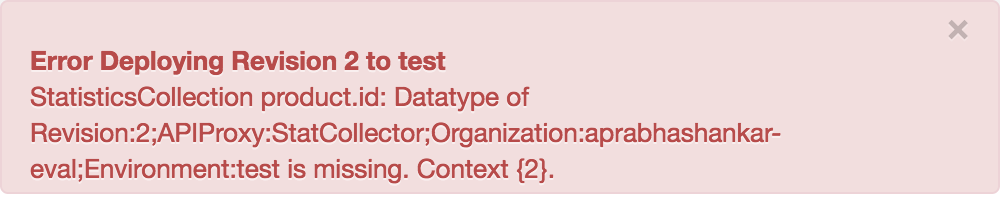
Error Deploying Revision 2 to test
StatisticsCollection product.id: Datatype of Revision:2;APIProxy:StatCollector;Organization:aprabhashankar-eval;Environment:test is missing. Context {2}.
範例螢幕截圖
原因
如果 Statistics Collector 政策的 <Statistic> 元素中,ref 屬性指定的變數類型遺失,API Proxy 的部署作業就會失敗。
診斷
- 找出發生失敗的特定 API Proxy 中的 Statistics Collector 政策。
- 檢查失敗的 Statistics Collector 政策 XML 中每個
<Statistic>元素的定義。如果任何<Statistic>元素缺少類型屬性,就是造成錯誤的原因。
以下是 Statistics Collector 政策的範例:
  <StatisticsCollector name="publishPurchaseDetails"
      <Statistics>
          <Statistic name="productID" ref="product.id">999999</Statistic>
          <Statistic name="price" ref="product.price" type="string">1000</Statistic>
      </Statistics>
  </StatisticsCollector>
在上方顯示的「統計資料收集器」政策範例中,請注意兩個 <Statistic> 元素都缺少 type 屬性。因此 API Proxy 部署作業會失敗。
解析度
請確保 Statistics Collector 政策的 <Statistic> 元素中,ref 屬性指定的變數類型屬性一律已指定,且屬於支援的資料類型。
支援的資料類型為 string、integer、float、long、double 和 boolean。
例如:
<StatisticsCollector name="publishPurchaseDetails">
    <Statistics>
        <Statistic name="productID" ref="product.id" type="string">999999</Statistic>
        <Statistic name="price" ref="product.price"  type="string">1000</Statistic>
    </Statistics>
</StatisticsCollector>