Apigee की आम समस्याएं

Apigee Edge का दस्तावेज़ देखा जा रहा है.
Go to the Apigee X documentation.
info

यहां दिए गए सेक्शन में, Apigee Edge और Edge for Private Cloud से जुड़ी जानी-मानी समस्याओं के बारे में बताया गया है. ज़्यादातर मामलों में, यहां बताई गई समस्याएं आने वाले वर्शन में ठीक कर दी जाएंगी.

Edge से जुड़ी अन्य समस्याएं

यहां दिए गए सेक्शन में, Edge से जुड़ी कुछ समस्याओं के बारे में बताया गया है.

क्षेत्र/खास जानकारी ज्ञात समस्याएं
कैश मेमोरी खत्म होने की वजह से cachehit की वैल्यू गलत दिखना

जब cachehit फ़्लो वैरिएबल का इस्तेमाल, LookupCache नीति के बाद किया जाता है, तो कॉलबैक लागू होने से पहले LookupPolicy, DebugInfo ऑब्जेक्ट को पॉप्युलेट कर देती है. ऐसा, असाइनमेंट के साथ-साथ होने वाली प्रोसेस के लिए, डीबग पॉइंट डिस्पैच करने के तरीके की वजह से होता है. इस वजह से, गड़बड़ी होती है.

समाधान: पहले कॉल के तुरंत बाद, फिर से प्रोसेस दोहराएं (दूसरा कॉल करें).

InvalidateCache Policy PurgeChildEntries को 'सही' पर सेट करने से, यह ठीक से काम नहीं करती

InvalidateCache नीति में PurgeChildEntries सेट करने पर, सिर्फ़ KeyFragment एलिमेंट की वैल्यू को खाली किया जाना चाहिए. हालांकि, ऐसा करने पर पूरी कैश मेमोरी खाली हो जाती है.

इस समस्या को हल करने का तरीका: कैश मेमोरी के वर्शन को दोहराने और कैश मेमोरी को अमान्य करने की ज़रूरत को बायपास करने के लिए, KeyValueMapOperations नीति का इस्तेमाल करें.

SharedFlow या एपीआई प्रॉक्सी के लिए, एक साथ डिप्लॉयमेंट के अनुरोध करने पर, मैनेजमेंट सर्वर में गड़बड़ी हो सकती है. इस गड़बड़ी की वजह से, एक से ज़्यादा बदलावों को डिप्लॉय किया गया के तौर पर दिखाया जा सकता है.

उदाहरण के लिए, ऐसा तब हो सकता है, जब अलग-अलग रिविज़न का इस्तेमाल करके, सीआई/सीडी डिप्लॉयमेंट पाइपलाइन के एक साथ कई रन हों. इस समस्या से बचने के लिए, मौजूदा डिप्लॉयमेंट पूरा होने से पहले, एपीआई प्रॉक्सी या SharedFlows को डिप्लॉय करने से बचें.

इस समस्या को हल करने का तरीका: एक साथ कई एपीआई प्रॉक्सी या SharedFlow डिप्लॉयमेंट से बचें.

Edge API Analytics में दिखाए गए एपीआई कॉल की संख्या में डुप्लीकेट डेटा हो सकता है.

Edge API Analytics में, कभी-कभी एपीआई कॉल के लिए डुप्लीकेट डेटा हो सकता है. ऐसे में, Edge API Analytics में एपीआई कॉल के लिए दिखाई गई गिनती, तीसरे पक्ष के आंकड़े इकट्ठा करने वाले टूल में दिखाई गई वैल्यू से ज़्यादा होती है.

इस समस्या को हल करने का तरीका: Analytics डेटा एक्सपोर्ट करें और डेटा से डुप्लीकेट कॉपी हटाने के लिए, gateway_flow_id फ़ील्ड का इस्तेमाल करें.

Edge यूज़र इंटरफ़ेस (यूआई) से जुड़ी सामान्य समस्याएं

इन सेक्शन में, Edge यूज़र इंटरफ़ेस (यूआई) से जुड़ी सामान्य समस्याओं के बारे में बताया गया है.

इलाका/सारांश सामान्य समस्याएं
किसी संगठन को आइडेंटिटी ज़ोन से मैप करने के बाद, नेविगेशन बार से Edge एसएसओ ज़ोन एडमिनिस्ट्रेशन पेज को ऐक्सेस नहीं किया जा सकता

किसी संगठन को आइडेंटिटी ज़ोन से कनेक्ट करने के बाद, एडमिन > एसएसओ को चुनकर, बाईं ओर मौजूद नेविगेशन बार से Edge एसएसओ ज़ोन एडमिनिस्ट्रेशन पेज को ऐक्सेस नहीं किया जा सकता.

अस्थायी समाधान: इस यूआरएल का इस्तेमाल करके, सीधे पेज पर जाएं: https://apigee.com/sso

Edge यूज़र इंटरफ़ेस (यूआई) का TLS कॉन्फ़िगरेशन

TLS_DISABLED_ALGO और TLS_ENABLED_CIPHERS विकल्प ठीक से काम नहीं करते.

अस्थायी समाधान: Edge यूज़र इंटरफ़ेस (यूआई) के लिए, खास सिफ़र चालू करने के लिए, यहां दिया गया तरीका अपनाएं:

  1. /opt/apigee/etc/edge-ui.d/SSL.sh कॉन्फ़िगरेशन फ़ाइल खोलें.
  2. UI_OPTIONS में, कॉमा से अलग की गई सिफ़र सुइट की सूची के साथ -Djdk.tls.server.cipherSuites प्रॉपर्टी जोड़ें. सूची में, IANA नोटेशन का इस्तेमाल करें. उदाहरण के लिए:
    UI_OPTIONS=" -Dhttp.port=disabled -Dhttps.port=9433 -Dhttps.keyStoreType=JKS -Dhttps.keyStore=/opt/apigee/customer/conf/keystore.jks -Dplay.http.sslengineprovider=services.CustomSSLEngineProvider -Dhttps.keyStorePasswordEncrypted=mypass -Djdk.tls.server.cipherSuites=TLS_RSA_WITH_AES_256_CBC_SHA256,TLS_RSA_WITH_AES_256_GCM_SHA384"
  3. कॉन्फ़िगरेशन फ़ाइल में किए गए बदलाव सेव करें.
  4. Edge यूज़र इंटरफ़ेस (यूआई) को रीस्टार्ट करें:
    /opt/apigee/apigee-service/bin/apigee-service edge-ui restart

इंटिग्रेट किए गए पोर्टल से जुड़ी समस्याएं

यहां दिए गए सेक्शन में, इंटिग्रेट किए गए पोर्टल से जुड़ी समस्याओं के बारे में बताया गया है.

क्षेत्र ज्ञात समस्याएं
SmartDocs
  • Apigee Edge, OpenAPI Specification 3.0 के साथ काम करता है. ऐसा तब होता है, जब आपके पोर्टल पर स्पेसिफ़िकेशन एडिटर का इस्तेमाल करके स्पेसिफ़िकेशन बनाए जाते हैं और SmartDocs का इस्तेमाल करके एपीआई पब्लिश किए जाते हैं. हालांकि, कुछ सुविधाओं के सबसेट अभी काम नहीं करते.

    उदाहरण के लिए, OpenAPI Specification 3.0 की ये सुविधाएं फ़िलहाल काम नहीं करतीं:

    • स्कीमा को जोड़ने और बढ़ाने के लिए allOf प्रॉपर्टी
    • रिमोट रेफ़रंस

    अगर आपके OpenAPI स्पेसिफ़िकेशन में ऐसी सुविधा का रेफ़रंस दिया गया है जो काम नहीं करती, तो कुछ मामलों में टूल उस सुविधा को अनदेखा कर देंगे. हालांकि, वे एपीआई के रेफ़रंस दस्तावेज़ को रेंडर करेंगे. अन्य मामलों में, काम न करने वाली सुविधा की वजह से गड़बड़ियां होंगी. इन गड़बड़ियों की वजह से, एपीआई के रेफ़रंस दस्तावेज़ को रेंडर नहीं किया जा सकेगा. दोनों ही मामलों में, आपको अपने OpenAPI स्पेसिफ़िकेशन में बदलाव करना होगा, ताकि काम न करने वाली सुविधा का इस्तेमाल न किया जा सके. ऐसा तब तक करना होगा, जब तक कि वह सुविधा आने वाले समय में रिलीज़ होने वाले वर्शन में काम नहीं करेगी.

    ध्यान दें: एपीआई रेफ़रंस दस्तावेज़ को रेंडर करते समय, स्पेसिफ़िकेशन एडिटर, SmartDocs की तुलना में कम पाबंदी वाला होता है. इसलिए, आपको इन टूल के बीच अलग-अलग नतीजे दिख सकते हैं.

  • पोर्टल में 'इस एपीआई को आज़माएं' सुविधा का इस्तेमाल करते समय, Accept हेडर को application/json पर सेट किया जाता है. भले ही, OpenAPI स्पेसिफ़िकेशन में consumes के लिए कोई भी वैल्यू सेट की गई हो.
  • 138438484: एक से ज़्यादा सर्वर इस्तेमाल नहीं किए जा सकते.
एसएएमएल आइडेंटिटी प्रोवाइडर कस्टम डोमेन के लिए, पहचान की सुविधा देने वाली SAML कंपनी की मदद से एक बार में लॉग आउट करने (एसएलओ) की सुविधा काम नहीं करती. एसएएमएल आइडेंटिटी प्रोवाइडर के साथ कस्टम डोमेन चालू करने के लिए, एसएएमएल सेटिंग कॉन्फ़िगर करते समय, साइन-आउट यूआरएल फ़ील्ड को खाली छोड़ें.
पोर्टल एडमिन
  • फ़िलहाल, एक से ज़्यादा उपयोगकर्ताओं के लिए, पोर्टल में एक साथ बदलाव करने की सुविधा उपलब्ध नहीं है. जैसे, पेज, थीम, सीएसएस या स्क्रिप्ट में बदलाव करना.
  • अगर पोर्टल से एपीआई रेफ़रंस दस्तावेज़ का पेज मिटाया जाता है, तो उसे फिर से बनाने का कोई तरीका नहीं है. इसके लिए, आपको एपीआई प्रॉडक्ट को मिटाकर फिर से जोड़ना होगा और एपीआई रेफ़रंस दस्तावेज़ को फिर से जनरेट करना होगा.
  • कॉन्टेंट की सुरक्षा से जुड़ी नीति को कॉन्फ़िगर करने पर, बदलावों को पूरी तरह लागू होने में 15 मिनट तक लग सकते हैं.
  • पोर्टल की थीम को पसंद के मुताबिक बनाने पर, बदलावों को पूरी तरह लागू होने में पांच मिनट लग सकते हैं.
पोर्टल की सुविधाएं
  • आने वाले समय में रिलीज़ होने वाले वर्शन में, Search को इंटिग्रेट किए गए पोर्टल में इंटिग्रेट किया जाएगा.

Known issues with Edge for Private Cloud

The following sections describe the known issues with Edge for Private Cloud.

Area Known issues
Edge for Private Cloud 4.53.01 NGINX Vulnerability Assessment (CVE-2026-42945)

A vulnerability (CVE-2026-42945) was disclosed affecting the ngx_http_rewrite_module in NGINX. Security scanning tools may flag the NGINX binaries included with Apigee Edge for Private Cloud because this module is statically compiled into NGINX.

Impact on Apigee Edge for Private Cloud:

Apigee Edge for Private Cloud is not affected by this vulnerability in its default, shipped configuration. The exploitability of CVE-2026-42945 is dependent on specific NGINX configuration patterns, notably the use of the rewrite directive in a particular sequence. These patterns are not present in any standard Apigee Edge for Private Cloud NGINX configurations.

Action Required:

  • For Default Apigee Edge for Private Cloud Configurations: No patches, upgrades, or operational changes are required. Scanner findings regarding CVE-2026-42945 can be treated as false positives for default installations. You can use the following text to document this exception in your vulnerability management system:

    CVE-2026-42945 — Accepted exception (false positive for Apigee Edge for Private Cloud). Apigee Edge for Private Cloud does not use the rewrite directive in any shipped NGINX configuration. The vulnerable code path in ngx_http_rewrite_module is configuration-gated and is not reachable in the default Apigee Edge for Private Cloud deployment.

  • For Customized NGINX Configurations: If you have manually modified the NGINX configuration files within your Apigee Edge for Private Cloud installation (for example, under /opt/nginx), you should perform the following self-check to ensure your customizations have not inadvertently introduced the vulnerable pattern:
    1. Check for rewrite directive: On each NGINX node, run the command:
      sudo grep -rnI '^\s*rewrite\b' /opt/nginx
    2. Analyze Results:
      • If the command returns no output, your system is not affected.
      • If matches are found, review each instance. The vulnerability is present only if all the following conditions are met for a given block:
        • The rewrite directive is used.
        • It is immediately followed by another rewrite, if, or set directive within the same configuration block.
        • An unnamed PCRE capture group (for example, $1, $2, etc.) is used in the directives.
        • The replacement string in the directive contains a question mark (?).
    3. Mitigation (if vulnerable): If all the above conditions are true for any part of your custom configuration, mitigate by:
      • Removing the question mark (?) from the replacement string.
      • Using named PCRE capture groups instead of unnamed ones.
      • Re-evaluating the need for the chained directives.
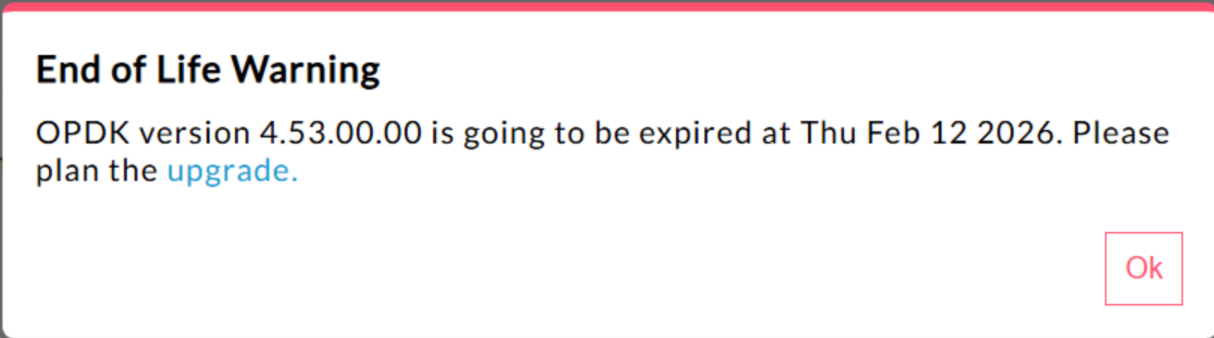
Edge for Private Cloud 4.53.00 440148595: End of Life Popup Warning Displayed Excessively

In Edge for Private Cloud 4.53.00 and later, the UI displays an "End of Life" (EOL) warning pop-up. This warning appears
repeatedly and cannot be prevented or reduced in frequency.

There is currently no method available for users to disable or reduce the frequency of this EOL warning.

Edge for Private Cloud 4.53.01 Java Callouts

Customer Java callouts that attempt to load the Bouncy Castle cryptography provider using the name "BC" might fail because the default provider has been changed to Bouncy Castle FIPS to support FIPS. The new provider name to use is "BCFIPS".

Edge for Private Cloud 4.53.00 Java Callouts

Customer Java callouts that attempt to load the Bouncy Castle cryptography provider using the name "BC" might fail because the default provider has been changed to Bouncy Castle FIPS to support FIPS. The new provider name to use is "BCFIPS".

Edge for Private Cloud 4.52.01 Mint update

This issue affects only those who are using MINT or have MINT enabled in Edge for Private Cloud installations.

Component affected: edge-message-processor

Issue: If you have monetization enabled and are installing 4.52.01 as a fresh install or upgrading from previous Private Cloud versions, you will encounter an issue with message processors. There will be a gradual increase in open thread count leading to resource exhaustion. The following exception is seen in edge-message-processor system.log:

Error injecting constructor, java.lang.OutOfMemoryError: unable to create new native thread
Apigee HTTP/2 vulnerability

A Denial-of-Service (DoS) vulnerability was recently discovered in multiple implementations of the HTTP/2 protocol (CVE-2023-44487), including in Apigee Edge for Private Cloud. The vulnerability could lead to a DoS of Apigee API management functionality. For more details, see Apigee Security Bulletin GCP-2023-032.

The Edge for Private Cloud router and management server components are exposed to the internet and can potentially be vulnerable. Although HTTP/2 is enabled on the management port of other Edge-specific components of Edge for Private Cloud, none of those components are exposed to the internet. On non-Edge components, like Cassandra, Zookeeper and others, HTTP/2 is not enabled. We recommend that you take the following steps to address the Edge for Private Cloud vulnerability:

Follow these steps if you are using Edge Private Cloud versions 4.51.00.11 or newer:

  1. Update the management server:

    1. On each management server node, open /opt/apigee/customer/application/management-server.properties
    2. Add this line to the properties file:
      conf_webserver_http2.enabled=false
    3. Restart the management server component:
      apigee-service edge-management-server restart
  2. Update the message processor:

    1. On each message processor node, open /opt/apigee/customer/application/message-processor.properties
    2. Add this line to the properties file:
      conf_webserver_http2.enabled=false
    3. Restart the message processor component:
      apigee-service edge-message-processor restart
  3. Update the router:

    1. On each router node, open /opt/apigee/customer/application/router.properties
    2. Add this line to the properties file:
      conf_webserver_http2.enabled=false
    3. Restart the message processor component:
      apigee-service edge-router restart
  4. Update QPID:

    1. On each QPID node, open /opt/apigee/customer/application/qpid-server.properties
    2. Add this line to the properties file:
      conf_webserver_http2.enabled=false
    3. Restart the message processor component:
      apigee-service edge-qpid-server restart
  5. Update Postgres:

    1. On each Postgres node, open /opt/apigee/customer/application/postgres-server.properties
    2. Add this line to the properties file:
      conf_webserver_http2.enabled=false
    3. Restart the message processor component:
      apigee-service edge-postgres-server restart

Follow these steps if you are using Edge for Private Cloud versions older than 4.51.00.11:

  1. Update the management server:

    1. On each management server node, open /opt/apigee/customer/application/management-server.properties
    2. Add the following two lines to the properties file:
      conf_webserver_http2.enabled=false
      conf/webserver.properties+http2.enabled=false
    3. Restart the management server component:
      apigee-service edge-management-server restart
  2. Update the message processor:

    1. On each message processor node, open /opt/apigee/customer/application/message-processor.properties
    2. Add the following two lines to the properties file:
      conf_webserver_http2.enabled=false
      conf/webserver.properties+http2.enabled=false
    3. Restart the message processor component:
      apigee-service edge-message-processor restart
  3. Update the router:

    1. On each router node, open /opt/apigee/customer/application/router.properties
    2. Add the following two lines to the properties file:
      conf_webserver_http2.enabled=false
      conf/webserver.properties+http2.enabled=false
    3. Restart the message processor component:
      apigee-service edge-router restart
  4. Update QPID:

    1. On each QPID node, open /opt/apigee/customer/application/qpid-server.properties
    2. Add the following two lines to the properties file:
      conf_webserver_http2.enabled=false
      conf/webserver.properties+http2.enabled=false
    3. Restart the message processor component:
      apigee-service edge-qpid-server restart
  5. Update Postgres:

    1. On each Postgres node, open /opt/apigee/customer/application/postgres-server.properties
    2. Add the following two lines to the properties file:
      conf_webserver_http2.enabled=false
      conf/webserver.properties+http2.enabled=false
    3. Restart the message processor component:
      apigee-service edge-postgres-server restart
Postgresql upgrade when updating to version 4.52

Apigee-postgresql is having issues with upgrading from Edge for Private Cloud version 4.50 or 4.51 to version 4.52. The issues mainly occur when the number of tables is greater than 500.

You can check the total number of tables in Postgres by running the SQL query below:

select count(*) from information_schema.tables

Workaround: When Updating Apigee Edge 4.50.00 or 4.51.00 to 4.52.00, be sure to perform the preliminary step before upgrading Apigee-postgresql.

LDAP policy

149245401: LDAP connection pool settings for JNDI configured through the LDAP resource are not reflected, and JNDI defaults cause single-use connections each time. As a result, connections are being opened and closed each time for single use, creating a large number of connections per hour to the LDAP server.

Workaround:

In order to change the LDAP connection pool properties, do the following steps to set a global change across all LDAP policies.

  1. Create a configuration properties file if it does not already exist:
    /opt/apigee/customer/application/message-processor.properties
  2. Add the following to the file (replace values of Java Naming and Directory Interface (JNDI) properties based on your LDAP resource configuration requirement).
    bin_setenv_ext_jvm_opts="-Dcom.sun.jndi.ldap.connect.pool.maxsize=20
    -Dcom.sun.jndi.ldap.connect.pool.prefsize=2
    -Dcom.sun.jndi.ldap.connect.pool.initsize=2
    -Dcom.sun.jndi.ldap.connect.pool.timeout=120000
    -Dcom.sun.jndi.ldap.connect.pool.protocol=ssl"
  3. Make sure the file /opt/apigee/customer/application/message-processor.properties is owned by apigee:apigee.
  4. Restart each message processor.

To verify that your connection pool JNDI properties are taking effect, you can perform a tcpdump to observe the behavior of the LDAP connection pool over time.

High Request Processing Latency

139051927: High proxy processing latencies found in the Message Processor are affecting all API Proxies. Symptoms include 200-300ms delays in processing times over normal API response times and can occur randomly even with low TPS. This can occur when than more than 50 target servers in which a message processor makes connections.

Root cause: Message processors keep a cache that maps target server URL to HTTPClient object for outgoing connections to target servers. By default this setting is set to 50 which may be too low for most deployments. When a deployment has multiple org/env combinations in a setup, and have a large number of target servers that exceed 50 altogether, the target server URLs keep getting evicted from cache, causing latencies.

Validation: To determine if target server URL eviction is causing the latency problem, search the Message Processor system.logs for keyword "onEvict" or "Eviction". Their presence in the logs indicate that target server URLs are getting evicted from the HTTPClient cache because the cache size is too small.

Workaround: For Edge for Private Cloud versions 19.01 and 19.06, you can edit and configure the HTTPClient cache, /opt/apigee/customer/application/message-processor.properties:

conf/http.properties+HTTPClient.dynamic.cache.elements.size=500

Then restart the message processor. Make the same changes for all message processors.

The value 500 is an example. The optimal value for your setup should be greater than the number of target servers that the message processor would connect to. There are no side effects from setting this property higher, and the only affect would be an improved message processor proxy request processing times.

Note: Edge for Private Cloud version 50.00 has the default setting of 500.

Multiple entries for key value maps

157933959: Concurrent inserts and updates to the same key value map (KVM) scoped to the organization or environment level causes inconsistent data and lost updates.

Note: This limitation only applies to Edge for Private Cloud. Edge for Public Cloud and Hybrid do not have this limitation.

For a workaround in Edge for Private Cloud, create the KVM at the apiproxy scope.